OBSCURA PracticeOpening Practice on this computer…

OBSCURA Practice
Practice management for a small firm.
This browser’s Pro key was not accepted: the subscription behind it has ended. Renew or subscribe below.
Practice onlyUS$2 a month, 7 days free EverythingUS$5 a month, 7 days free Sign in
US$2 a month or US$19 a year for Practice, or US$5 a month or US$48 a year for everything. 7 days free. Stripe takes a card, and nothing is charged if you cancel before they end.
- Clients, matters and the conflict check
- Time, budgets, bills and LEDES
- Client money and money on account
- AML and sanctions screening
- Documents, bundles and signing
- Complaints, closure and reports
Practice at work
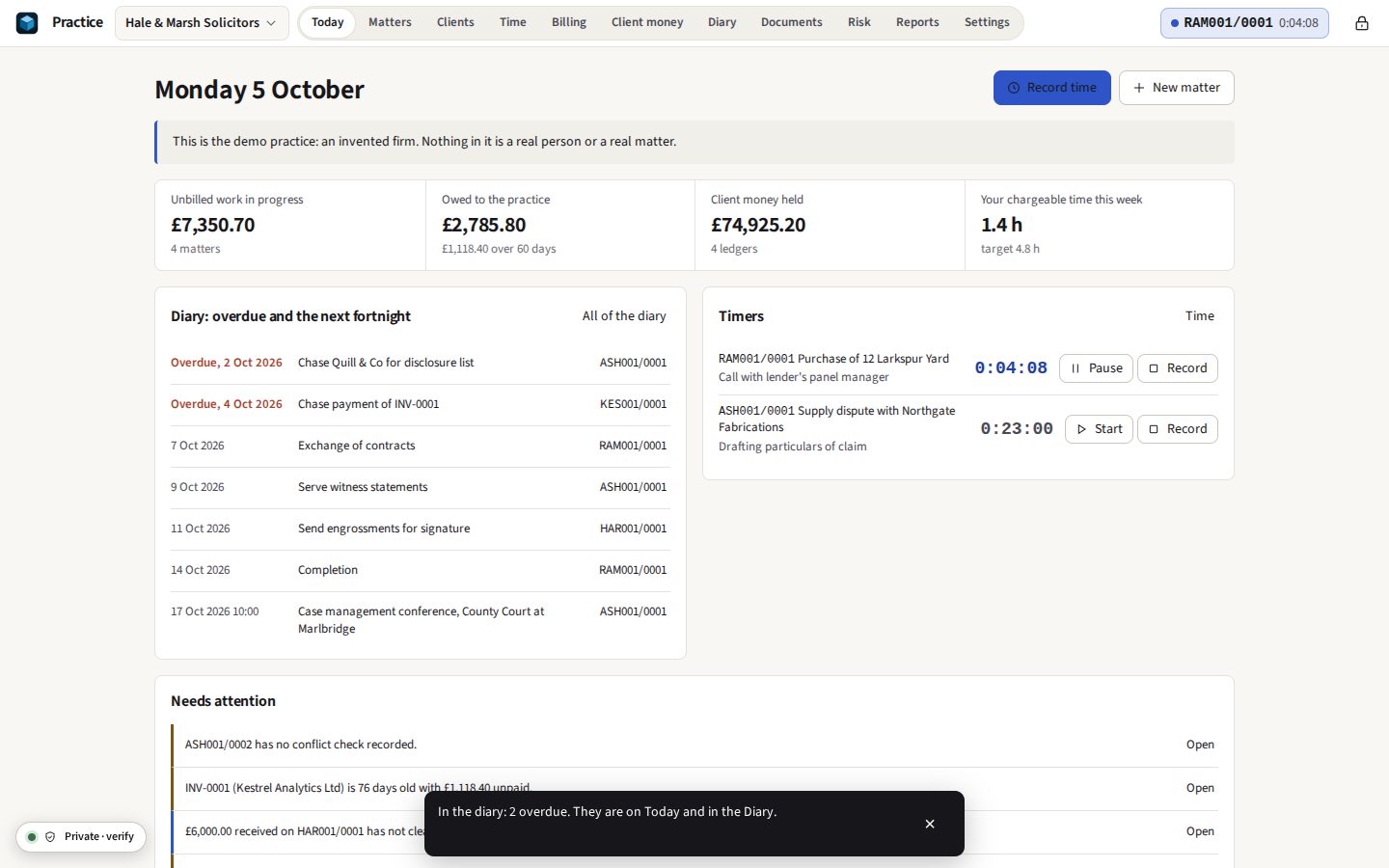
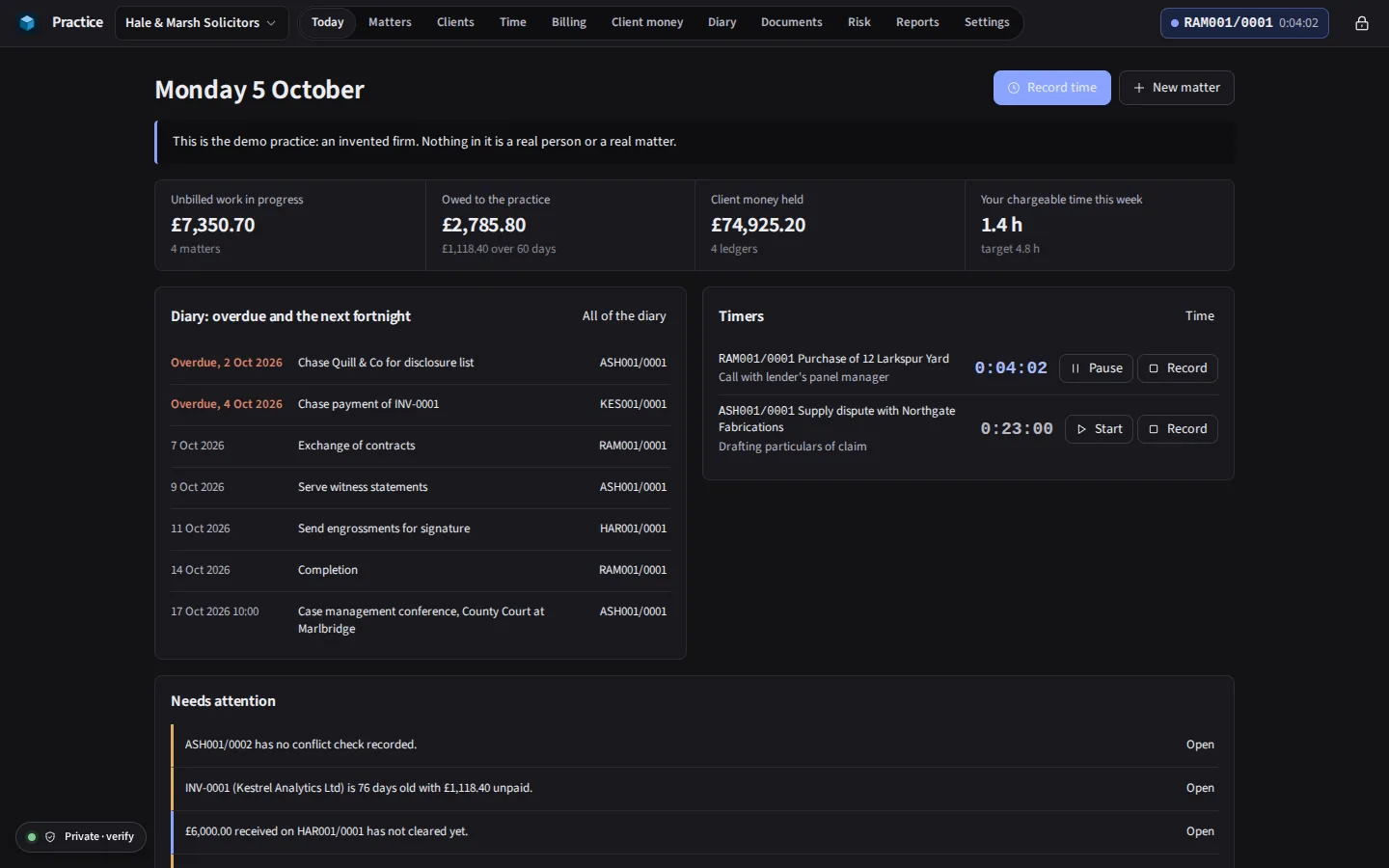
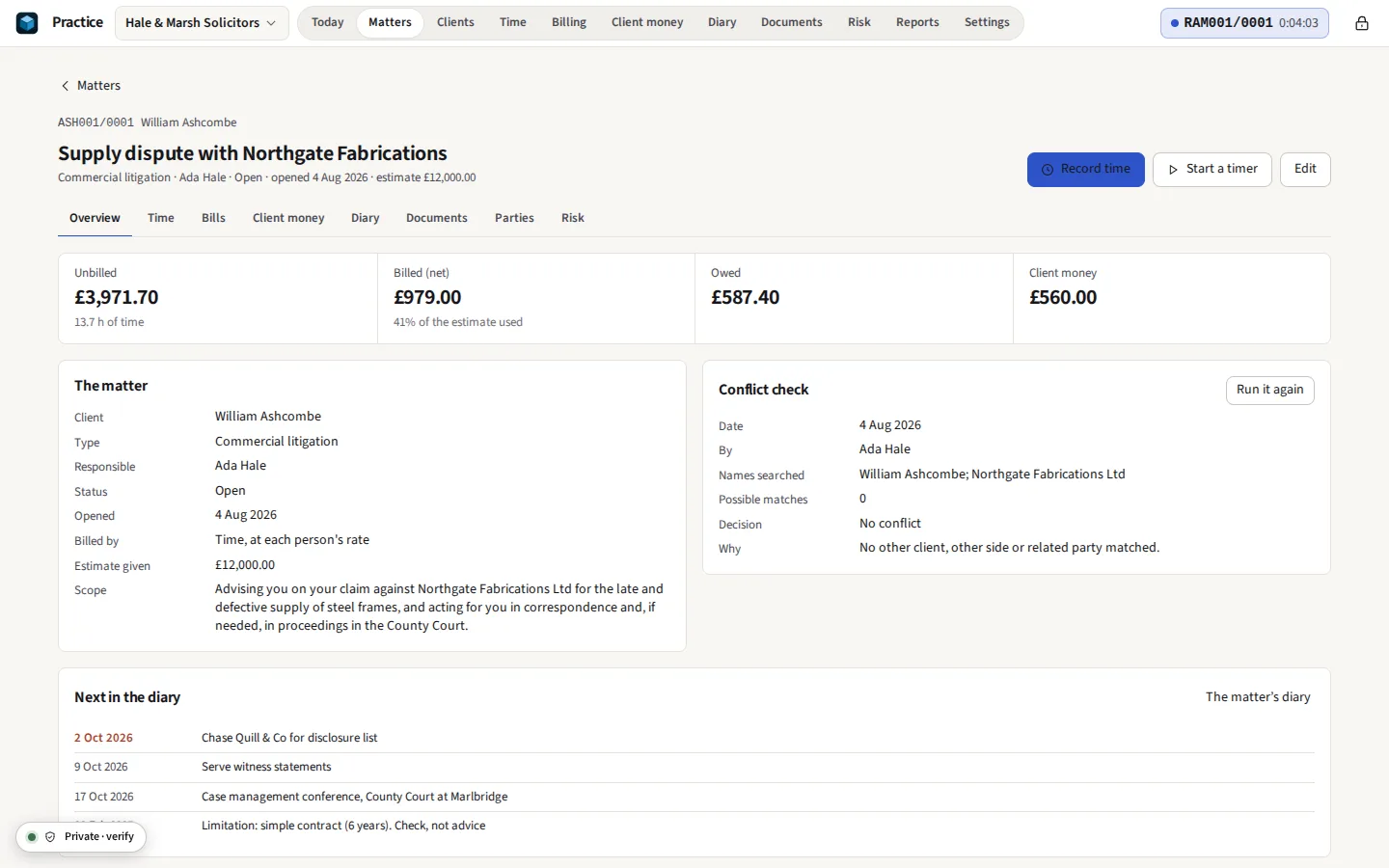
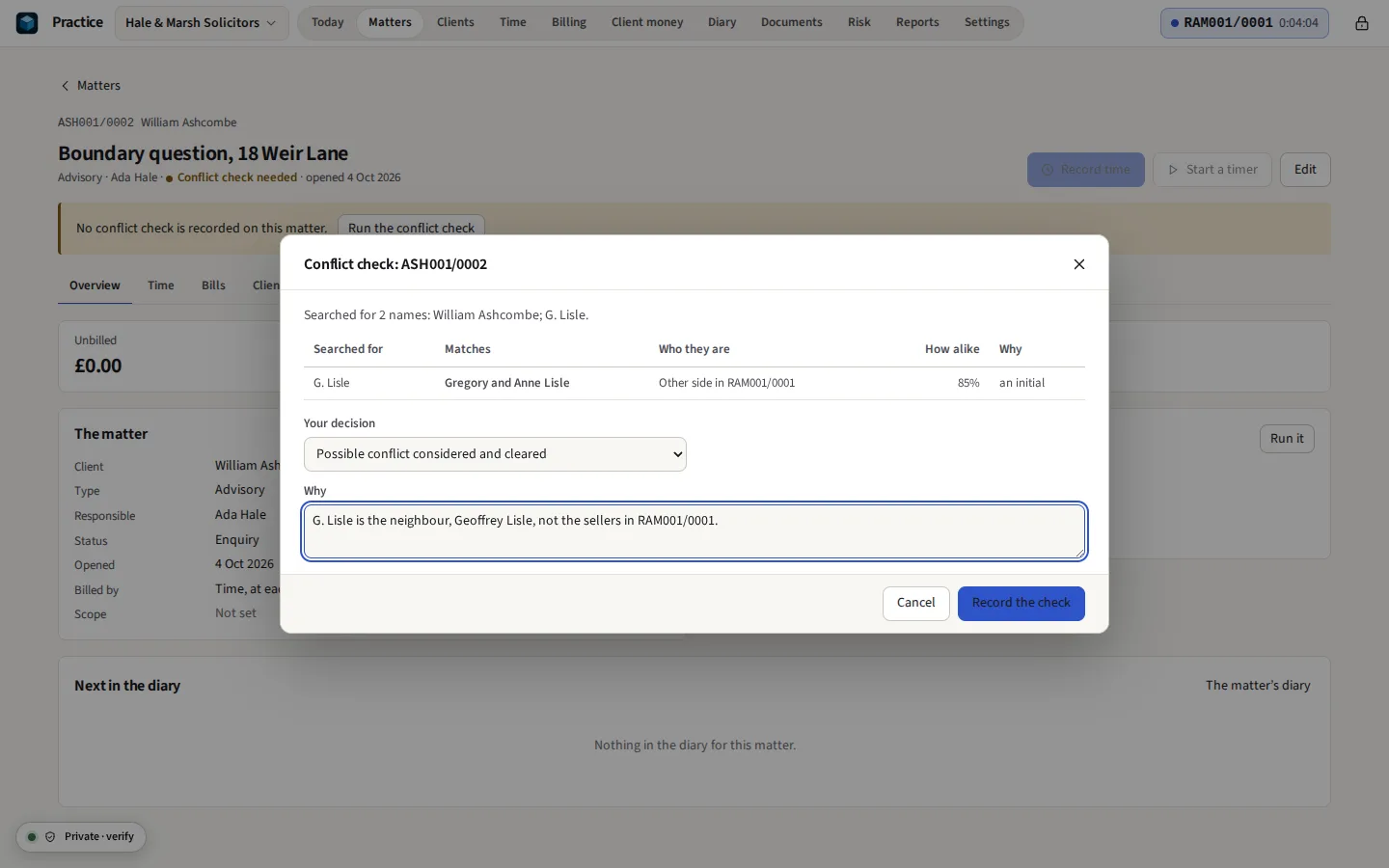
Taken from Practice itself, with its demo: an invented two-partner firm in a town that does not exist. Its clients, matters and money are made up; you can open it with one button once Practice is open.




Everything it does
Clients, conflict checks, time, bills, client money and deadlines for solicitors and other professionals, encrypted in your browser. Nothing is uploaded. Assemble engagement and client care letters, keep matter documents and email, reconcile the client account three ways, and keep the undertakings register. No third party holds your clients’ files. For sole practitioners and small firms, solicitors first.
Before you start: One person to a copy: fee earners send their time as a file to be merged, with no shared live database. What else it does not do
Compared with Clio.
What it does
Practice is practice management for a solicitor, barrister, accountant or consultant working alone or in a small firm: the records a practice keeps about its clients and its work, kept on the computer you work on, encrypted with your passphrase.
Clients
A person or an organisation, with its contacts, other names it has gone by, and each identity check: the date, who checked, how, what was seen, and copies of what was seen. Clients can be brought in from a vCard file.
Matters
Numbered by client (HAR001/0001), by year (2026/0001) or with one running number. Each has its type, the person responsible, its status, the other side and their solicitors, related parties such as a lender or a witness, its scope, and whether it is billed by time, a fixed fee or a percentage of the sum recovered, with any estimate given. Dated notes of attendances, calls and meetings are kept on the matter, and can record their time as they are written.
The conflict check
Before a matter opens, every name involved is compared with every name the practice holds. Names are compared after accents, titles and company endings are set aside and Cyrillic and Greek letters are written in Latin; words match when they are equal, when one is a short form of the other, when they sound alike, or when they are a letter apart. Each hit says why, and the decision, who made it and when are kept on the matter.
Time
As many timers as you have things on the go, one running at a time; starting another pauses it. Time is put into units of six minutes, always rounded up, or the unit and rounding you choose. The rate is the matter’s for that person, then the matter’s, then the activity’s, then the person’s own, and each entry keeps which it was. On a phone, Time is the screen to record on the move. A week’s time is shown by matter and day against the week’s share of the target; entries can be changed together; and a timer that ran while nobody touched the computer is asked about.
Intake and statements
An intake form built in Practice is saved as one HTML file to send to someone or put on your own website; their answers are encrypted in their browser to the practice’s own key and come back as a file, which opens as a draft client and enquiry with the conflict check already run on every name in it. A client’s statement of account shows what was owed, each invoice, credit note and payment, what is owed now and how old it is, with client money held set apart, as PDF or CSV.
Bills
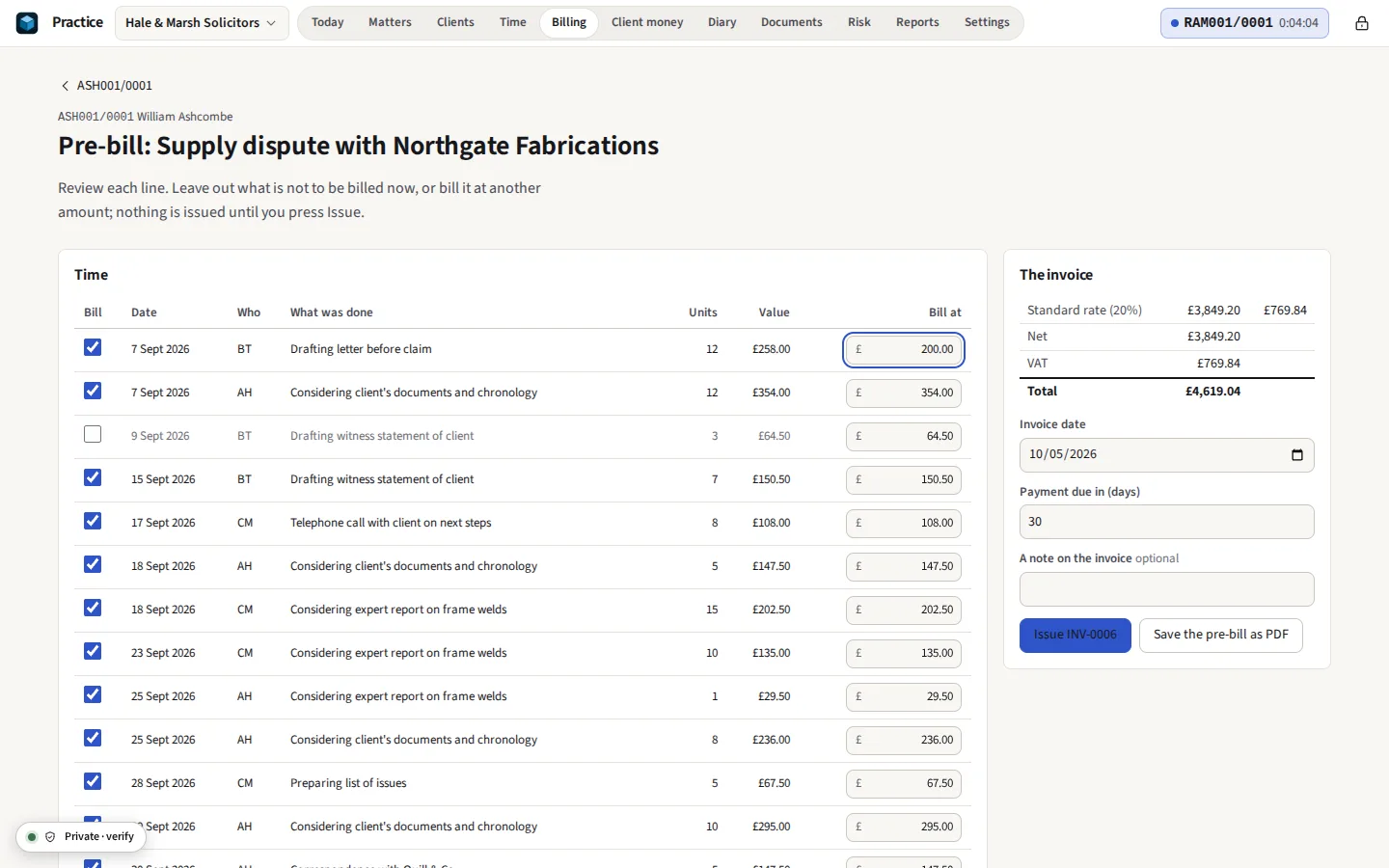
A pre-bill gathers the unbilled time and disbursements, each to bill, leave for later or bill at another amount. A discount comes off the fees as a percentage or an amount. A fee that is a percentage of the sum recovered, with VAT included, is worked so that the fee and its VAT never pass the agreed share. An issued invoice is numbered and never changed; a credit note takes back what should not have been billed, and unbilled time can be written off with the reason. VAT is worked on each rate band’s total, and a disbursement paid as the client’s agent can be outside the scope. Invoices are PDFs with real text and your payment details, and can be saved as LEDES 1998B files for clients that take bills that way. An invoice or a credit note is saved as LEDES 1998B or LEDES 98BI V2, with each line’s VAT and its UTBMS task, activity and expense codes, checked against the format’s rules before it is saved.
Client money
A ledger for each matter. A payment can use only money held for that matter that has cleared, so a ledger never goes below zero; one that would is refused, and the reason is shown and logged. Money goes to office only against a bill on the same matter, and no more than is owed on it.
Reconciliation
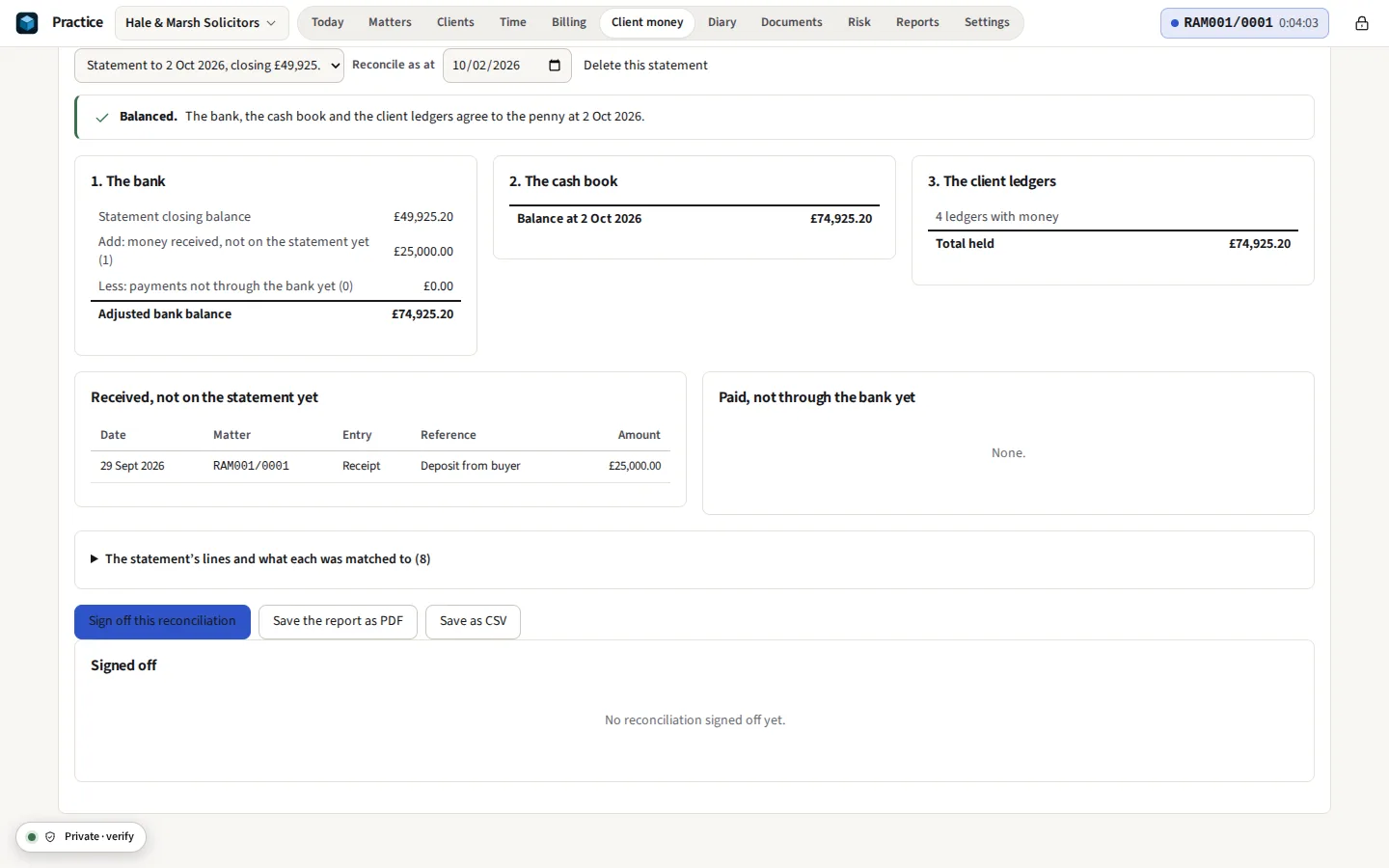
Import the client account’s statement as CSV, OFX or QIF from your bank. Its lines are matched to the cash book; what is not yet through the bank is listed; and the adjusted bank balance, the cash book and the total of the ledgers are compared to the penny. Sign it off when it balances, and save it as PDF. The office account is reconciled the same way, against the payments, transfers and disbursements Practice records, with any other line explained by an entry of its own.
Deadlines
Key dates, hearings and tasks for each matter, with reminders while Practice is open, and the whole diary as an .ics file with its alarms for the calendar you already rely on. Workflows for a house purchase, probate, an employment claim and a claim in court put their steps in the diary from the matter’s key dates, by days, business days, months or a court rule, and move them when a date moves; the practice can write its own. The limitation helper gives the last day to issue for simple contract and tort (six years), personal injury (three, with the date of knowledge) and deeds (twelve), with the section of the Limitation Act 1980; Court dates works out nine more, each with its rule.
Documents and letters
Files dropped on a matter are encrypted before they are kept, in folders, with each new version kept behind the last. Emails as .eml or Outlook .msg go in the matter’s email log, in threads, with their attachments, read by the same readers as Case. Templates fill merge fields from the matter, the client, the other side and each related party, keep or leave out whole sections by what the matter holds, and include paragraphs from the practice’s precedent bank by name; a field with nothing to fill it is marked, never left blank. A letter can be signed on this device, drawn on a touch screen or by typing a name: the signed PDF carries a signing record, its hashes and the time, and no IP address or place, and a copy can be checked later for any change. That is an electronic signature, not a qualified one.
Undertakings and file review
A register of undertakings given and received, with the date each falls due, and anything overdue on the first screen. A file-review checklist, from the identity check to client money left on a file, ticked with who and when.
Money laundering and sanctions
A risk assessment of each client by the factors the Money Laundering Regulations name, with enhanced due diligence called for where they require it and a date to review it. Clients screened against the consolidated sanctions list file you download yourself; nothing is fetched, and each result is kept with the file’s hash.
Budgets, tasks and money on account
A matter’s estimate split by phase, with a warning at 75% and at 100% until the client has been told. Tasks with a priority and where they stand, yours on Today. A request for money on account as a letter, received when the money reaches the ledger, and your own payment link, with its QR code, on invoices.
Bundles, complaints and closing
A court bundle from a matter’s documents, under section headings, indexed, paginated and bookmarked in one PDF. A complaints register with the eight weeks and the Ombudsman’s six months. A file closed through its checklist, with the date it may be destroyed by its type.
Reports
Fees by person, matter and client (credit notes taken back in the same shares), realisation (what time was worth, what it was billed at, what was written off and what was paid, by fee earner, matter or client), matter profitability at each person’s cost rate, lockup in work-in-progress and debtor days, utilisation month by month, origination, work in progress, aged debt, the matter list, client money balances, time against targets, VAT on sales by quarter on the invoice or cash basis, and the sales day book and receipts for the accountant, each as CSV, with the accountant’s pack in one zip.
Your records, in your hands
Everything comes out: every list as a CSV file, with the documents, in one zip. Clients, matters and unbilled time come in from the CSV files Clio and PracticePanther export. The activity log records who did what and when, and can be searched and saved.
The matter file
A matter, its time, bills, documents and diary in one encrypted file, with the review from Case and the invoices from Books beside them. Each application opens its own part and keeps the others sealed; changes coming back are reviewed one by one, and one signed audit trail runs through all of it. How it works
The other applications
A matter’s documents go to Case for review and production, an invoice to PDF Studio, and a report to Sheets, inside this browser.
How a practice is protected
The whole practice, every document and every backup is encrypted before it is written to the browser’s storage or to a file, with AES-256-GCM and a fresh random IV each time. The key that unlocks it is made from your passphrase with Argon2id (64 MiB of memory, three passes), which makes each guess at a passphrase slow and costly; a browser that cannot run Argon2id uses PBKDF2-SHA-256 with 600,000 iterations instead, and says so. A changed byte is detected and nothing is opened. After ten minutes without use, or the time you set, Practice locks itself and drops the key.
OBSCURA has no copy of your practice, your passphrase or your key: there is nothing on our side to be breached, demanded or lost, and nothing from which a forgotten passphrase could be recovered. While the practice is open it is decrypted in the tab’s memory, so it is only as safe as the computer: lock it when you step away. The practice file, .opractice, is the encrypted whole, to back up, to keep in a folder your own synced drive covers, or to open on another computer.
If you are looking for a Clio alternative
Clio, LEAP, PracticePanther and Actionstep are cloud services: the firm’s client files, time and money records are kept on the provider’s servers, and each user is a monthly subscription. Practice keeps them on your computer, encrypted, and is part of OBSCURA Pro, one subscription for every paid application. For a sole practitioner or a small firm that would rather not hand its clients’ confidential affairs to a third party, that is the difference. The services have things Practice does not, listed below, and for a firm that needs those they are the better choice.
What it cannot do
Said now, so that nobody pays to find out.
- One person to a copy. A practice belongs to one person on one device at a time. Several fee earners each keep their own copy and send their time as a file to be merged into the firm’s, with duplicates found; there is no shared, live database, and two people cannot work in the same practice at once.
- No bank feeds. Statements are imported as CSV, OFX or QIF files from your bank; Practice never connects to a bank. The office account is reconciled against what Practice records; it is not a full set of books, and the VAT summary covers sales only.
- Record-keeping help, not compliance. Practice refuses an overdrawn client ledger and reconciles the account, but it does not make a firm compliant with the SRA Accounts Rules or any other regulator’s rules. The firm remains responsible for its client money and its records.
- England and Wales first. VAT is United Kingdom VAT, the limitation helper knows only four periods and Court dates only nine rules, all in England and Wales, and the letters are written for solicitors there. Other places and periods are not built in; a firm elsewhere can change the rate of VAT and its own templates.
- Not advice. Limitation dates and court dates are arithmetic on the dates you enter, with the rule shown. They are not legal advice and must be checked.
- No payments, portals or signing at a distance. Practice does not take card payments, send invoices by email, collect signatures by email or give clients a portal: each needs a server holding your clients’ data. A letter is signed on this device, by someone at it; the signature is an electronic signature, not a qualified one, and is not for a deed that must be witnessed, a will or a lasting power of attorney. Invoices print your payment details and, if you have one, your own payment link; letters are saved as Word files or PDFs for you to send from your own email. LEDES XML is not written; LEDES 1998B has no field for VAT, so its total is the net, and LEDES 98BI carries the VAT.
- A browser’s storage. The practice lives in this browser. Clearing the site’s data removes it and its local backups, so keep the practice file somewhere safe. Saving into a folder of your own needs Chrome, Edge or Opera on a computer; other browsers save the file to Downloads.
- Reminders need the tab. Reminders come while Practice is open. Save the diary as a calendar file for reminders that do not depend on it.