Opening Books…

OBSCURA Books
Bookkeeping and accounts that stay on your computer.
This browser’s Pro key was not accepted: the subscription behind it has ended. Renew or subscribe below.
Books onlyUS$2 a month, 7 days free EverythingUS$5 a month, 7 days free Sign in
US$2 a month or US$19 a year for Books, or US$5 a month or US$48 a year for everything. 7 days free. Stripe takes a card, and nothing is charged if you cancel before they end.
- Double entry, to the penny
- Bank statements by file
- Invoices, bills and CIS
- Payroll, dividends and directors’ loans
- Projects and a cash forecast
- VAT returns and the year end
Books at work
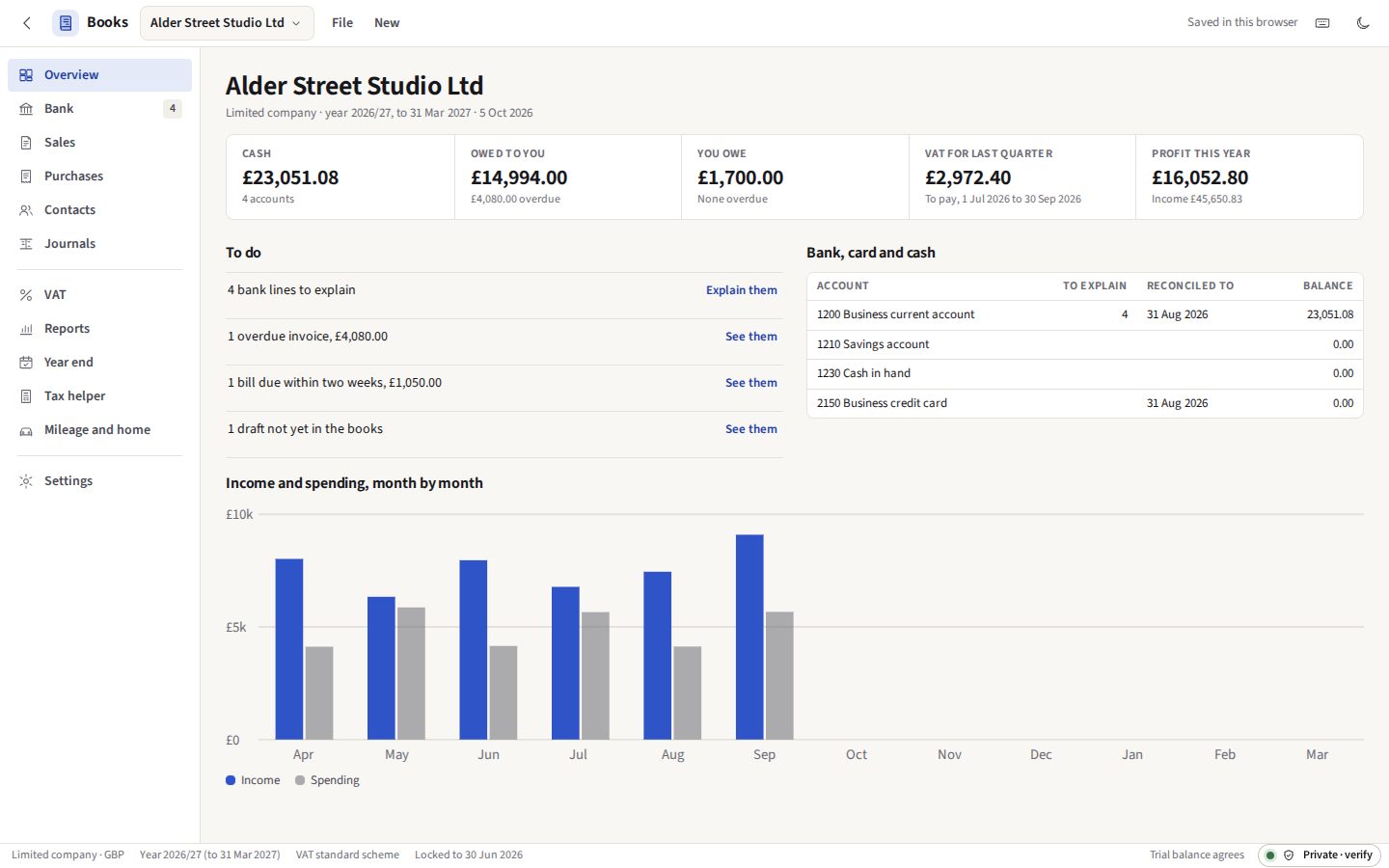
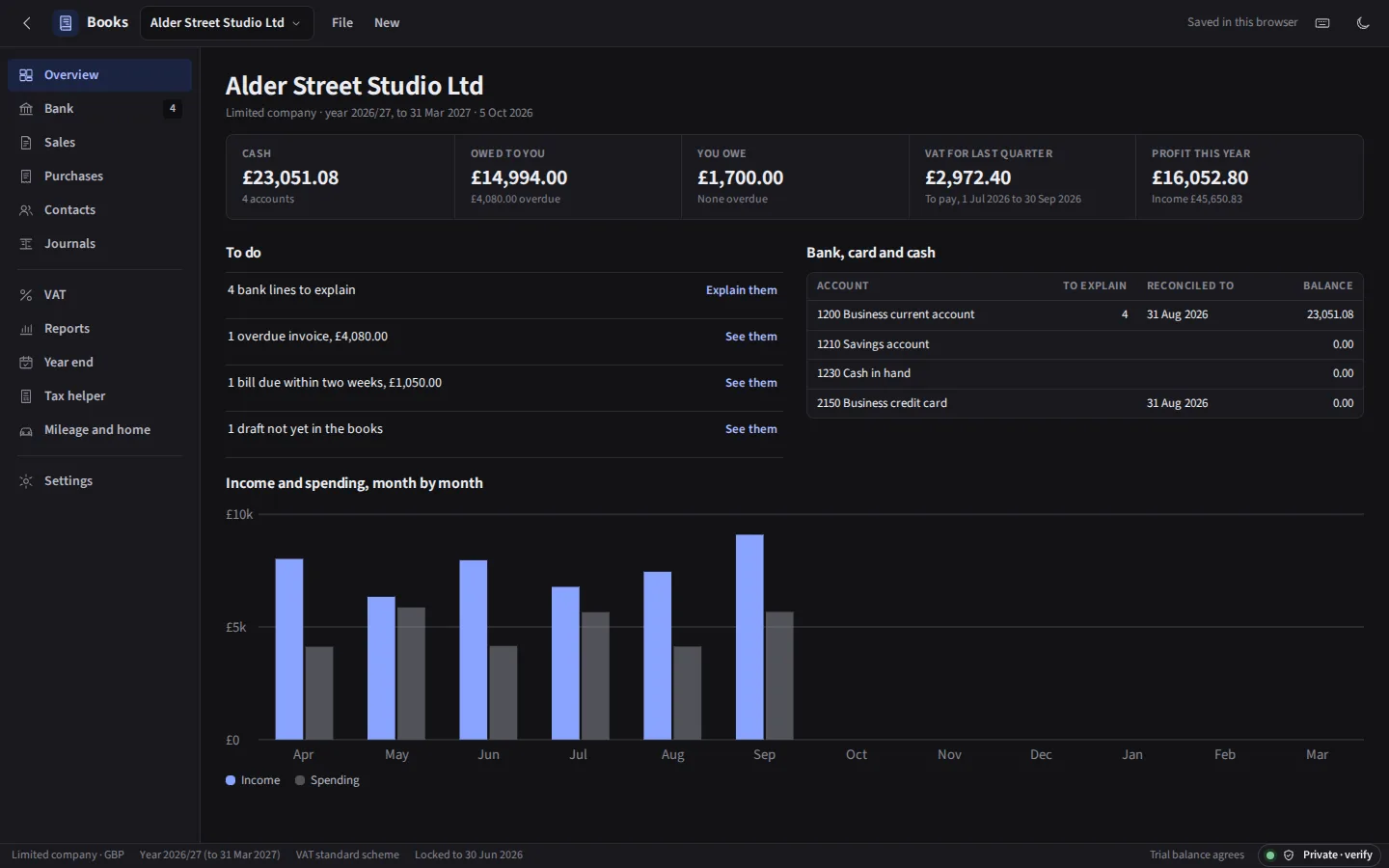
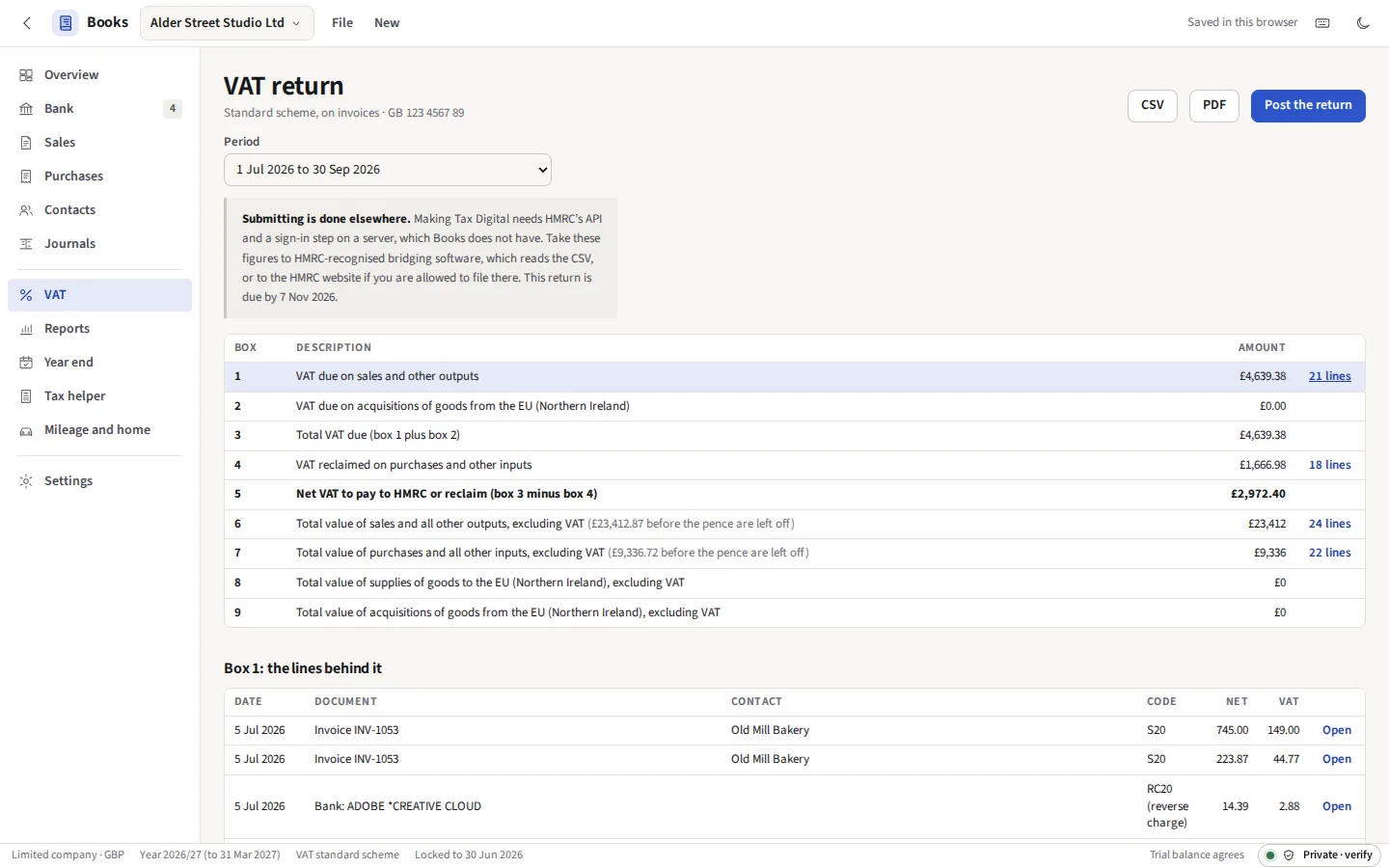
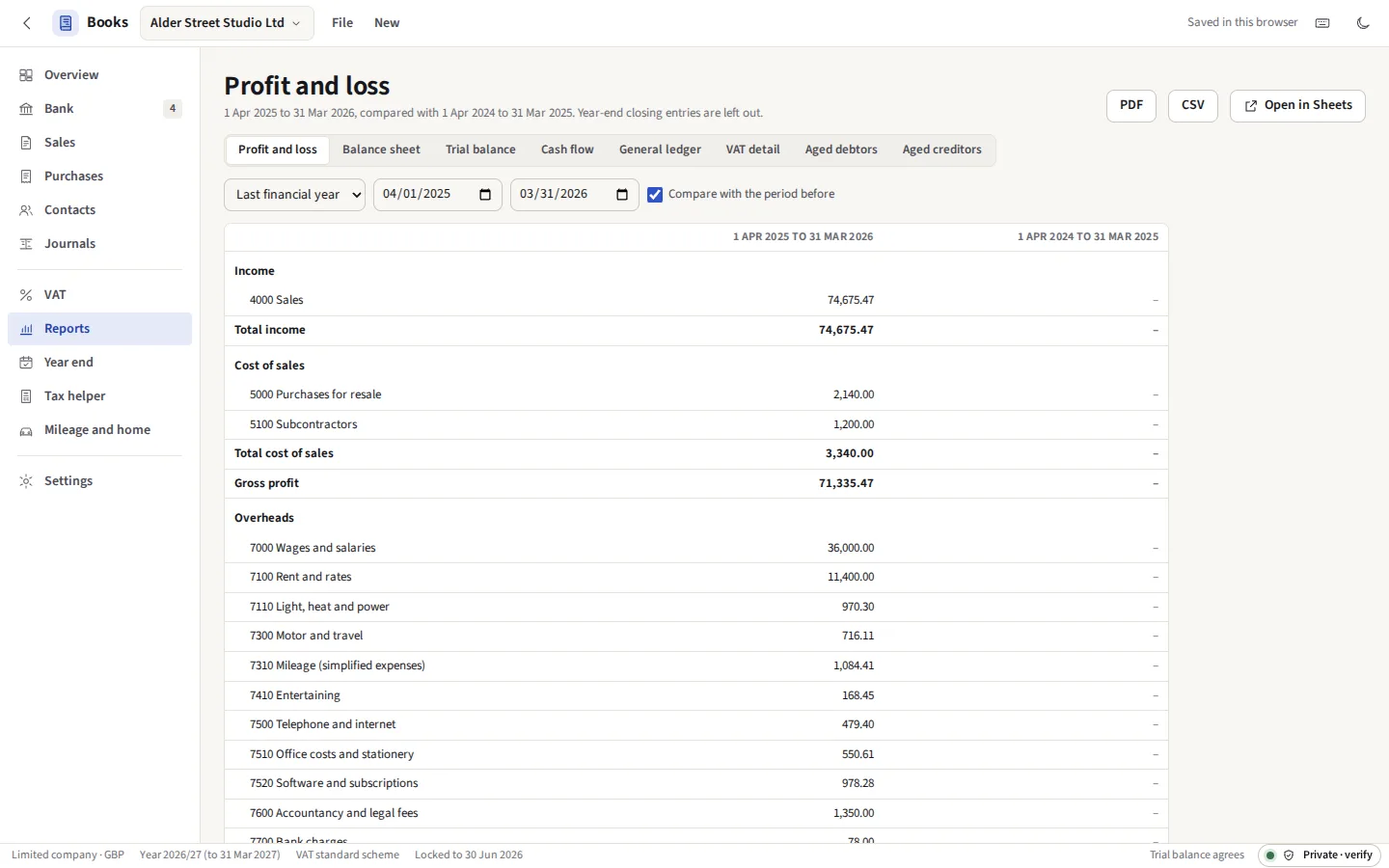
Taken from Books itself, with the demo company it opens in one click: Alder Street Studio Ltd, an invented two-person design studio with eighteen months of books.




Everything it does
Bank statements explained, invoices and bills, the VAT return and the year end, for a sole trade, landlord or small company. Double entry to the penny, the reports an accountant asks for, and the SA103 and SA105 figures. Your figures are never uploaded, and there is no account to make.
Before you start: Works out your VAT return; you submit it with bridging software. What else it does not do
Compared with QuickBooks, Xero and FreeAgent.
What it does
Companies
As many businesses as you keep books for, each a sole trader, a partnership, a limited company or a landlord, with its own financial year, currency, VAT scheme (none, standard or flat rate, on invoices or on cash) and chart of accounts. The chart starts from a UK default for the kind of business and is yours to rename, renumber and add to.
The ledger
Double entry underneath everything. An invoice, a bill or a bank line is never typed twice: its journal is worked out from it, so changing the invoice changes the ledger. Journals can also be written by hand, and opening balances entered as one. Amounts are held as whole pence, and a journal that does not balance stops the books with its name, rather than letting a penny drift.
Bank statements
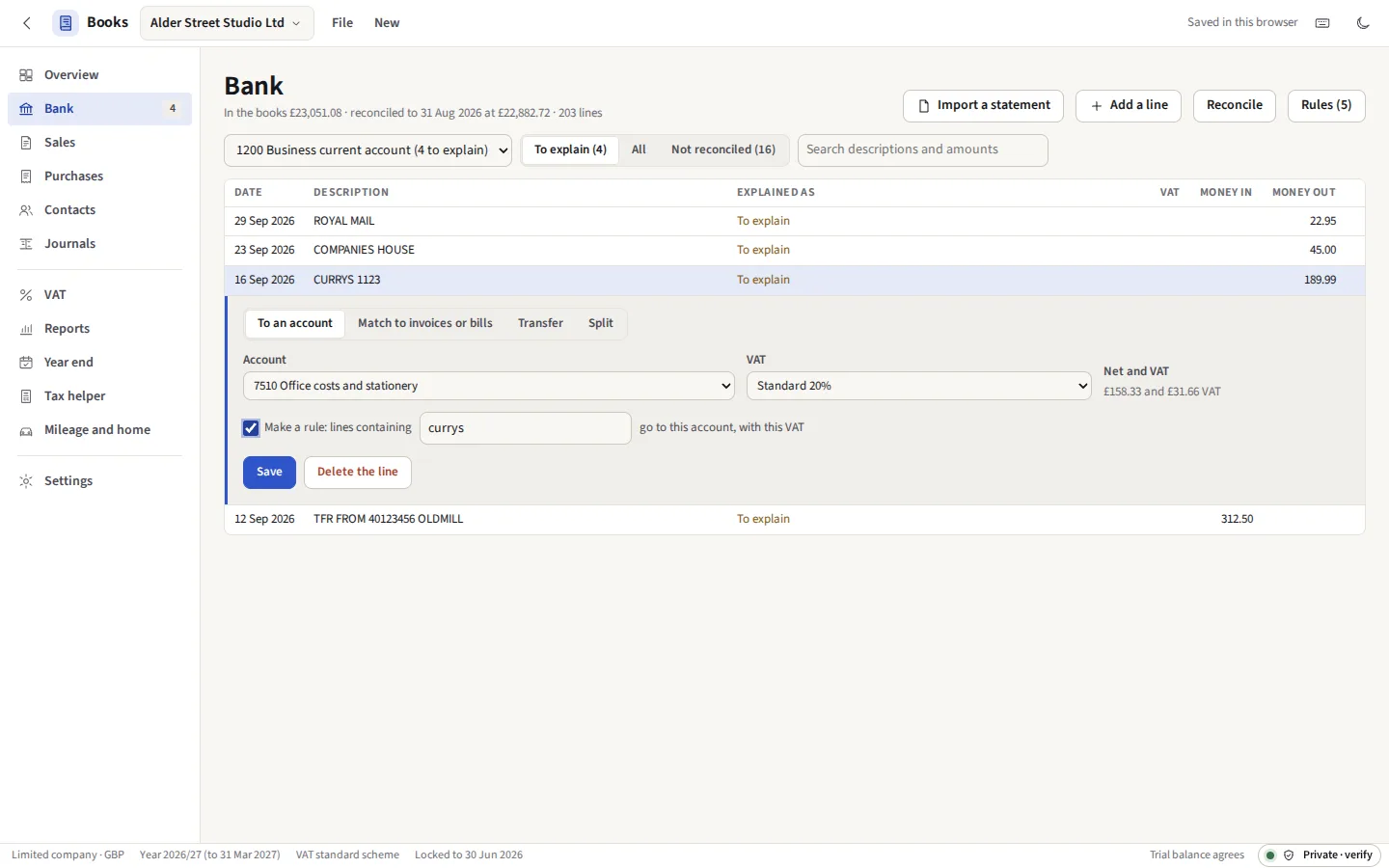
A CSV from any bank: the columns are guessed from its header, put right once, and remembered for that bank. OFX and QFX, versions 1 and 2, QIF from Quicken and the programs that write it, the ISO 20022 CAMT.053 and camt.052 statements European banks send, and SWIFT MT940. A line already in the books (by the bank’s own identifier, or by date, amount and description) is left out. A payment that matches an open invoice or bill to the penny is offered to it in one click; rules such as “contains AMAZON: office costs at 20%” explain the regular lines as they arrive, and reconciliation ticks lines off against the statement until the difference is nothing.
Sales
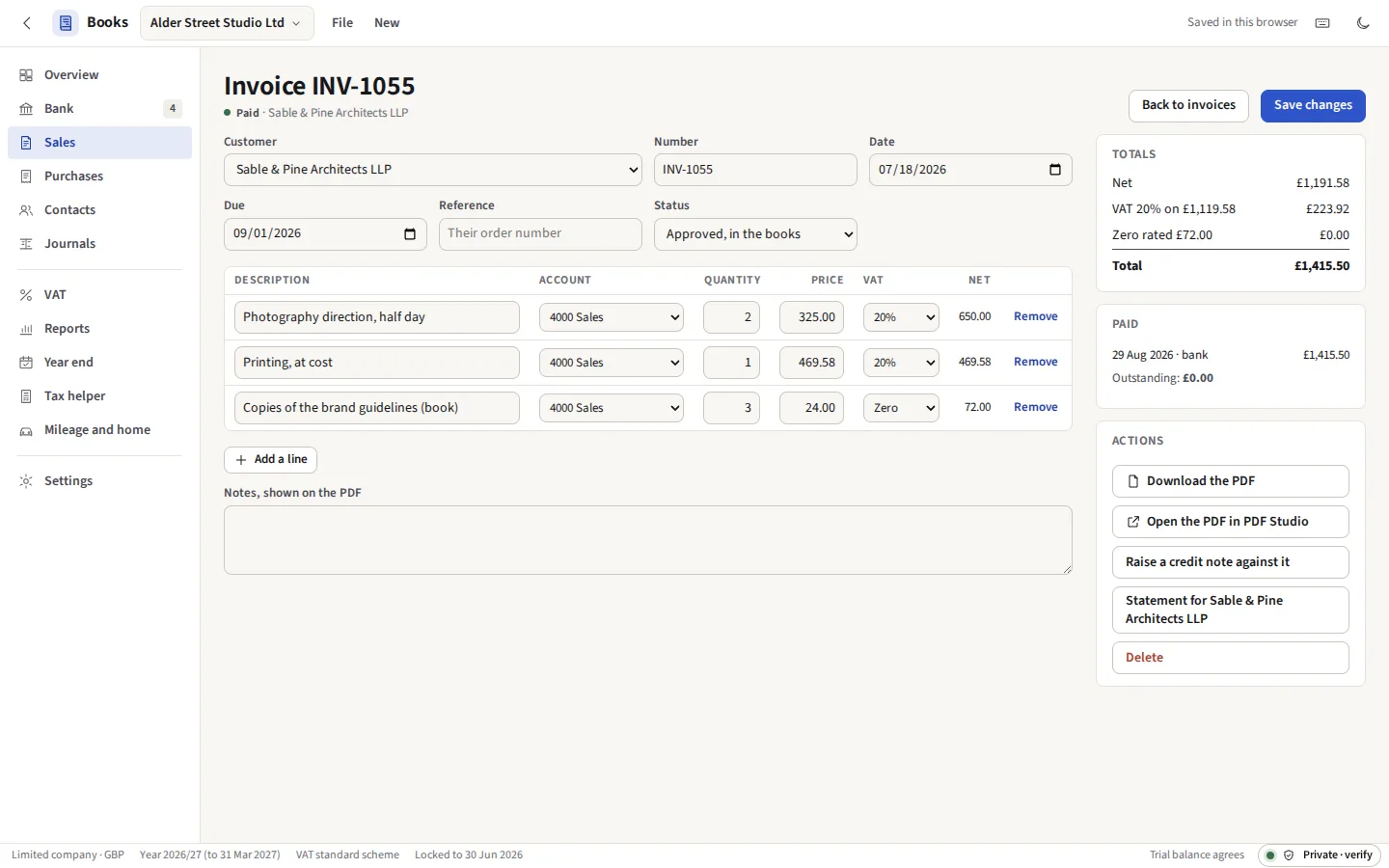
Customers, quotes that become invoices, invoices with a VAT rate and any discount on each line, and credit notes set against the invoice they correct. PDFs on A4 with your details, VAT number and bank details. A payment is matched to one invoice or several from the bank line it arrived on. Products and services written once and chosen by name on a line. Aged debtors, sales by customer, and a statement for any customer as a PDF.
Purchases
Suppliers and bills, with the receipt or the supplier’s PDF kept beside each in the browser’s private file system. A photo of a receipt, or a supplier’s PDF, is read on this device into a draft bill: the supplier, the date, the total and the VAT where the receipt shows it. A bill’s VAT can be typed as the supplier worked it out, where it differs by a penny. Bills that come every month, quarter or year, such as the rent, repeat by themselves, as invoices can. Aged creditors and purchases by supplier.
Other currencies
Invoices, quotes, credit notes and bills in another currency, at a rate typed or read from a file of rates; bank, card and cash accounts held in one. The books are kept in their own currency: each payment’s gain or loss on exchange is worked out as it is matched, and open documents and foreign money are revalued at a date with the unrealised difference reversed the next day.
Directors and dividends
Each director’s loan account: money taken and put in, costs they paid for the company, a salary or dividend left with it. What a director owes at a year end and has not repaid nine months on is worked out with the section 455 tax on it, and a repayment taken out again within 30 days is flagged. Dividends are declared on a class of shares, split by holding, and checked against the reserves after the corporation tax on the year so far; the board minutes and a voucher for each shareholder are made as PDFs.
Payroll and CIS
Each month’s totals from your payroll software (gross pay, PAYE, both kinds of National Insurance, pensions, student loans, the Employment Allowance) posted as one journal, and what is owed to HMRC by tax month until it is paid. Under the Construction Industry Scheme, a subcontractor’s bills take 20% or 30% off the labour, never the materials or the VAT, as each payment is made; the monthly return’s figures and each subcontractor’s statement are made for you, and as a subcontractor, what customers took off is kept to claim.
Projects and tracking
Lines of invoices, bills, bank lines and journals tagged with a project, and each project’s income, costs and margin set against its budget. Up to two categories of your own, such as department and location, split the profit and loss into columns, and a budget can be for one of them alone. Find and recode finds any line by account, contact, amount, words, dates or VAT code and moves many at once, with Undo.
Cash forecast
The next thirteen weeks from what the books already hold: open invoices and bills by their due dates, invoices still to repeat, payroll and the PAYE and CIS it owes, and the VAT for each period, with lines of your own for what the books cannot know.
Fixed assets
A register of what the business bought to keep, with straight line or reducing balance depreciation worked out by the month to the penny and posted to a month end in one step; an asset sold or scrapped comes out of the books with its profit or loss.
VAT
The nine boxes of the UK return for any quarter or month: standard rate, reduced, zero rated and exempt; reverse charge on services from abroad and in construction; flat rate with the first-year point off and capital purchases over £2,000; Northern Ireland’s boxes 2, 8 and 9. Cash accounting counts each part payment’s share of the VAT. Posting a return moves it to the VAT owed to HMRC and locks the quarter.
Reports
Profit and loss, by month or quarter as well, balance sheet, trial balance, cash flow, general ledger, VAT detail, aged debtors and creditors, for any dates, each with the period before beside it; the fixed asset register; a budget, written month by month, against what happened, for the business or for one project or category; profit by project and by tracking category; an executive summary of margins, debtor and creditor days and cash runway; every journal with its lines; and the history of every change made to the books. Every one as a PDF and a CSV, and on to Sheets.
Plug-ins
A reader for a statement format Books does not know, or a report of your own, as a few lines of JavaScript kept with the books. Each runs in a worker of its own that can reach no network and no storage, and only the lines or the table it was asked for are taken back.
The year end and tax
Close a year into retained earnings (a company) or the capital account, with drawings cleared; lock the books to any date; print the accountant’s pack. For a sole trader or a landlord, each account is mapped to its box on the SA103 or SA105 pages and the figures shown. Mileage and use of home at HMRC’s flat rates, from one dated file of rates that cites GOV.UK.
Files
A whole company saves as one .obooks file (a zip of its JSON and its receipts, each part checked by SHA-256 when it is opened) to keep, back up or hand to your accountant. The free LEDGER and MONEY tools’ saved files can be brought in. Everything exports as CSV.
The matter file
A legal matter’s invoices and credit notes, the ones whose reference begins with its number, travel in the matter’s one encrypted file from Practice. Books opens its own part and leaves the rest sealed, and every invoice it would add or change is shown first; one in a locked period is left out. How it works
What it does not do
Said now, so that nobody pays to find out.
- No Making Tax Digital submission. Sending a VAT return to HMRC needs HMRC’s API and a sign-in step on a server, and Books has no server. It works the nine boxes out and gives them to you as a CSV and a PDF; you submit them through HMRC-recognised bridging software, or on the HMRC website if you are allowed to. The same goes for Self Assessment: the SA103 and SA105 figures are a helper, not a return.
- No live bank connection. Bank feeds come from the statement files your bank lets you download. Open banking needs a regulated company in between, which would see your transactions.
- UK first. The chart of accounts, VAT and tax boxes are the UK’s. Documents and bank accounts can be in other currencies, but there is no VAT or sales tax system other than the UK’s, and exchange rates are typed or read from a file you download: Books fetches none.
- Payroll figures, not a payroll. Books posts the totals your payroll software works out; it does not work out anyone’s tax or send RTI submissions to HMRC. In the same way the CIS monthly return’s figures and statements are made, but the return is filed in HMRC’s online service or your payroll software.
- No stock, and no Corporation Tax return. Stock is counted and put in by journal at the year end. Corporation Tax and the CT600 are for your accountant or their software; the corporation tax Books estimates is for setting money aside and checking a dividend, not a return.
- One person at a time. The books live in this browser. To share them, save the
.obooksfile and send it; there is no syncing between devices, and clearing the site’s data deletes the copy kept here, so keep the file.