Opening Keep…

OBSCURA Keep
Your documents, passwords and two-step codes, encrypted on this device.
This browser’s Pro key was not accepted: the subscription behind it has ended. Renew or subscribe below.
Keep onlyUS$2 a month, 7 days free EverythingUS$5 a month, 7 days free Sign in
US$2 a month or US$19 a year for Keep, or US$5 a month or US$48 a year for everything. 7 days free. Stripe takes a card, and nothing is charged if you cancel before they end.
- Documents, scanned and searchable
- Passwords, codes and quick access
- A health score and watch list
- Vaults and an archive
- Every expiry on one timeline
- A recovery key in shares
Opening a package somebody left you? That needs no subscription: open it at obscuraos.com/keep-open.
Keep at work
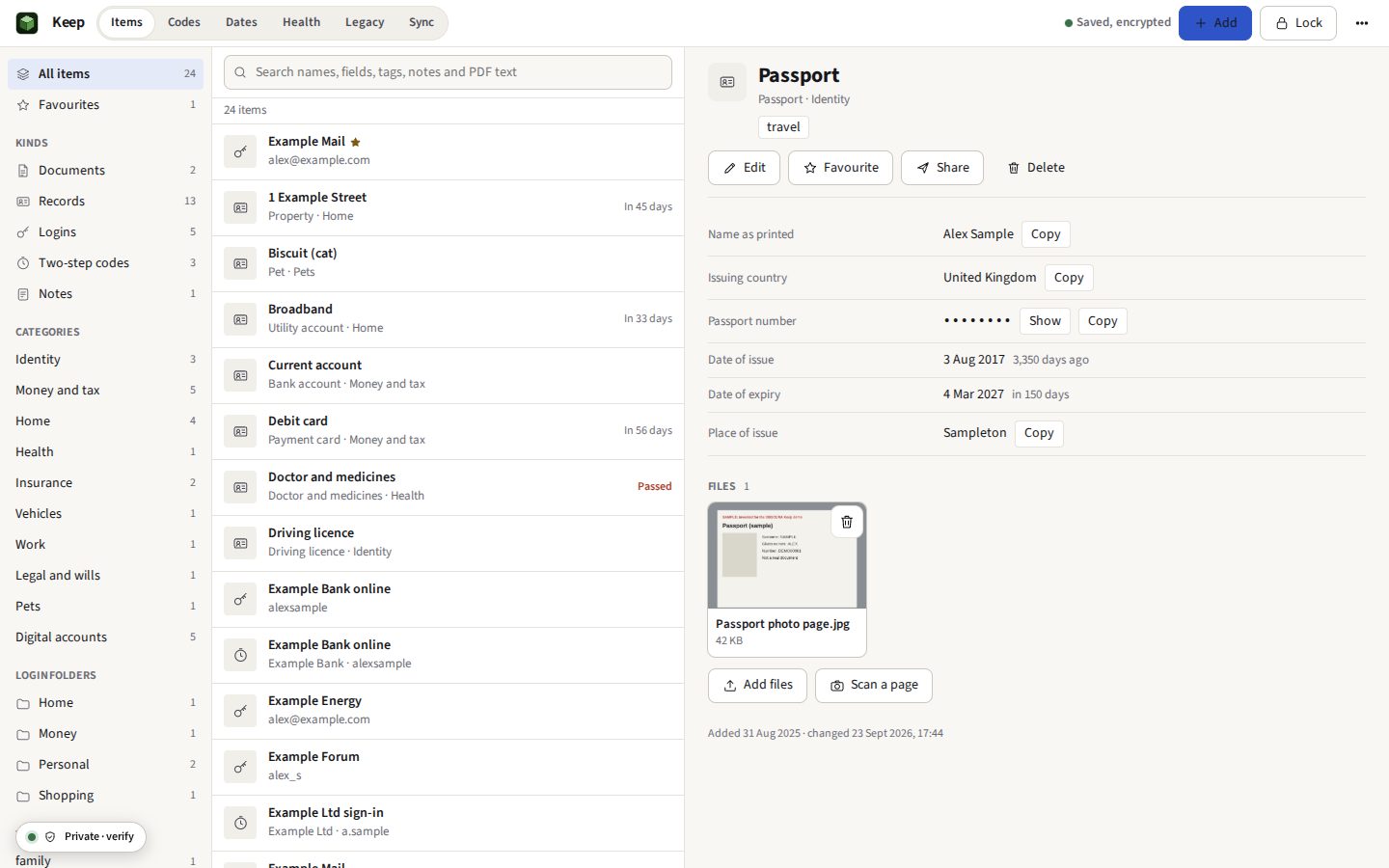
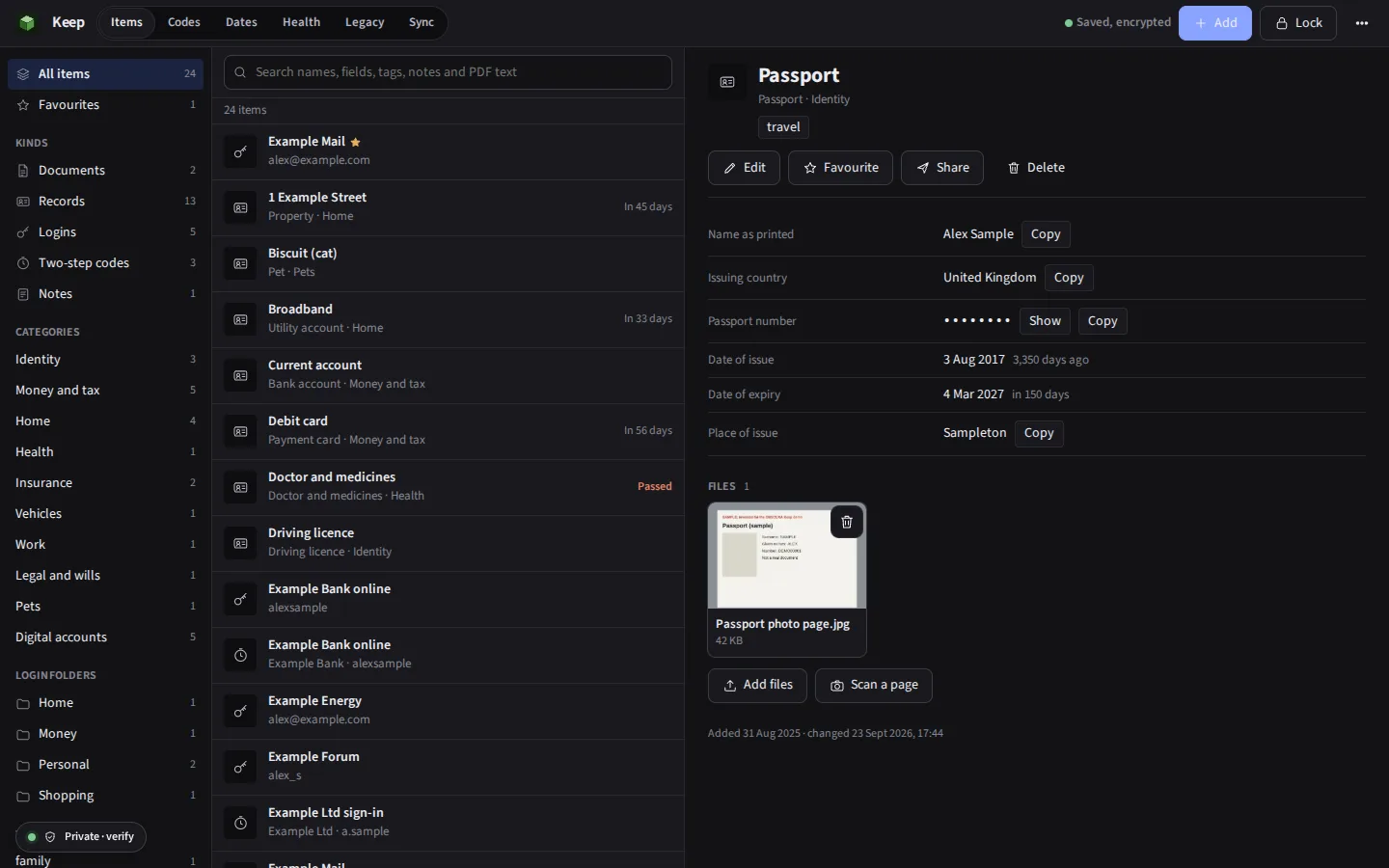
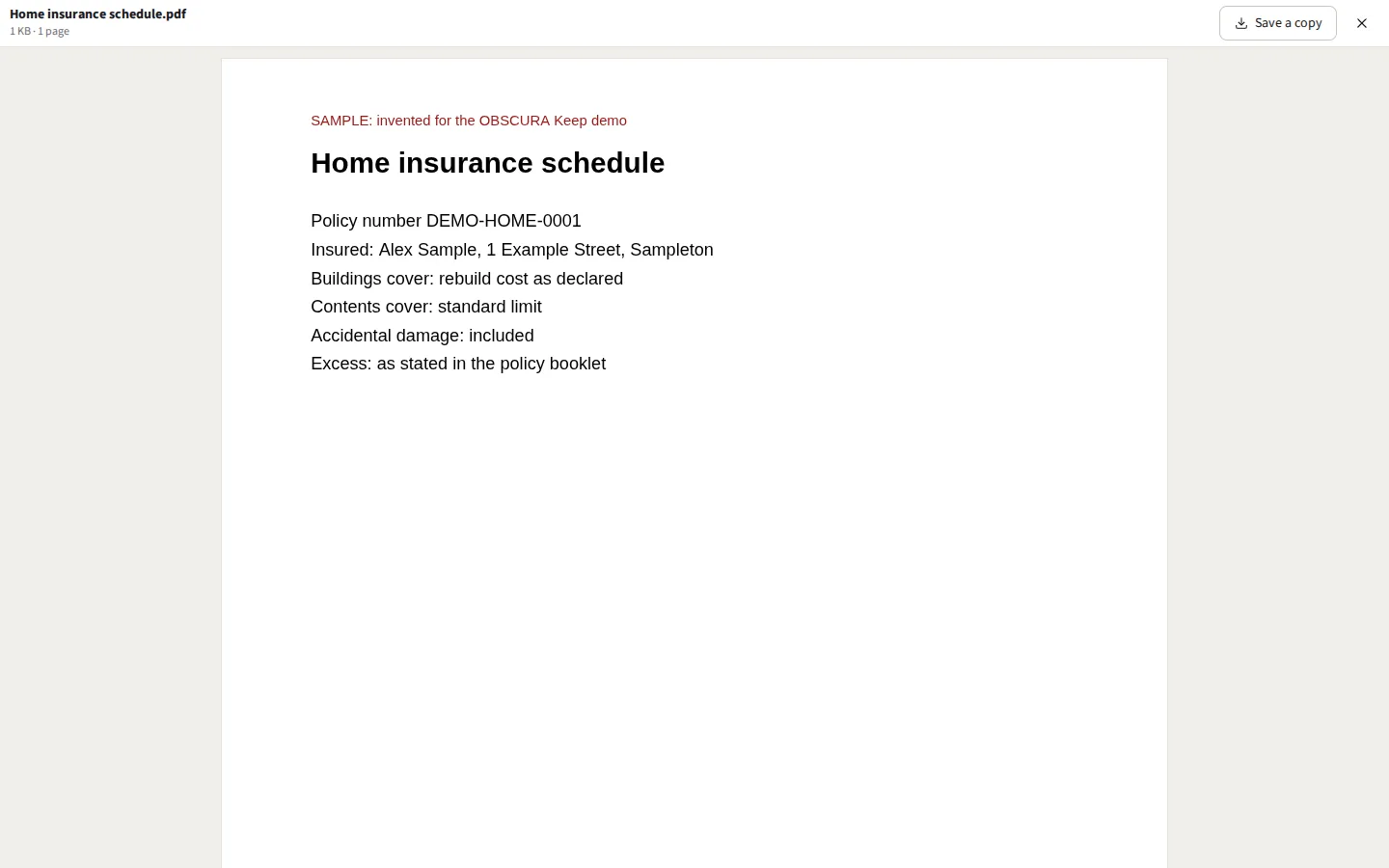
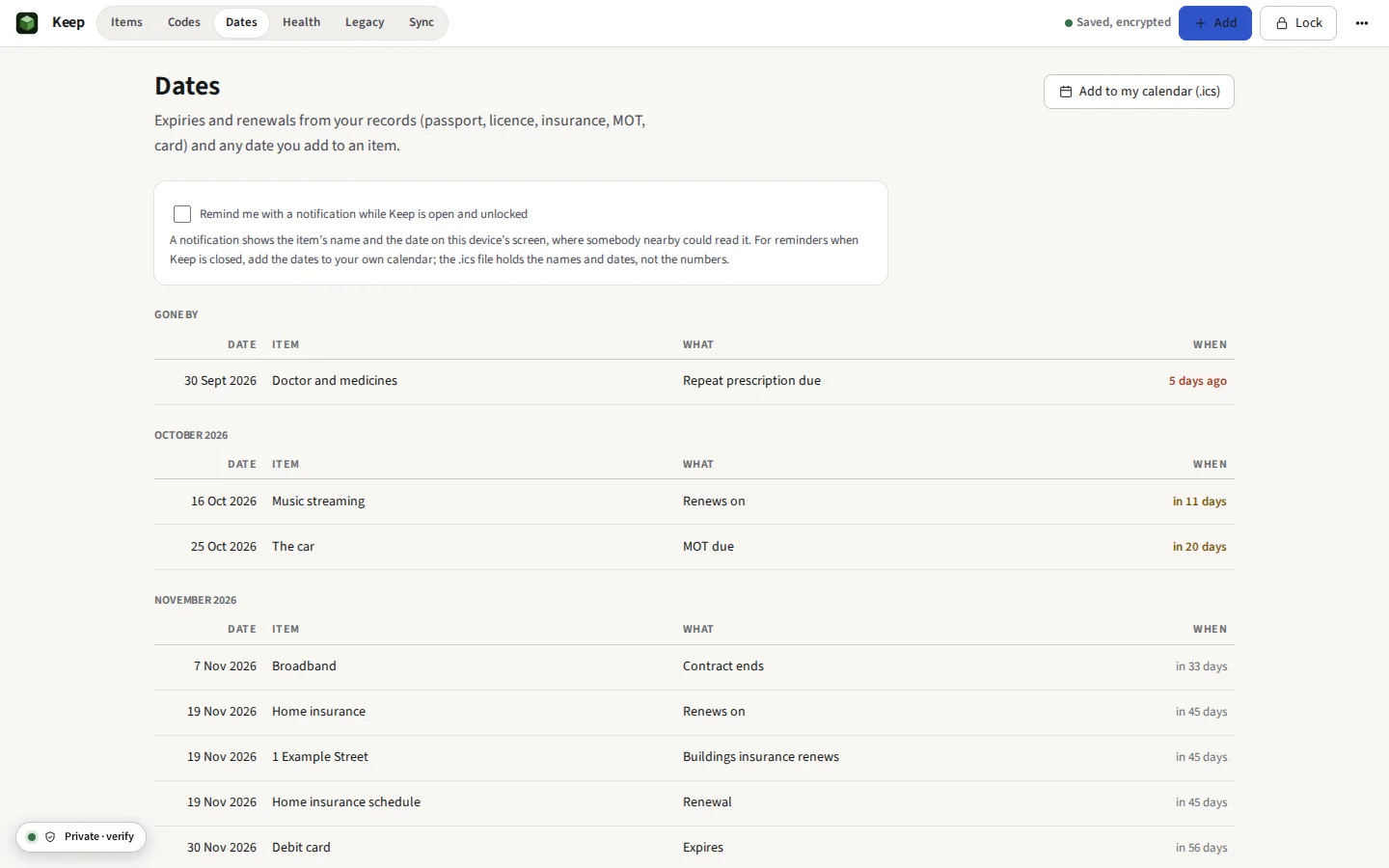
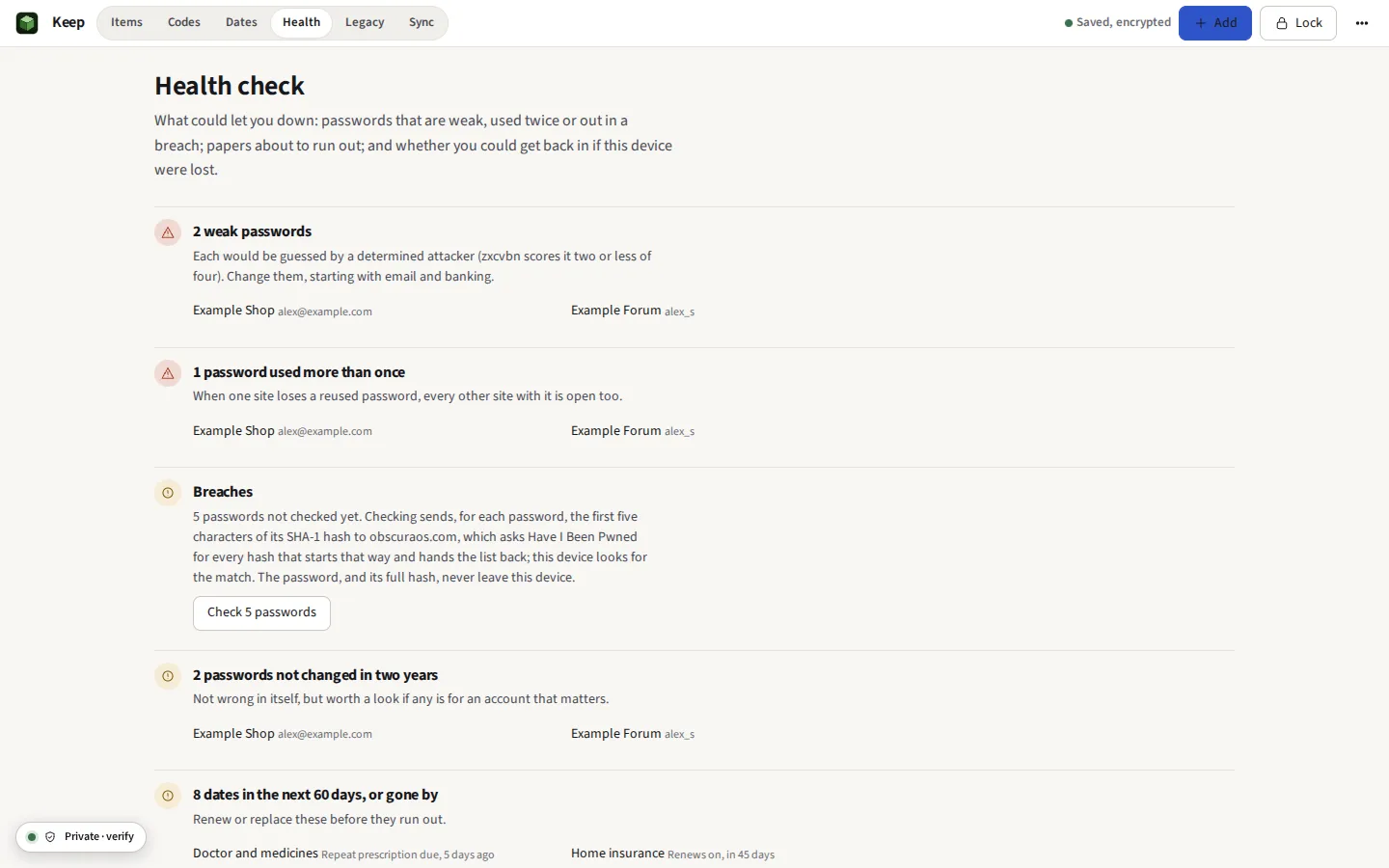
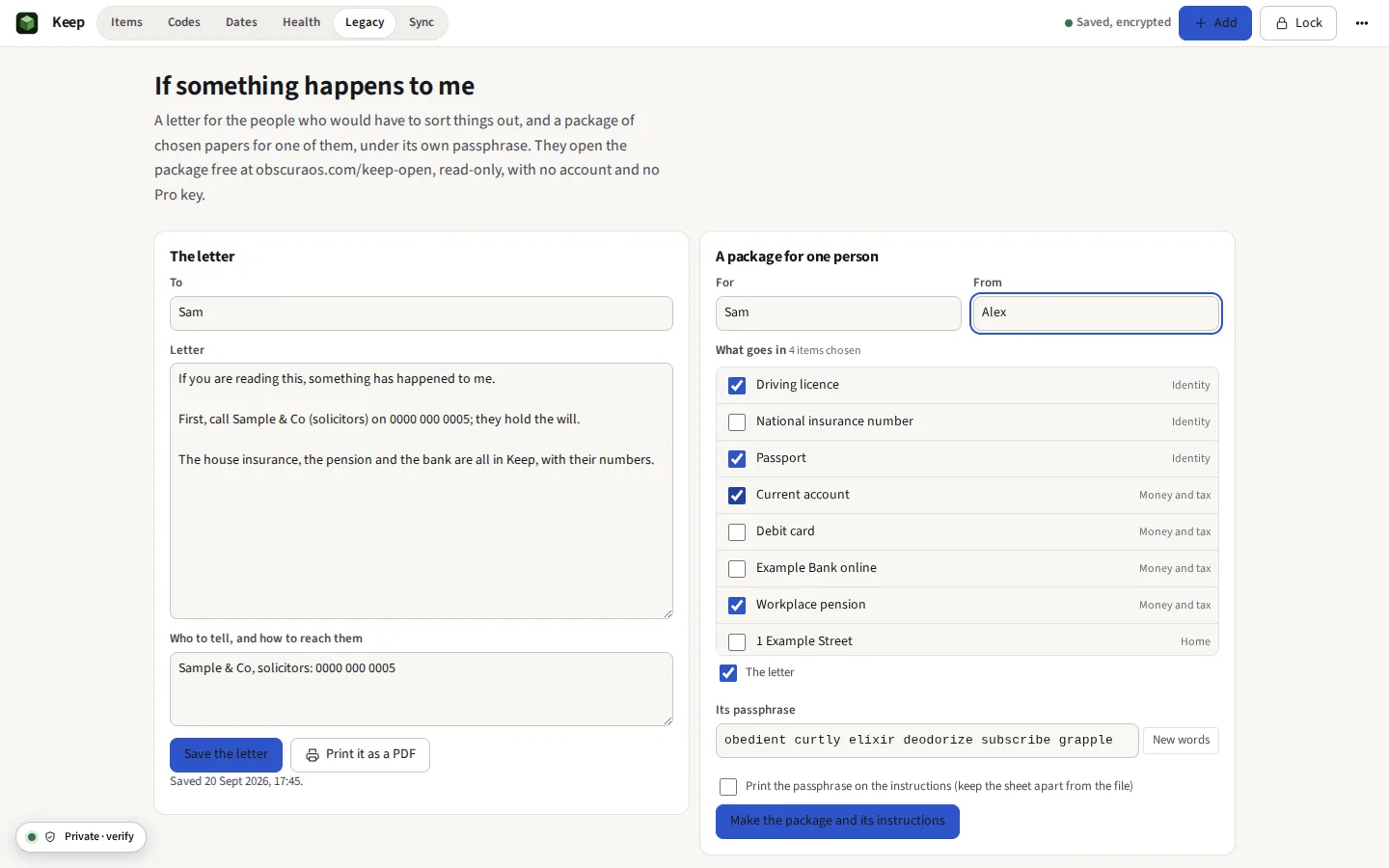
Taken from Keep itself with its demo, which is invented from end to end: Alex Sample of 1 Example Street, numbers of zeros, documents stamped SAMPLE.




Everything it does
Passports, wills, policies, logins and two-step codes in one place, encrypted before anything is stored. Nothing is uploaded. A password manager and a document store with no cloud behind it: Argon2id and AES-256-GCM, a health score that says what to fix, scans read for their words, the dates that matter on one timeline, a plan and a package for your family, travel mode, and sync through a folder of your own.
Before you start: No browser extension: you copy a password or a code, and Keep does not fill it into other sites. What else it does not do
Compared with 1Password and Bitwarden.
In brief
- Documents Passports, wills, deeds, policies and tax returns of any file type, kept in eleven life categories with tags, previewed inside Keep, and found by their words: a PDF's own, or a scan's or a photograph's, read on the device
- Records Templates for a passport, a driving licence, a bank account, a card, an insurance policy, a vehicle, a property, a pension, a doctor, a Wi-Fi network, a will, a subscription, an identity, an SSH key, a server and more, each with files attached; kinds of your own, made from the fields you choose and passed on as a small file; and fields of your own on any item
- Passwords Logins in folders, a generator of characters, words, PINs and user names that follows a site’s rules, the history of old passwords and of every earlier version, Recently deleted for thirty days, and import from 1Password (attachments and all), Bitwarden, a KeePass database itself, LastPass, Proton Pass, Dashlane, Chrome, Edge, Firefox, Safari and KEYS
- Health A score out of 100 with its history, and every login that needs something, each with its fix: in a breach, reused, weak, sent to an http:// address, two years old, the same login twice, or on one of 1,288 sites that offer two-step codes with none set; a watch list of the logins on sites that take a passkey; and papers about to run out
- Quick access Ctrl Shift Space over any screen: find an item, and Enter copies its password, another key its username or its code
- Vaults and the archive Groups of items inside one Keep, such as Work and Family, each of which can be hidden; and an archive for what is finished with but kept. Files go on any item, a login, a note or a code included
- Signing in The username, the password and the code copied in turn as you come back to the tab, each cleared from the clipboard after, and any of them in large characters to type by eye
- Two-step codes Time-based, counter-based and Steam Guard codes shown live, added from a QR code with the camera or a picture, or brought in from Aegis and 2FAS
- Dates Every expiry and renewal on one timeline, a passport nine months ahead and a warranty a month, with reminders while Keep is open and a calendar file for your own calendar
- Scanning A photograph from the phone’s camera, the page’s edges found, straightened, read for its words and kept as a PDF; a passport’s machine-readable lines fill in its record
- If something happens A letter, a plan (executors, what to do first, where things are, and what to do with each account), and a package of chosen papers for one person under its own passphrase, which they open without a subscription; a drill opens it as they would
- Sharing One item as an encrypted file that stops opening after a time, or opens once; or to your own other device by QR code, screen to camera
- Travel mode Only what is marked safe for travel stays on the device, under a passphrase for the journey; the rest comes back from your backup when you are home
- Sync with no server One encrypted file, kept in step through a folder of your own, such as Dropbox or iCloud Drive, and merged item by item; a second Keep, for the household, shared the same way through a folder you all use
- Unlocking The passphrase, a passkey with your fingerprint, face or device PIN, or the printed recovery key, which can be split among trusted people on cards so that any few of them together open the Keep
The things nobody should upload
Most of what OBSCURA makes exists to prove one sentence: it runs in your browser, and none of your files go to a server. Keep is that sentence as a product. It holds the papers of a life, the passport scan, the will, the deeds, the pension letters, and the passwords and two-step codes that open everything else, and it holds them on your own device, encrypted before anything is stored. There is no account to make, no copy on a server, and nothing for anybody to hand over, lose in a breach or read, OBSCURA included.
That is the difference from 1Password and Bitwarden, which keep an encrypted copy of your vault on their servers so that it can sync, and from document vaults and digital-legacy services, which store your papers for you. Keep stores nothing of yours anywhere but where you put it, and costs nothing to run beyond the subscription, because there is nothing to run.
How it is encrypted
In plain words: your passphrase is turned into a key slowly and deliberately, so that guessing it is expensive; that key locks a second, random key; and the random key encrypts everything. Changing the passphrase re-locks the random key and nothing else. The recovery key in the printed emergency kit is a second lock on the same random key.
| Part | What is used |
|---|---|
| Passphrase to key | Argon2id, 64 MiB of memory, 3 passes, a random 16-byte salt (the reference code, compiled to WebAssembly). Where WebAssembly is switched off, PBKDF2-HMAC-SHA-256 at 600,000 iterations, and the Keep says so. |
| The vault key | 32 random bytes, made on your device, locked under the passphrase’s key with AES-256-GCM |
| Your data | AES-256-GCM with a fresh random 96-bit IV for every file and every save, under a key derived with HKDF-SHA-256; each part is bound to its place, so one cannot be swapped for another |
| Recovery key | 160 random bits, printed as nine groups of four letters and digits, the last a check that catches a mistyped character |
| Passkey, if you add one | WebAuthn’s PRF extension: the authenticator gives 32 bytes for a random salt only after checking you; HKDF-SHA-256 turns them into a key that wraps the same vault key with AES-256-GCM. Adding one asks for the passphrase |
| Where it is kept | Your browser’s private file system for this site, as encrypted files; nothing in the clear in local storage, the database or the offline cache |
Every encryption is the browser’s own WebCrypto; nothing is home-made. A file changed on the disk fails its integrity check and is reported, never shown as something it is not. Keep makes no request to any server while you use it, except for its own code and one check you can choose to run: whether a password appears in a published breach, which sends five characters of the password’s hash, never the password. Keep’s threat model says what this protects against and what it cannot, in the same plain words, and /verify shows how to watch the network yourself.
Two devices, and no server
A whole Keep saves as one encrypted .okeep file. In Chrome and Edge you can choose a folder, and Keep keeps that file up to date there and reads it back; make it a folder that Dropbox, OneDrive, Google Drive or iCloud Drive already keeps in step, and your phone and your computer share one Keep, with only ever the encrypted file passing through. When both have changed, the two are merged item by item, the later change of each winning, and Keep lists what came in. In Firefox and Safari, which give a page no folder, you save the file and open it on the other device yourself.
If something happens to you
Write the letter you would want read: who to call, where the will is, which accounts to close. Choose the papers one person would need, and Keep seals them, with the letter, into a package with a passphrase of its own, and writes a sheet of instructions to print. They open it at obscuraos.com/keep-open, read-only, with no account and no subscription, so nobody is ever locked out of what was left for them.
Moving from another password manager
Choose Import, say which manager you are leaving, and Keep shows how to export from it: 1Password (as .1pux or CSV), Bitwarden (as JSON, plain or password protected, or CSV), KeePass or KeePassXC (as XML), LastPass, Proton Pass, Dashlane, Chrome, Edge, Firefox, Safari or Apple Passwords (as CSV), or the site’s free KEYS vault. Logins keep their folders, favourites and password history, and a login’s one-time password secret becomes a two-step code beside it. Cards, identities, passports, keys and the rest become records of their kind, and custom fields stay fields, the hidden ones hidden. Leaving is as easy: Keep writes everything out as Bitwarden’s JSON, which most managers read, protected with a password you choose. Aegis and 2FAS backups bring in two-step codes, with or without their password. A KeePass database (.kdbx, version 4) is read as it is, with its master password, attachments and all, and 1Password's .1pux brings its documents and attachments with their items. Before anything is added you see what comes across and what does not, with the reason, and Undo takes the whole import out again.
What it cannot do yet
Said now, so that nobody pays to find out.
- No browser extension. Keep does not fill passwords into other sites. You copy a password or a code, and the clipboard is cleared after the time you set, 30 seconds unless you change it, where the browser allows it.
- Sync only through your own folder or file. There is no OBSCURA server to sync through, by design. Automatic sync needs Chrome or Edge on a computer; elsewhere you move the file yourself.
- A forgotten passphrase with no recovery key is the end of it. Nobody can reset it, OBSCURA included. Keep asks you to make the recovery key and print the emergency kit, and the health check reminds you until you have.
- It cannot protect a device that is already compromised. Malware, a malicious browser extension or somebody watching the screen can see what you see once Keep is unlocked. The threat model says more.
- Reading a scan’s words fetches the reader once. It runs on the device, and nothing of the scan is sent anywhere, but the reader and its English data, about 4 MB, come from this site the first time. Handwriting is not read.
- Shares stop opening only where they are opened. An expiry or a single opening is kept by /keep-open and by Keep, on the clock of the computer opening it. Somebody who saves what they read is not stopped by it.
- The passkey watch list says where, not whether. Keep cannot see which sites already have a passkey for you; it lists the logins on sites that take one until you mark them. It does not sign in with a passkey itself.
- Shares are made only with a new recovery key. The key is shown once and not kept, so it can be split only in the moment it is made; to split an older one, make a new one.
- Reminders need Keep open. A browser cannot wake a page that is closed. For reminders at any time, add the dates to your own calendar from Dates.
- The browser can clear it. If the site’s data is cleared, the Keep on that device goes with it. Keep a saved file or a folder copy; the health check counts the days since the last one.