Mark book template
Each pupil’s marks, weighted as you decide, with the overall percentage, the grade and the class average worked out.
Open in SheetsFree, with no account. What you type stays in this browser. Saves as Excel, OpenDocument or CSV.
What is in it
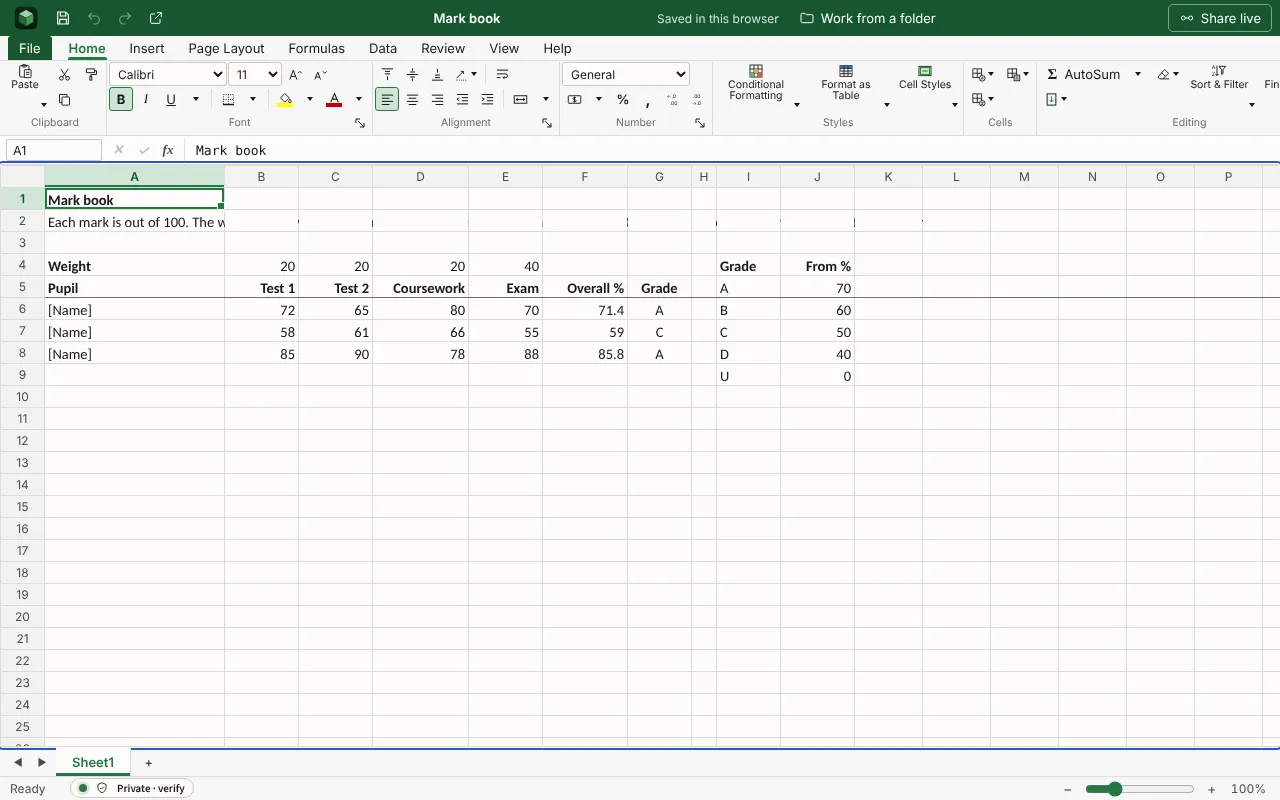
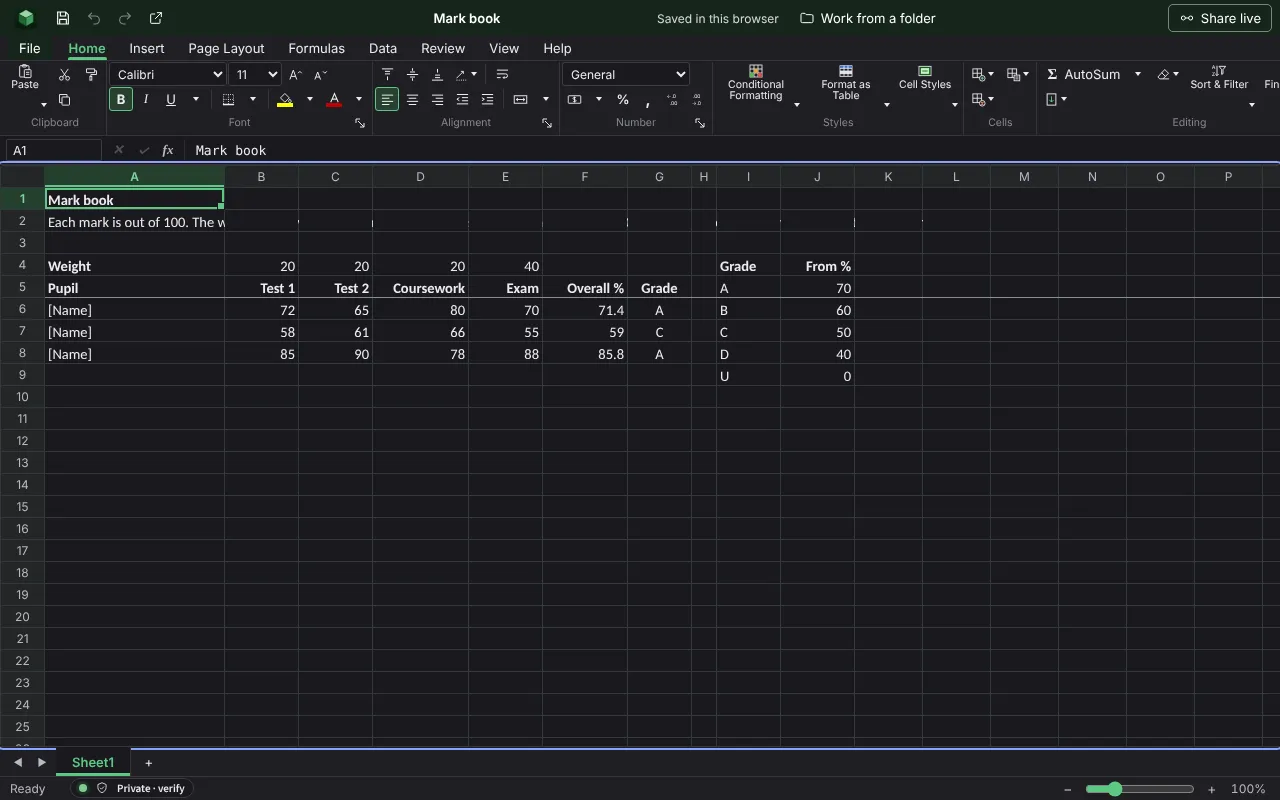
Each pupil’s marks for tests, coursework and the exam, weighted as you set, with the overall percentage, the grade from your boundaries, and the class average. The figures are examples to type over; the workbook runs wider than the columns shown here.
| Mark book | |||||||
| Each mark is out of 100. The weights in row 4 set how much each counts and need not add up to 100. A mark left empty counts as nought in the overall figure. | |||||||
| Weight | 20 | 20 | 20 | 40 | |||
| Pupil | Test 1 | Test 2 | Coursework | Exam | Overall % | Grade | |
| [Name] | 72 | 65 | 80 | 70 | =IF(COUNT(B6:E6)=0,"",ROUND(SUMPRODUCT(B6:E6,$B$4:$E$4)/SUM($B$4:$E$4),1)) | =IF(F6="","",IF(F6>=$J$5,$I$5,IF(F6>=$J$6,$I$6,IF(F6>=$J$7,$I$7,IF(F6>=$J$8,$I$8,$I$9))))) | |
| [Name] | 58 | 61 | 66 | 55 | =IF(COUNT(B7:E7)=0,"",ROUND(SUMPRODUCT(B7:E7,$B$4:$E$4)/SUM($B$4:$E$4),1)) | =IF(F7="","",IF(F7>=$J$5,$I$5,IF(F7>=$J$6,$I$6,IF(F7>=$J$7,$I$7,IF(F7>=$J$8,$I$8,$I$9))))) | |
| [Name] | 85 | 90 | 78 | 88 | =IF(COUNT(B8:E8)=0,"",ROUND(SUMPRODUCT(B8:E8,$B$4:$E$4)/SUM($B$4:$E$4),1)) | =IF(F8="","",IF(F8>=$J$5,$I$5,IF(F8>=$J$6,$I$6,IF(F8>=$J$7,$I$7,IF(F8>=$J$8,$I$8,$I$9))))) | |
=IF(COUNT(B9:E9)=0,"",ROUND(SUMPRODUCT(B9:E9,$B$4:$E$4)/SUM($B$4:$E$4),1)) | =IF(F9="","",IF(F9>=$J$5,$I$5,IF(F9>=$J$6,$I$6,IF(F9>=$J$7,$I$7,IF(F9>=$J$8,$I$8,$I$9))))) | ||||||
=IF(COUNT(B10:E10)=0,"",ROUND(SUMPRODUCT(B10:E10,$B$4:$E$4)/SUM($B$4:$E$4),1)) | =IF(F10="","",IF(F10>=$J$5,$I$5,IF(F10>=$J$6,$I$6,IF(F10>=$J$7,$I$7,IF(F10>=$J$8,$I$8,$I$9))))) | ||||||
=IF(COUNT(B11:E11)=0,"",ROUND(SUMPRODUCT(B11:E11,$B$4:$E$4)/SUM($B$4:$E$4),1)) | =IF(F11="","",IF(F11>=$J$5,$I$5,IF(F11>=$J$6,$I$6,IF(F11>=$J$7,$I$7,IF(F11>=$J$8,$I$8,$I$9))))) | ||||||
=IF(COUNT(B12:E12)=0,"",ROUND(SUMPRODUCT(B12:E12,$B$4:$E$4)/SUM($B$4:$E$4),1)) | =IF(F12="","",IF(F12>=$J$5,$I$5,IF(F12>=$J$6,$I$6,IF(F12>=$J$7,$I$7,IF(F12>=$J$8,$I$8,$I$9))))) | ||||||
=IF(COUNT(B13:E13)=0,"",ROUND(SUMPRODUCT(B13:E13,$B$4:$E$4)/SUM($B$4:$E$4),1)) | =IF(F13="","",IF(F13>=$J$5,$I$5,IF(F13>=$J$6,$I$6,IF(F13>=$J$7,$I$7,IF(F13>=$J$8,$I$8,$I$9))))) | ||||||
=IF(COUNT(B14:E14)=0,"",ROUND(SUMPRODUCT(B14:E14,$B$4:$E$4)/SUM($B$4:$E$4),1)) | =IF(F14="","",IF(F14>=$J$5,$I$5,IF(F14>=$J$6,$I$6,IF(F14>=$J$7,$I$7,IF(F14>=$J$8,$I$8,$I$9))))) | ||||||
=IF(COUNT(B15:E15)=0,"",ROUND(SUMPRODUCT(B15:E15,$B$4:$E$4)/SUM($B$4:$E$4),1)) | =IF(F15="","",IF(F15>=$J$5,$I$5,IF(F15>=$J$6,$I$6,IF(F15>=$J$7,$I$7,IF(F15>=$J$8,$I$8,$I$9))))) | ||||||
=IF(COUNT(B16:E16)=0,"",ROUND(SUMPRODUCT(B16:E16,$B$4:$E$4)/SUM($B$4:$E$4),1)) | =IF(F16="","",IF(F16>=$J$5,$I$5,IF(F16>=$J$6,$I$6,IF(F16>=$J$7,$I$7,IF(F16>=$J$8,$I$8,$I$9))))) | ||||||
=IF(COUNT(B17:E17)=0,"",ROUND(SUMPRODUCT(B17:E17,$B$4:$E$4)/SUM($B$4:$E$4),1)) | =IF(F17="","",IF(F17>=$J$5,$I$5,IF(F17>=$J$6,$I$6,IF(F17>=$J$7,$I$7,IF(F17>=$J$8,$I$8,$I$9))))) | ||||||
=IF(COUNT(B18:E18)=0,"",ROUND(SUMPRODUCT(B18:E18,$B$4:$E$4)/SUM($B$4:$E$4),1)) | =IF(F18="","",IF(F18>=$J$5,$I$5,IF(F18>=$J$6,$I$6,IF(F18>=$J$7,$I$7,IF(F18>=$J$8,$I$8,$I$9))))) | ||||||
Worked out for you
These cells are formulas, so they follow whatever you type. Each is shown as written in its first row.
- Overall %
=IF(COUNT(B6:E6)=0,"",ROUND(SUMPRODUCT(B6:E6,$B$4:$E$4)/SUM($B$4:$E$4),1))- Grade
=IF(F6="","",IF(F6>=$J$5,$I$5,IF(F6>=$J$6,$I$6,IF(F6>=$J$7,$I$7,IF(F6>=$J$8,$I$8,$I$9)))))- Class average: Test 1
=IFERROR(ROUND(AVERAGE(B6:B35),1),"")- Class average: Test 2
=IFERROR(ROUND(AVERAGE(C6:C35),1),"")- Class average: Coursework
=IFERROR(ROUND(AVERAGE(D6:D35),1),"")- Class average: Exam
=IFERROR(ROUND(AVERAGE(E6:E35),1),"")- Class average: Overall %
=IFERROR(ROUND(AVERAGE(F6:F35),1),"")
Filling it in
- Set the weights in row 4 to match how the course is assessed. They are relative, so 1, 1, 1 and 2 works as well as 20, 20, 20 and 40.
- Change the grade boundaries in the table on the right, and every grade updates.
- Enter a nought only when the work was handed in and scored nought. A blank also counts as nought in the overall figure, so add the mark as soon as you have it.
- Pupils’ names and marks are personal data. This workbook stays in your browser, and on any device you save it to.
More templates
- Attendance registerA row for each person and a column for each session marked P, A or L, with each person’s attendance and how many came to each session.Open in Sheets
- Lesson planThe objective and how you will know it was met, the lesson minute by minute, and room to note what to change.Open in Docs
- Habit trackerA month of days across and a habit on each row: put an x on each day you kept it, and the days kept and the rate are counted.Open in Sheets