Opening Write…

OBSCURA Write
Novels and screenplays, written on your own computer.
This browser’s Pro key was not accepted: the subscription behind it has ended. Renew or subscribe below.
Write onlyUS$2 a month, 7 days free EverythingUS$5 a month, 7 days free Sign in
US$2 a month or US$19 a year for Write, or US$5 a month or US$48 a year for everything. 7 days free. Stripe takes a card, and nothing is charged if you cancel before they end.
- A binder, corkboard and outliner
- Screenplay, stage and radio formats
- Revisions and locked pages
- Final Draft and Fountain files
- Word’s tracked changes and comments
- Manuscripts and print-ready books
Write at work
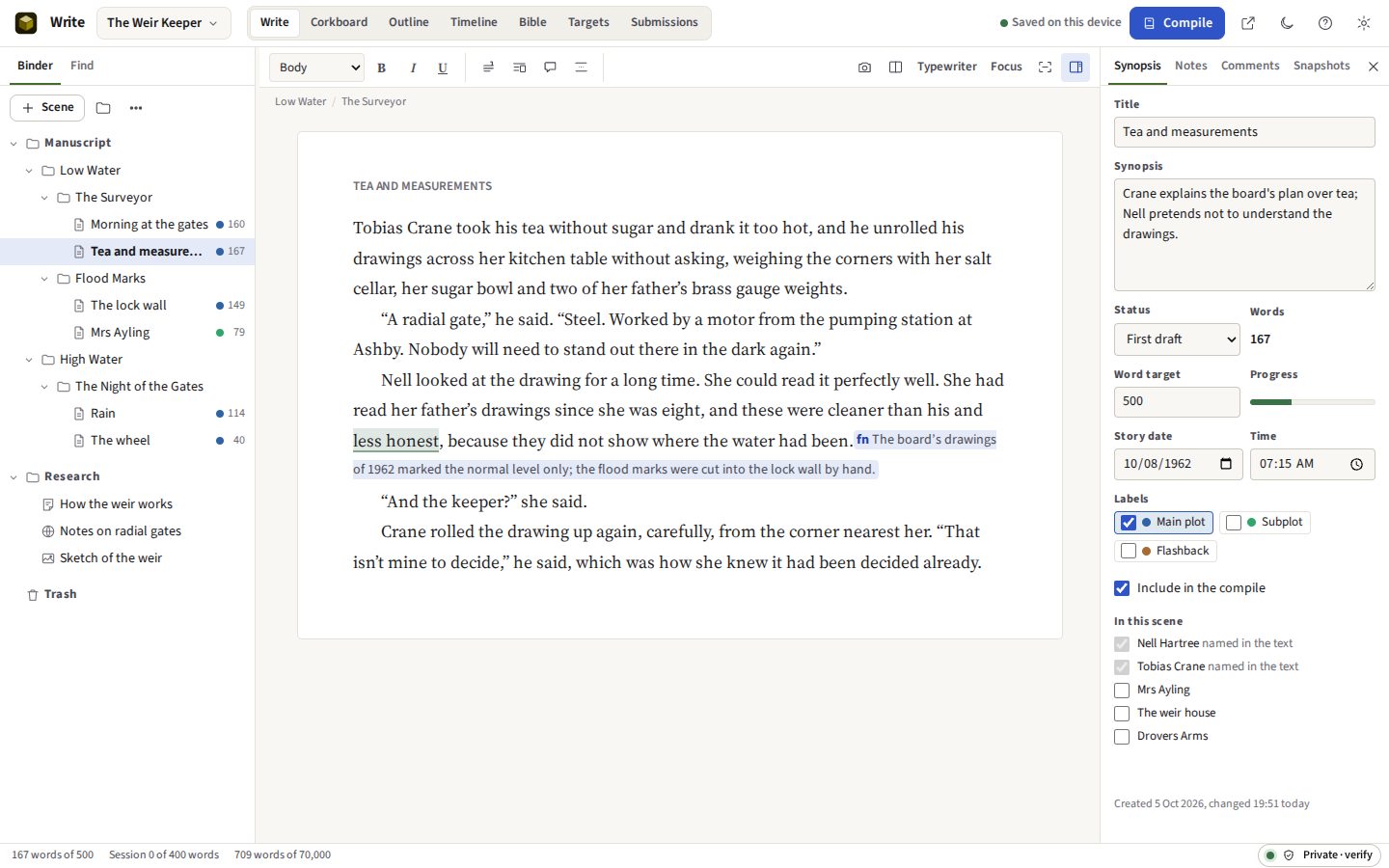
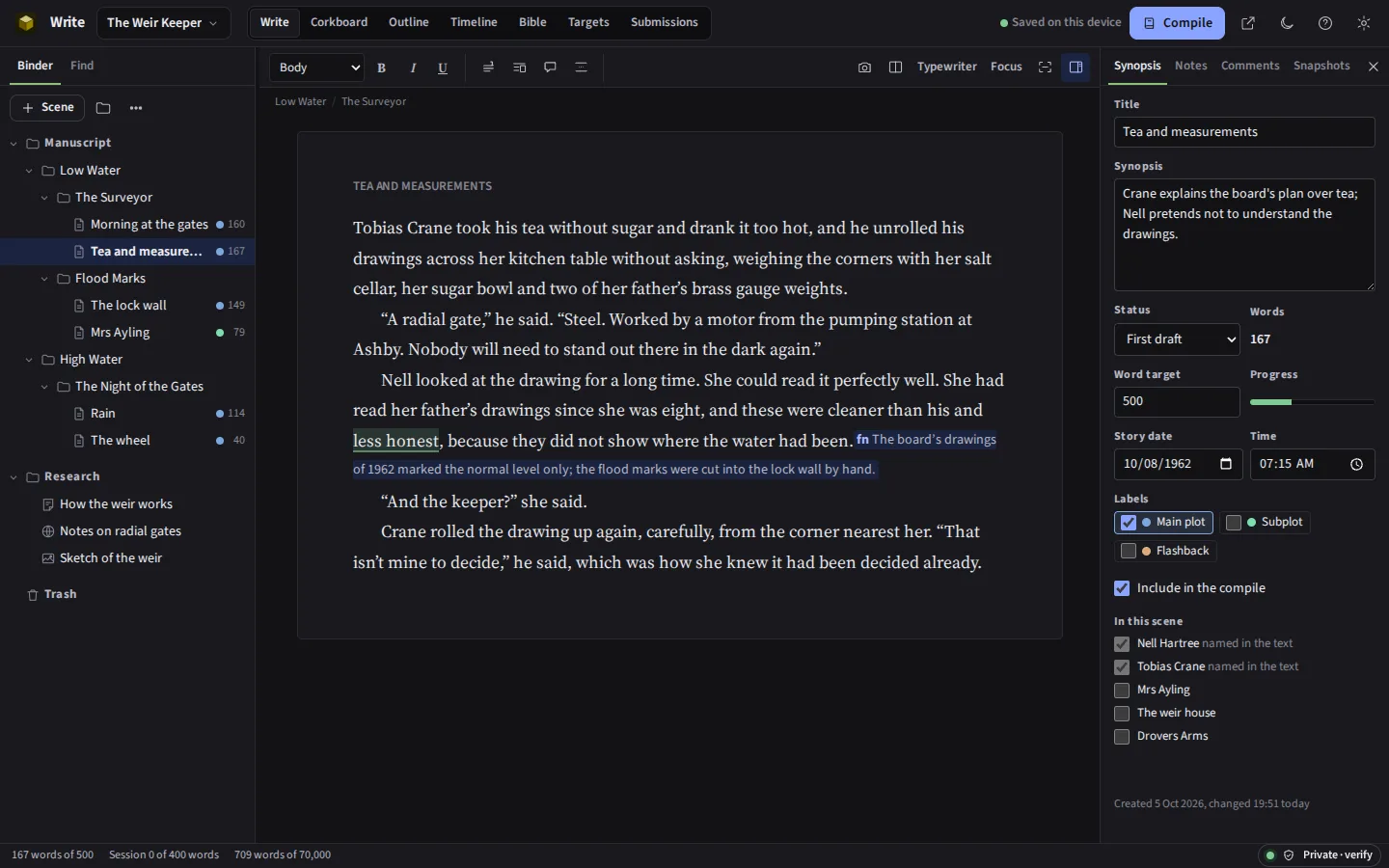
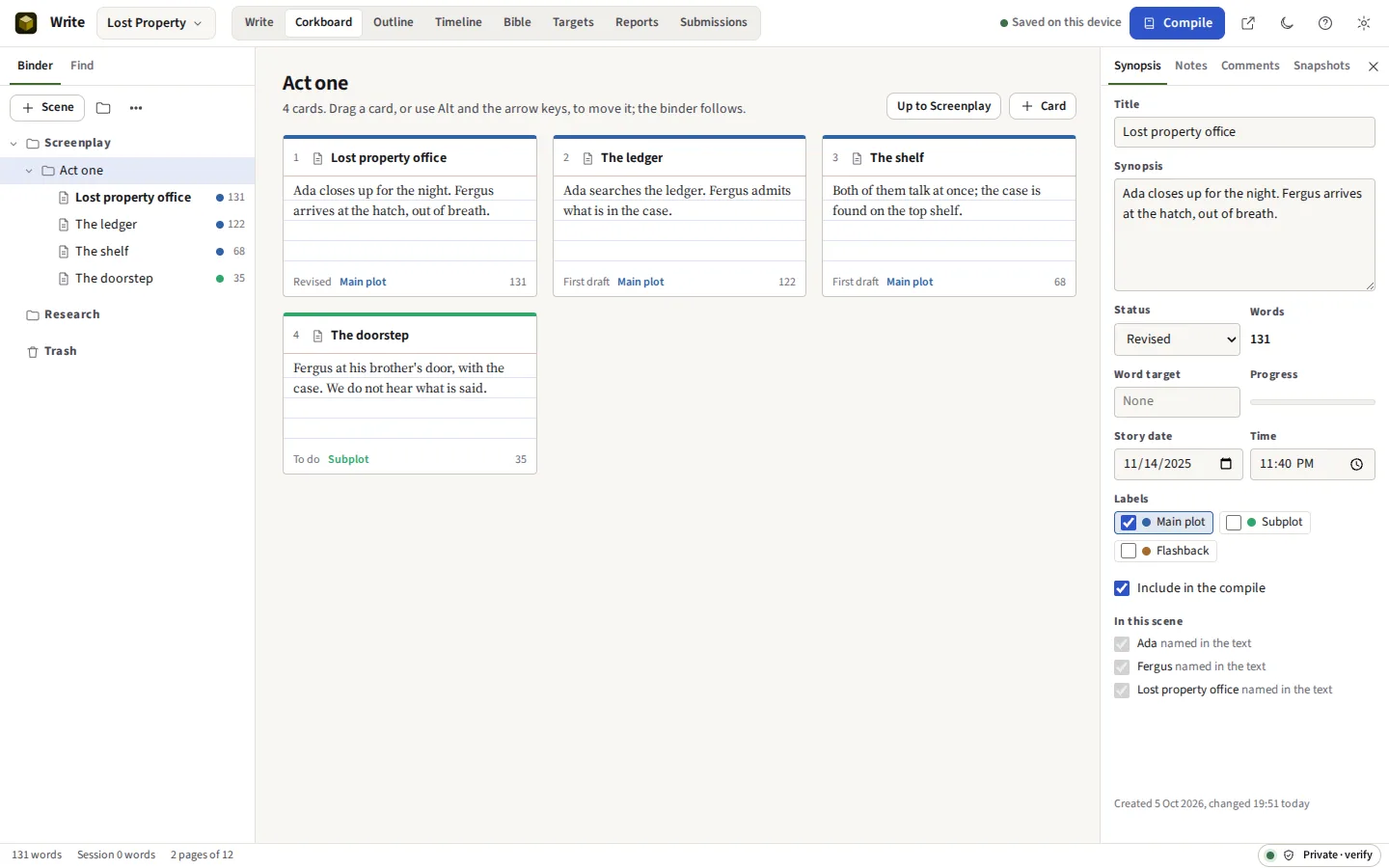
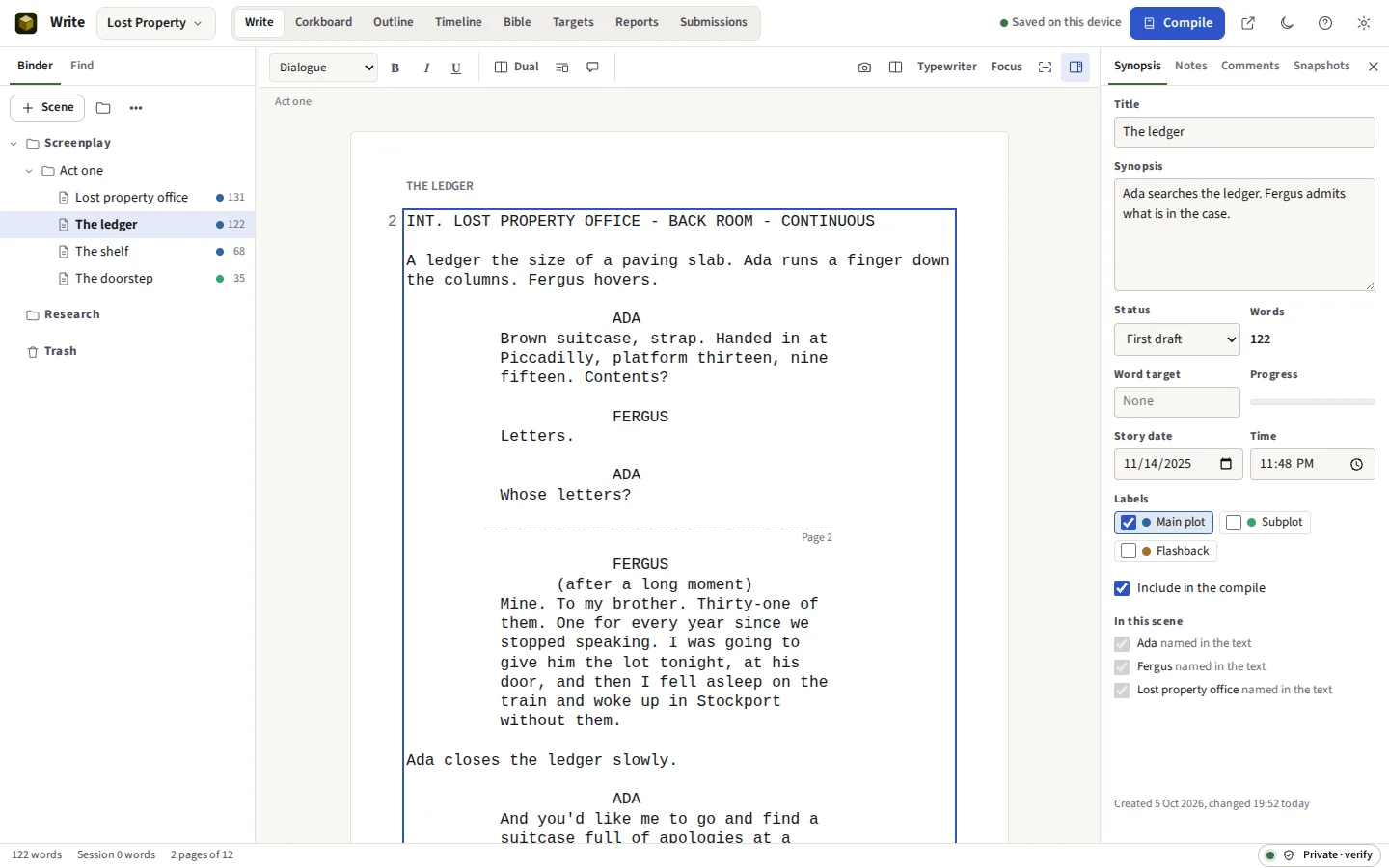
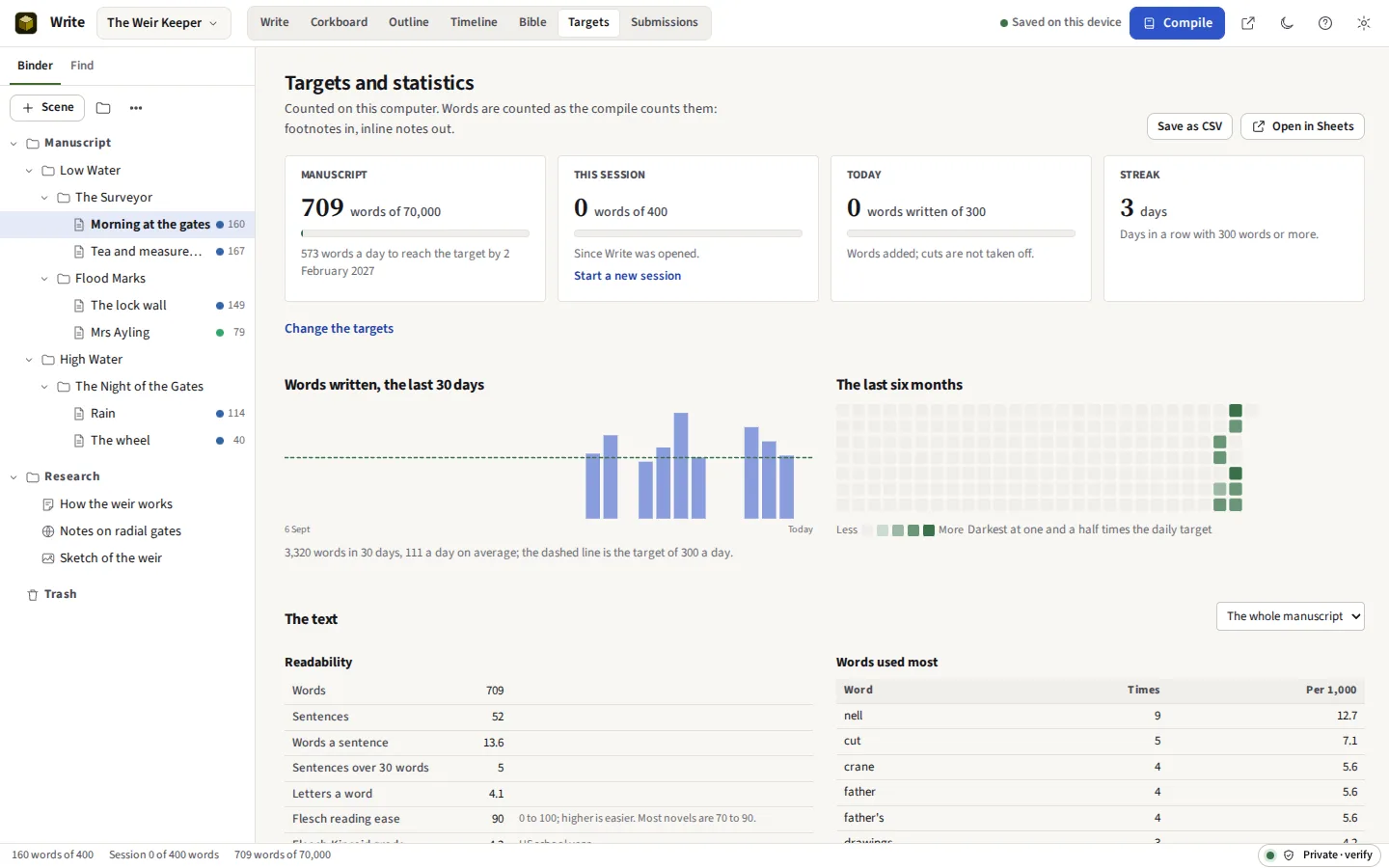
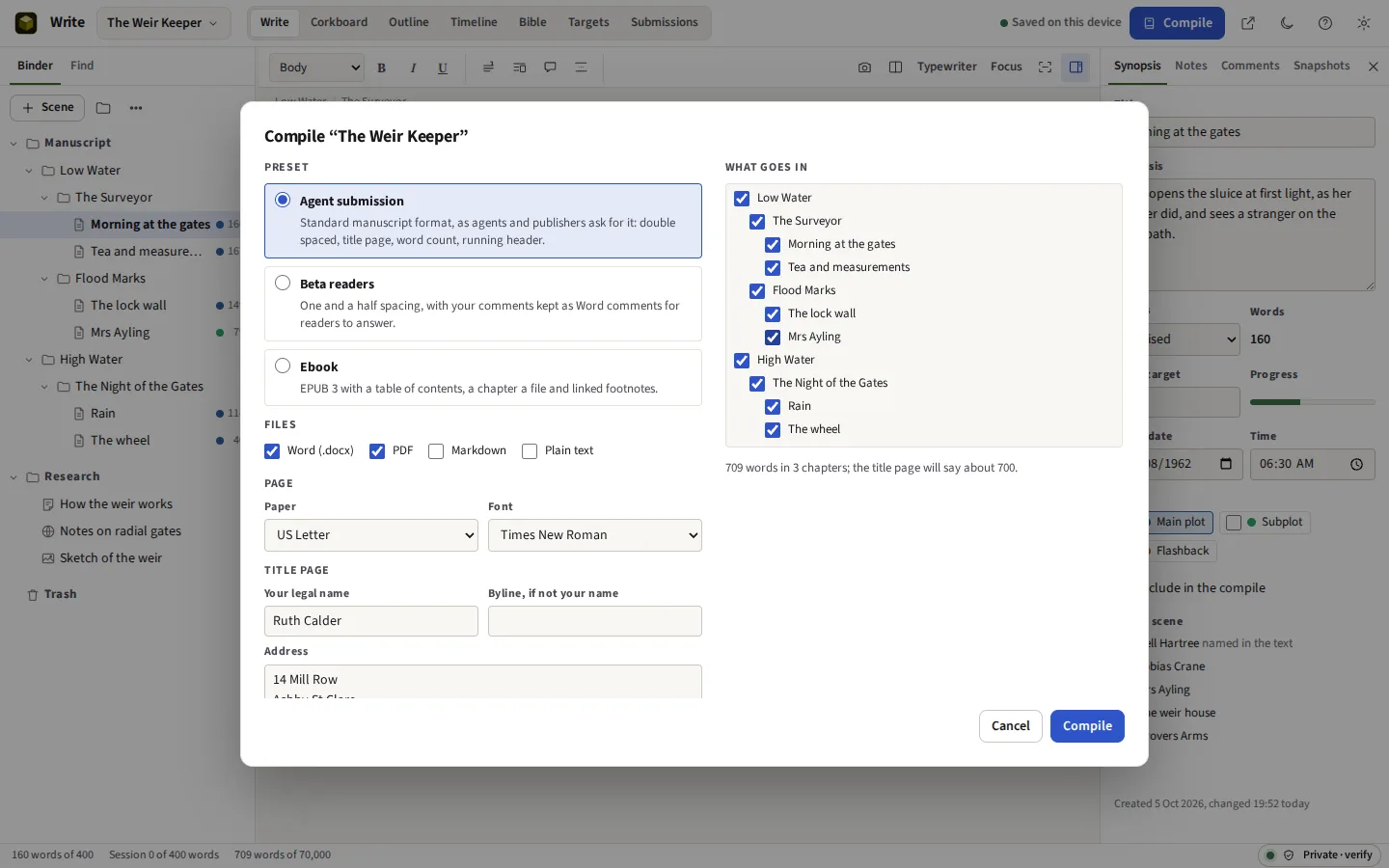
Taken from Write itself, with the two sample projects it opens: a short novel about a weir keeper and a short film set in a lost property office, both written for these pages.




Everything it does
A binder, a corkboard and a manuscript editor, with screenplay format and Final Draft files. Your unpublished work is never uploaded. Compile to standard manuscript format in Word and PDF, or to EPUB; keep targets, statistics and a log of submissions. No server ever holds your manuscript, so it cannot leak from one or be used to train a model.
Before you start: No writing together in real time: a project is on one computer at a time. What else it does not do
Compared with Scrivener and Final Draft.
What it does
The binder
A novel is parts, chapters and scenes; a screenplay is acts and scenes. Any document can hold others. Research sits in its own folder: notes, web clippings pasted in, pictures and PDFs, which open beside the text in the split view. Drag to reorder, or move with Alt and the arrow keys. A deleted item goes to the Trash, and Undo puts it back.
The manuscript editor
Body, block quote, centred and no-indent paragraphs, scene breaks, bold, italic and underline. Comments are anchored to the words they are about; inline notes are kept in the text and left out of every compile; footnotes become real footnotes in Word and linked notes in an EPUB. Find and replace works across every document at once, with whole words and regular expressions. Spelling is checked as you type, in British or American English, with a dictionary of the project’s own names and words.
Writing without distraction
Composition mode hides everything but the page. Typewriter scrolling keeps the line you are on in the middle of the window, and focus mode fades every paragraph but the one you are writing. The split view puts a second document, or a research item, beside the one you are working on.
Snapshots
Take a snapshot of a scene before a rewrite, and compare any snapshot with the text as it is now, word by word, with what was added and what was cut marked. Restoring a snapshot takes one of the current text first, so nothing is lost.
Screenplays
The layout every screenwriting program shares: Courier 12 point, action and scene headings 1.5 inches from the left edge, character cues at 3.7, dialogue at 2.5 and 3.5 wide. A speech that crosses a page is broken between two lines with (MORE) and (CONT’D); a scene heading is never left at the foot of a page. Reports list the scenes with their length in eighths of a page, every character with their speeches and lines, and the locations. A line can keep alternate versions to switch between. Tag the props, wardrobe, extras and effects in each scene and the breakdown sheets come out as a PDF, one a scene, and as a CSV for a schedule.
Revisions
When the script goes out, start a revision: Blue, Pink, Yellow and on through the colours productions use. Changes are found by comparing the text with how it was, so you write as usual; each changed line is printed with a mark in the margin and its page with the revision’s name and date, and a compile can print the revised pages alone. Lock the scene numbers and new scenes become 12A, cut ones OMITTED; lock the pages and what no longer fits runs on to 12A. Final Draft files carry the numbers and the revisions.
Stage and radio plays
A stage play in the American layout, the speaker’s name centred and the stage directions set in; a radio play with each speech beside its speaker’s name, sound and music cues underlined, and the speeches numbered from 1 on each page. The same elements and keys as a screenplay.
Planning
The corkboard shows a folder’s scenes as index cards. The outliner lists the whole manuscript with synopsis, status, labels, words and targets. The timeline orders scenes by the date in the story. The bible keeps characters and places, with fields, a picture and notes, and lists the scenes each one appears in. Keywords, each with a colour, mark documents across the binder; a collection gathers documents by hand or as a saved search, and a compile can keep or leave out a keyword’s documents. The plotline grid lays the scenes against the threads of the story, each cell a note of what that scene does for that thread.
Structure
Save the Cat, the hero’s journey, three acts, the story circle, the seven-point structure or Freytag’s pyramid, laid over the manuscript: give each beat its scene and see whether it falls early or late. Fields of your own become columns of the outline, any column sorts it, and a link in the text goes to another document or a character, which lists what links to it. A name generator draws on twenty-three traditions.
Compile
Agent submission is standard manuscript format, after William Shunn: a title page with your contact details and the word count, Times New Roman or Courier, double spaced, a header of surname, title and page number, each chapter a third of the way down a new page, and “#” between scenes. Beta readers keeps your comments as Word comments. Ebook is EPUB 3 with a cover. Print book is a PDF the size of the book, from 5 by 8 inches to Royal, with mirrored margins, a half title, a copyright page, a dedication, contents with page numbers and running heads, ready for a printer or a print-on-demand service. Choose which chapters go in each time. Plug-ins add formats of your own, and run sealed off from the internet.
Editors and Word
Send an editor the Word file and bring back the one they return: their tracked insertions and deletions come into the scenes they changed, with who made them, to accept or reject one at a time, and their comments and replies are anchored to the words they are about. Write’s own comments go out to Word with their replies and whether each is done.
Targets and statistics
A word target for the project, with a deadline and the words a day it now takes; one for the session; one for each document. Words written each day, a calendar of the last six months and your streak. Readability (Flesch reading ease and grade), the most frequent words, the words editors most often ask about, adverbs, repeated phrases and echoes: plain counting, done on your computer.
A Scrivener alternative and a Final Draft alternative, in a browser
Write works the way writers who use Scrivener expect: a binder, a corkboard, an outliner, snapshots and a compile. Screenwriters who use Final Draft or WriterDuet will find the same elements, the same keys and the same page. It opens Scrivener projects and Final Draft files, and saves Final Draft and Fountain files that those programs open. It runs in a browser on Windows, macOS, Linux and ChromeOS, with nothing to install, and the project is one file in an open format: a zip of JSON and your pictures.
It is not a copy of either. The sections below say what it does not do.
Where your writing is kept
On your computer, in the browser’s private storage, and in a folder of your own if you choose one: each save then also writes the project file there, so Dropbox, OneDrive or Google Drive keeps a copy if that folder is one of theirs. Write keeps backups of each project on a rotation, and saves a whole project as one .owrite file whenever you ask. No server holds your manuscript, so it cannot leak from one, and nobody can use it to train a model. The page works offline once it has been opened.
Files
| Format | In | Out |
|---|---|---|
| Write project (.owrite) | Yes | Yes |
| Word (.docx) | Split into chapters and scenes at headings or a marker; a file an editor returned, with its tracked changes and comments | Standard manuscript format, or for beta readers with comments and replies |
| As research | Manuscript; a book at its trim size, ready to print; scripts on US Letter or A4, with revision marks | |
| EPUB 3 | No | Yes, with a cover |
| Fountain (.fountain) | Yes | Yes |
| Final Draft (.fdx) | Yes | Yes, with locked scene numbers and revisions |
| Scrivener project (.scriv) | Binder, text, synopses, notes, labels, status, keywords, custom metadata, linked comments, collections, snapshots and targets | No |
| Markdown and plain text | Yes | Yes |
| Submissions (CSV) | No | Yes |
What it cannot do yet
Said now, so that nobody pays to find out.
- No writing together in real time. A project is on one computer at a time. Send a copy, or a compile for comments, and bring the changes in by hand.
- Revisions are found by comparing the words. A change of bold or italic alone is not marked, and the revision marks in a Final Draft file are not read when it comes in. A locked page that began part way through a speech begins at the next element once that speech is changed.
- Tracked changes come from Word. Write brings back what an editor changed in a Word file and lets you accept or reject it; it does not track your own typing. Snapshots and revisions show what you changed. A change of formatting alone in Word is not brought back, and text Word moved comes back as a deletion and an insertion.
- Spelling is English only. British and American dictionaries; other languages are not checked yet.
- The PDF fonts. PDFs are set in the Courier and Times that every PDF reader has built in, so they look the same everywhere and paginate exactly; Courier Prime is not used. A word with a letter those fonts lack, in Polish, Czech, Greek, Russian, Hebrew or Arabic for instance, is set in DejaVu Sans (DejaVu Sans Mono beside Courier), embedded in the file. DejaVu has no Chinese, Japanese or Korean and none of the scripts of India or South-East Asia: those letters are printed as a question mark, and Write says how many there were. Hebrew and Arabic words run right to left within a line, but a paragraph is not set from the right-hand margin. The Word file uses whatever fonts the reader’s computer has.
- Scrivener projects come in partly. The binder, the text with bold, italic, underline and footnotes, synopses, document notes, labels, status and Include in Compile are read. Keywords, custom metadata, linked comments, collections, snapshots and targets come too. Inline annotations arrive as plain text; compile settings and pictures inside the text do not come in.
- Word files come in as text. Pictures and tables in a Word file are not brought in; a table’s text comes in as paragraphs.
- No AI. Write has no writing suggestions and never sends your text to a model. Its statistics are counts.
- A folder of your own needs Chrome, Edge or Opera on a computer. Elsewhere, the project is kept in the browser and saved as a file when you ask. Clearing the site’s data in the browser deletes what is kept there, backups included.