Opening Umbra…

OBSCURA Umbra
A code editor that runs your code in the browser.
This browser’s Pro key was not accepted: the subscription behind it has ended. Renew or subscribe below.
Umbra onlyUS$2 a month, 7 days free EverythingUS$5 a month, 7 days free Sign in
US$2 a month or US$19 a year for Umbra, or US$5 a month or US$48 a year for everything. 7 days free. Stripe takes a card, and nothing is charged if you cancel before they end.
- Your folder, edited in place
- JavaScript, TypeScript, Python and SQL
- Jupyter notebooks
- A debugger that steps backwards
- Git with blame, stash and merging
- Extensions with no network
Umbra at work
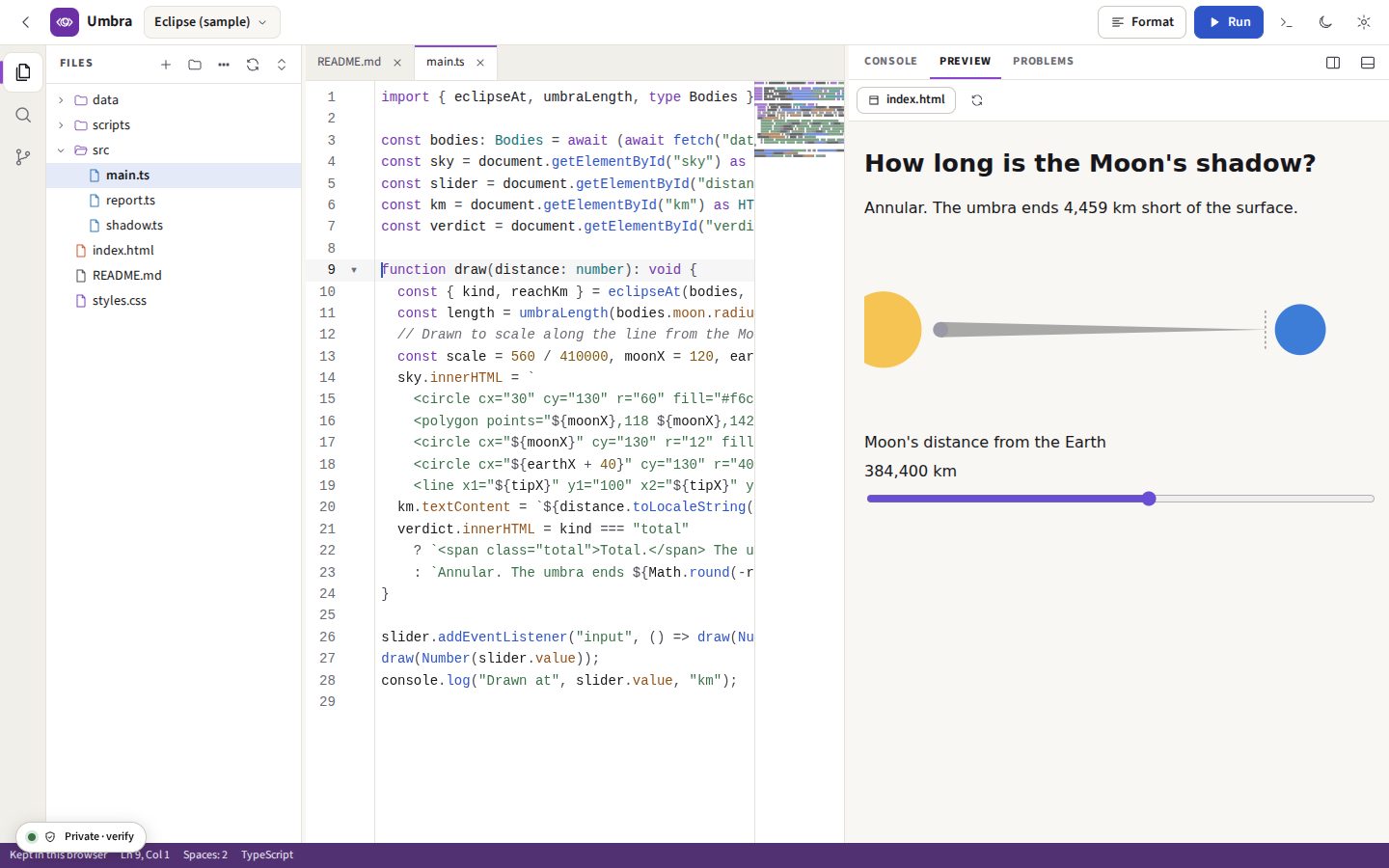
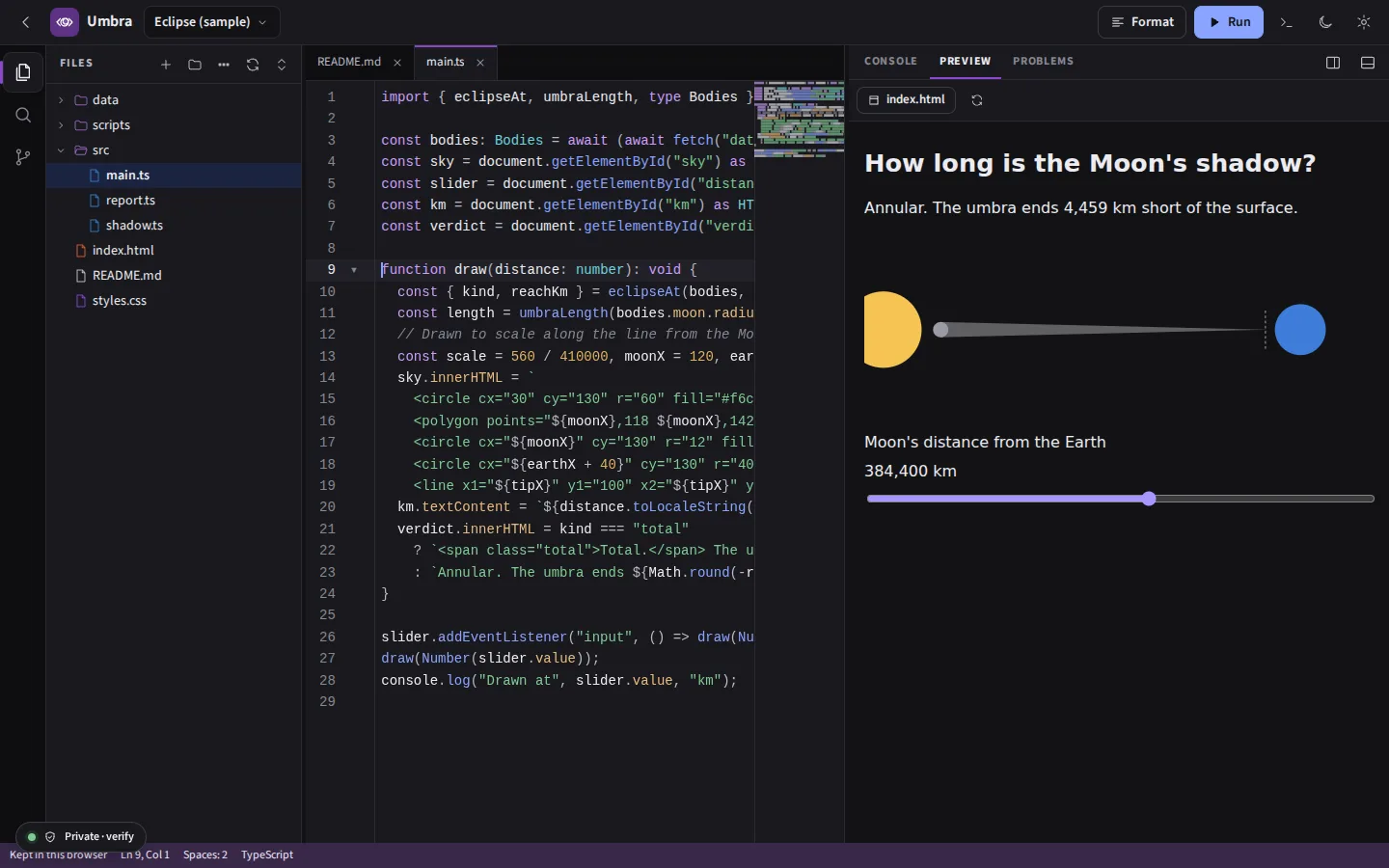
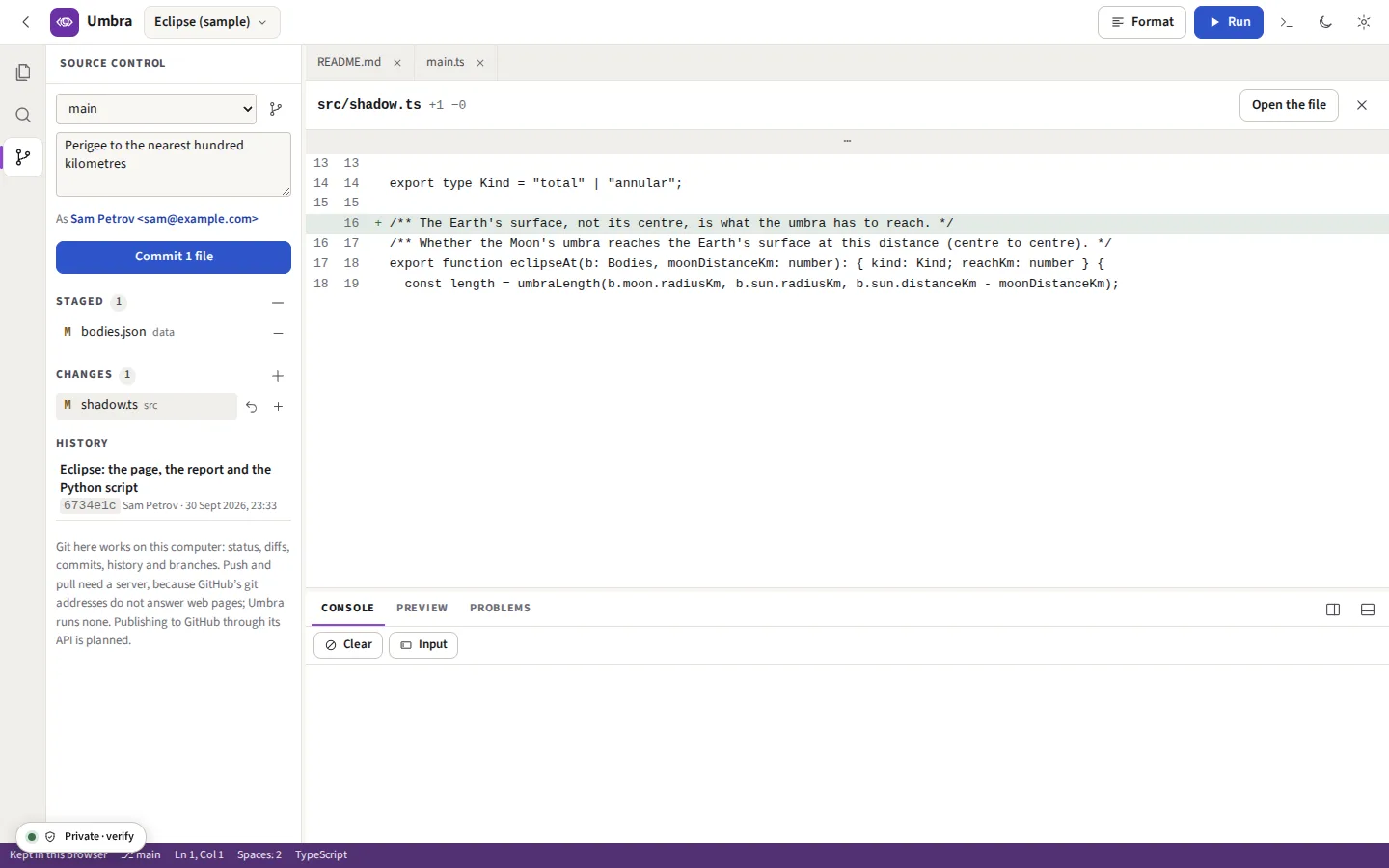
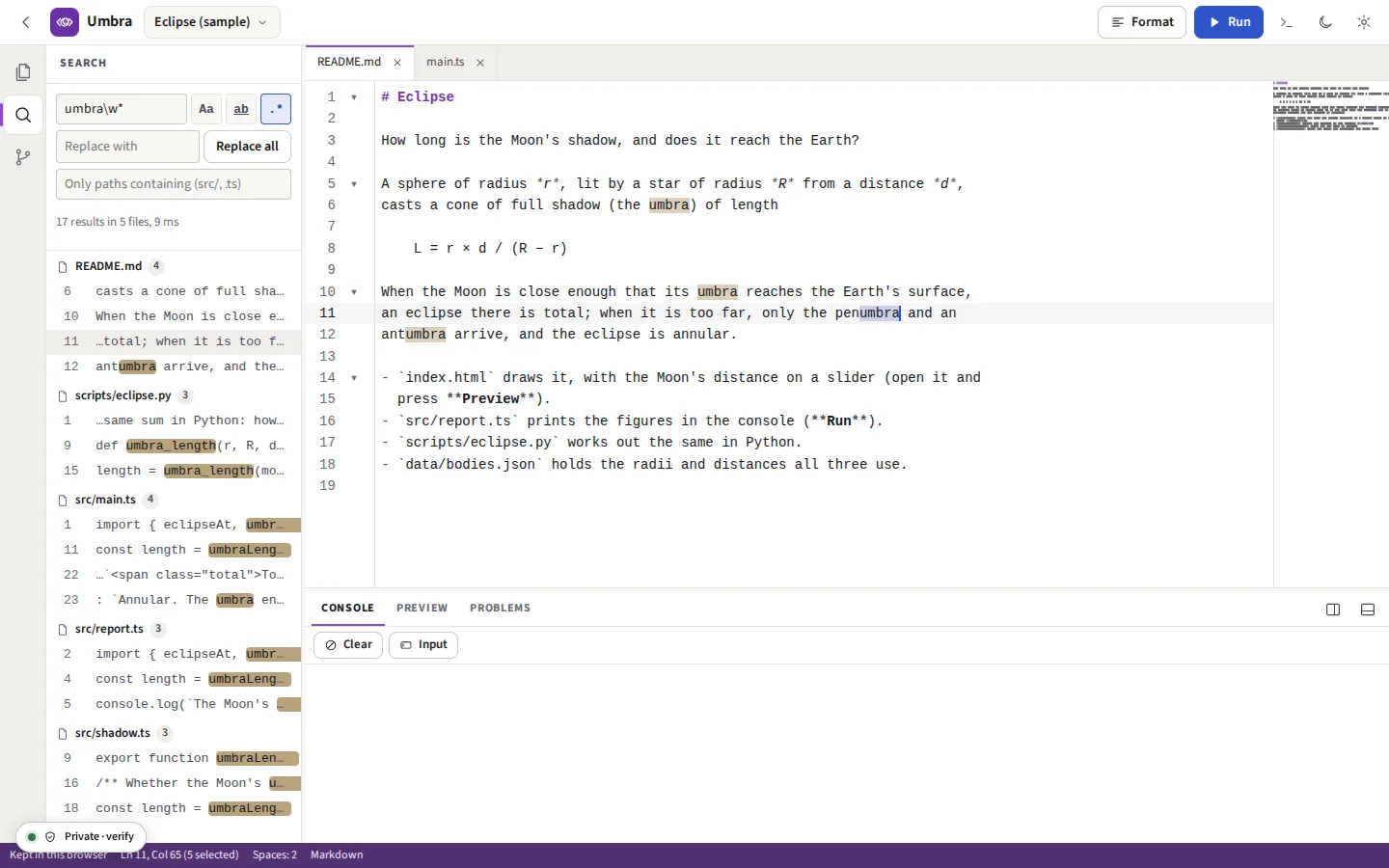
Taken from Umbra itself, with the sample project it opens: a small web page about eclipses in TypeScript, a script for the console and one in Python.
report.ts is run and prints its table in the console. Everything runs in the browser, in a sandbox. Recorded in Umbra itself; there is no sound.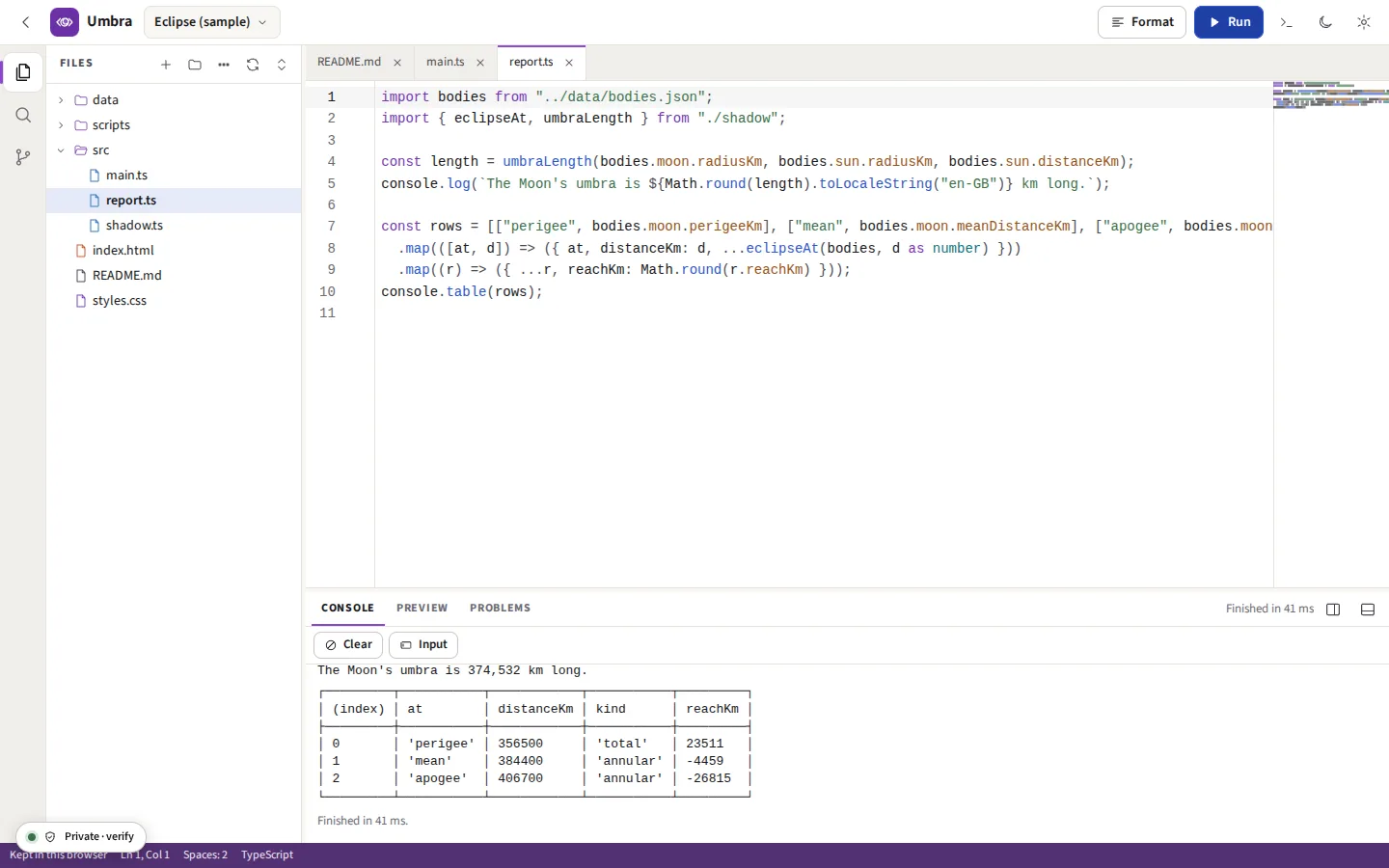

src/report.ts imports a JSON file and a module of its own; the console shows what it printed, a table included, and how long it took.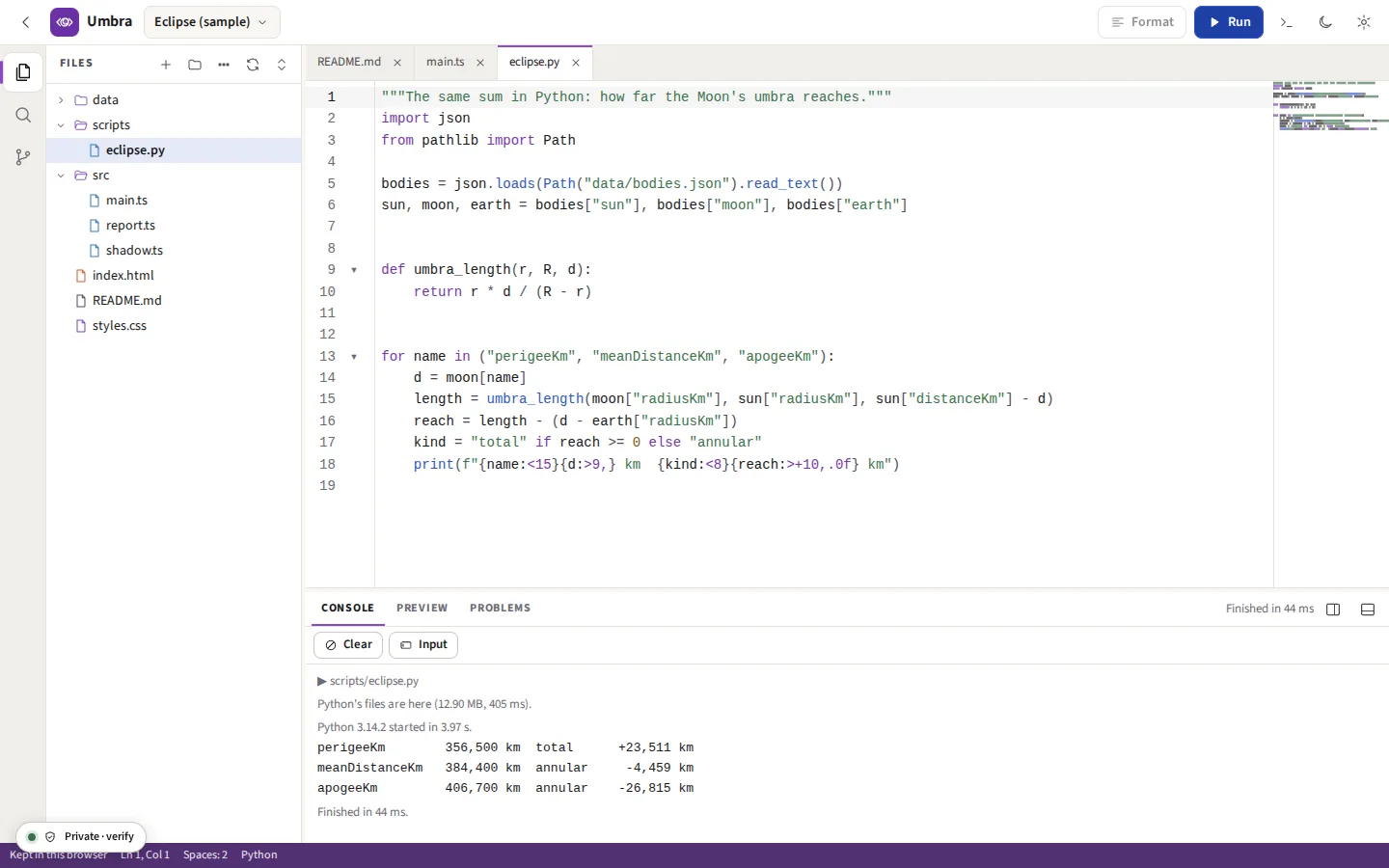



Everything it does
Open a folder of code and edit it where it is; run JavaScript, TypeScript and Python. The code is never uploaded. Keep a project in the browser, see a web page as you write it, format with Prettier, and commit with git. What you run, and every extension you install, is walled off from this site and from everything you keep on it.
Before you start: No shell, no npm install and no servers: other languages are edited and searched, not built or run. What else it does not do
What it does
Projects
A folder on this computer is opened through the browser’s own folder picker and edited in place: saving writes the file on disk, and a file changed by another program is read again when you come back to the tab. A project kept in the browser lives in its private file system, or its database where that cannot be written. Either can be saved as a zip and made from one, such as GitHub’s “Download ZIP”.
The editor
CodeMirror 6: JavaScript, TypeScript, JSX, HTML, CSS, JSON, Markdown, Python, SQL, YAML, Rust, Go, Java, C, C++ and shell highlighted; several cursors (Ctrl D, Ctrl Alt ↑); find and replace with regular expressions; go to line; brackets matched and closed; folding; a minimap; completion of the words in the file and of each language’s own. Each tab keeps its own undo history.
Keys
Visual Studio Code’s where the browser allows: Ctrl P opens a file by name (and >, @ and : in it a command, a symbol or a line), Ctrl Shift P every command, the ones used last first, Ctrl Shift F searches the files, F5 runs, Shift Alt F formats, F12 goes to a definition, Ctrl \ splits the editor. Every key can be changed in Keyboard shortcuts. Ctrl W belongs to the browser, so a tab closes with Alt W.
Writing code
The editor split in two, on one file or two; snippets as Visual Studio Code writes them, Umbra’s own and yours; the outline of the file, its timeline of saves and commits, and breadcrumbs above it; sticky scroll; brackets coloured by depth, guides down the indentation and a line joining the brackets the cursor is in; colour swatches in stylesheets; box selection (Ctrl Shift Alt and an arrow); wrapping at the edge or at a column; format, tidy and auto save; three colour themes; settings exported to a file for another browser.
TypeScript’s language service
TypeScript 6.0.3’s own compiler, in a worker of its own, fetched the first time a TypeScript or JavaScript file is open: type errors underlined as you type and listed under Problems, completion of what a type has (with the import written for a name from another file), the type under the pointer, the parameters of the call being typed, go to definition, type definition and implementation, find references and rename across files by what a name is, quick fixes and refactors (Ctrl .), organise imports, a count of references above each function, and type hints written into the code if you ask. A project’s tsconfig.json is read.
The debugger
A breakpoint is set in the margin or with F9, and Run stops there. The run is recorded as it goes, so it is stepped through afterwards: over, into and out, and back again, to the breakpoint’s next time or its last, to the cursor, or along a slider; the variables of each scope, watch expressions, the call stack, and the console as it was at that step. An uncaught error stops where it was thrown. JavaScript and TypeScript are instrumented before they run; Python is traced by CPython’s own sys.settrace.
Testing and the workspace
The project’s tests (for node:test and node:assert) listed by file and suite, each run alone or together, the failed ones again, a tick or a cross beside each test’s line. Another project or folder can be added beside the project’s own files; search takes globs to include and leave out, and shows a regular expression’s replacement before it is made.
Extensions
A .js file or a folder from your own disk adds commands, snippets, a formatter or a linter for a language, or a theme. Each runs in a worker of its own, in a sandbox with no network at all, and reaches Umbra only through a small set of messages it checks. Three come with it: Line tools, Notes in the code, and SQL, which formats SQL. One is written in Umbra from a template and started again on each save.
The console’s line
Under the console, a line that runs JavaScript or TypeScript in a sandbox that lasts between lines, as Node’s REPL does: what one line declares the next can use, and require() reads the project. Umbra’s own commands are there too: run, test, ls, cat, git status.
Nothing lost
Every save keeps a version of the file in this browser, to compare and put back, with git or without. Closing the tab keeps the files open and their unsaved changes, and opening the project again brings them back.
How it was written
Record how this was written, a project at a time, and every edit, paste and run is kept on the device in an Authorship record: each paste with where it came from, each file added, each run with the SHA-256 of the code run and how it ended. Save it as an .oauthor file to hand in with the code; a teacher checks it free at /verify-authorship, file by file, a class at a time. It cannot prove that no AI was used.
Running JavaScript and TypeScript
Press Run on a file and it runs in a worker, its imports found in the project (relative paths, or packages already in node_modules as plain JavaScript). TypeScript and JSX are compiled by Sucrase line for line, so a stack trace’s line is the line in your file, and pressing it opens it there. console.table, time, count, group and assert work; the file may use await at the top.
The preview
An HTML page with its stylesheets, pictures, fonts, modules and data files, all from the project: the page’s module imports are found as a bundler would find them, TypeScript is compiled, fetch() of a project file answers with that file, and a link to another page opens it. It refreshes as you type, or when you save.
Python
Pyodide 314.0.7 (CPython 3.14.2 compiled to WebAssembly) in a worker, with the project’s files in its working folder, so a script imports its neighbours and opens its data. input() reads the lines in the Input box. numpy 2.4.6 and PyYAML 6.0.3 load when a script imports them, and a pure-Python wheel kept in the project is installed before each run. Stop ends the interpreter; the next run starts a fresh one.
Notebooks and SQL
A Jupyter notebook (.ipynb) opens as cells: run one with Shift Enter, or all of them, in one Python namespace, and save the outputs back for Jupyter to open. A .sql file runs on SQLite (sql.js), in memory or on a database file in the project, its results drawn as tables. A Python script’s input() asks in the console, and the files it writes can be kept in the project.
Formatting and problems
Prettier 3.9.9 formats JavaScript, TypeScript, CSS, SCSS, Less, HTML, JSON, Markdown and YAML, and keeps the cursor with the code it was in. As you type, TypeScript and JavaScript are checked by the language service, and a JSON file that does not parse and a YAML one that does not are underlined where the parser stopped; all are listed under Problems.
Git
isomorphic-git works on the project’s own .git folder: which files changed, marked beside the lines as you type, the diff of each in one column or side by side, a whole file or a single change staged, unstaged or discarded, commit with your name, the history and each file’s commits, new branches and switching between them. A repository made or committed to here is an ordinary repository; the git command line reads it the same.
Blame, stash and merging
Who last changed each line, as git blame gives it; the changes stashed under refs/stash, where the git command line sees them; and another branch merged, with an editor for each conflict that shows the two sides, accepts either or both, and commits the merge with both parents.
Search
Every text file in the project, as words, whole words or a regular expression, with or without case, narrowed to paths you name, and each match replaced in one go, in open tabs (where undo takes it back) and on disk.
How the code you run is kept apart
Code you run is not trusted, even when you wrote it: a package or a pasted snippet can do more than it says. So it runs in a frame with a sandbox and no access to this site’s origin. Its origin matches nothing, so the browser refuses it this site’s storage, its cookies and your Pro key; its own security policy allows it no connection anywhere, this site’s /api/ included; and it cannot move the window it is in to another address. Python gets its files from the page, handed over as data, not by fetching them. Umbra’s checks try each of these from inside the sandbox on every run of the tests, and each is refused.
What it downloads
| Part | Size | When |
|---|---|---|
| The editor (CodeMirror 6 and its languages) | 970.0 KB, 336.5 KB compressed | When Umbra opens |
| The compiler and checkers (Sucrase, YAML) | 296.8 KB | The first run or check |
| Git (isomorphic-git) | 259.4 KB | When Source control is opened |
| Prettier and its plugins | 1.31 MB | The first time a file is formatted |
| TypeScript and its declarations | 11.6 MB | The first time a TypeScript or JavaScript file is open; kept for later |
| Python (Pyodide) | 12.90 MB | The first Python run, after asking; kept for later |
| numpy and PyYAML | 2.93 MB | With Python |
How long things take
Measured, not estimated: Chrome on a four-core computer, with the site served from the same machine so the network is not in the figures, by umbra-perf-test.mjs, which the site’s checks run.
| What | Time |
|---|---|
| Umbra opened, nothing cached, to the editor ready | 0.35 seconds |
| A TypeScript file of 20,000 lines opened | 0.19 seconds |
| A key typed in the middle of it, to the screen | 33 milliseconds |
| A TypeScript script run, from Run to its last line | 0.44 seconds |
| The sample’s web page shown, its modules compiled | 0.24 seconds |
| Python’s first run: its 12.90 MB fetched and started | 4.1 seconds |
| Python run again, once started | 0.53 seconds |
| A word searched across 1,000 files | 0.71 seconds |
| git status of 1,009 files | 0.42 seconds |
| Those 1,009 files staged and committed | 4.8 seconds |
What it cannot do yet
Said now, so that nobody pays to find out.
- No shell, no npm install, no servers. The console’s line runs JavaScript and Umbra’s own commands, not a shell: nothing native runs in a browser: not Node itself, not a compiler for Rust, Go, Java or C, not a database server (SQLite runs in the tab), not a dev server. Those languages are edited, highlighted and searched, not built or run. A JavaScript package can be used only if its files are already in
node_modulesas plain JavaScript; Node’s own modules (fs,http,child_process) do not exist here. - No network for the code you run. The wall that keeps it from this site keeps it from every other:
fetch()to an address outside the project is refused, and so is a script or stylesheet from a CDN in a previewed page. - Python has its standard library, numpy and PyYAML. Pyodide knows hundreds of other packages, but Umbra keeps only these on this site and cannot install from PyPI; a pure-Python wheel you download yourself and put in the project is installed, one with compiled code in it is not.
input()asks in the console as the script reaches it in Chrome and Edge; in Firefox and Safari, which cannot pause Python for it, it reads the Input box filled before the run. Threads and subprocesses do not work. - A type error still runs. The language service checks TypeScript and JavaScript; Sucrase, which compiles them for a run, takes the types out without checking them. The other languages have completion of the words in the file and their keywords, and Go to definition by name, not a language server’s meaning. A file over 1 MB is checked for syntax only.
- No push or pull. GitHub’s git addresses do not answer a web page from another site, so reaching them would need a server between, and Umbra has none. Clone a repository with the git command line and open its folder, or import GitHub’s zip. Rebases are not here; symbolic links are not kept.
- A folder needs Chrome, Edge or Opera on a computer. Firefox and Safari do not give a page a folder: keep the project in the browser there, and bring it in and out as a zip. A project in the browser is deleted if the site’s data is cleared.
- Big files and big folders. A file over 5 MB is not opened in the editor, and the minimap is shown only beside files under 3,000 lines. The tree lists up to 50,000 files and folders;
.gitandnode_modulesare read only when opened, and a run reads the first 6,000 files ofnode_modules. - The debugger plays back a recording. A page cannot pause a program in place, so the program runs to its end (or 20,000 steps) and is stepped through afterwards: a variable cannot be changed while paused, and a watch expression added is recorded by running the program again. Breakpoints have no conditions or hit counts yet, and code in a previewed web page is not debugged.