
OBSCURA Roots
Your family tree, kept on your own computer.
This browser’s Pro key was not accepted: the subscription behind it has ended. Renew or subscribe below.
Roots onlyUS$2 a month, 7 days free EverythingUS$5 a month, 7 days free Sign in
US$2 a month or US$19 a year for Roots, or US$5 a month or US$48 a year for everything. 7 days free. Stripe takes a card, and nothing is charged if you cancel before they end.
- GEDCOM in and out
- Charts to print
- Family history books
- Sources, fact by fact
- Census households and tags
- DNA segments and triangulation
Roots at work
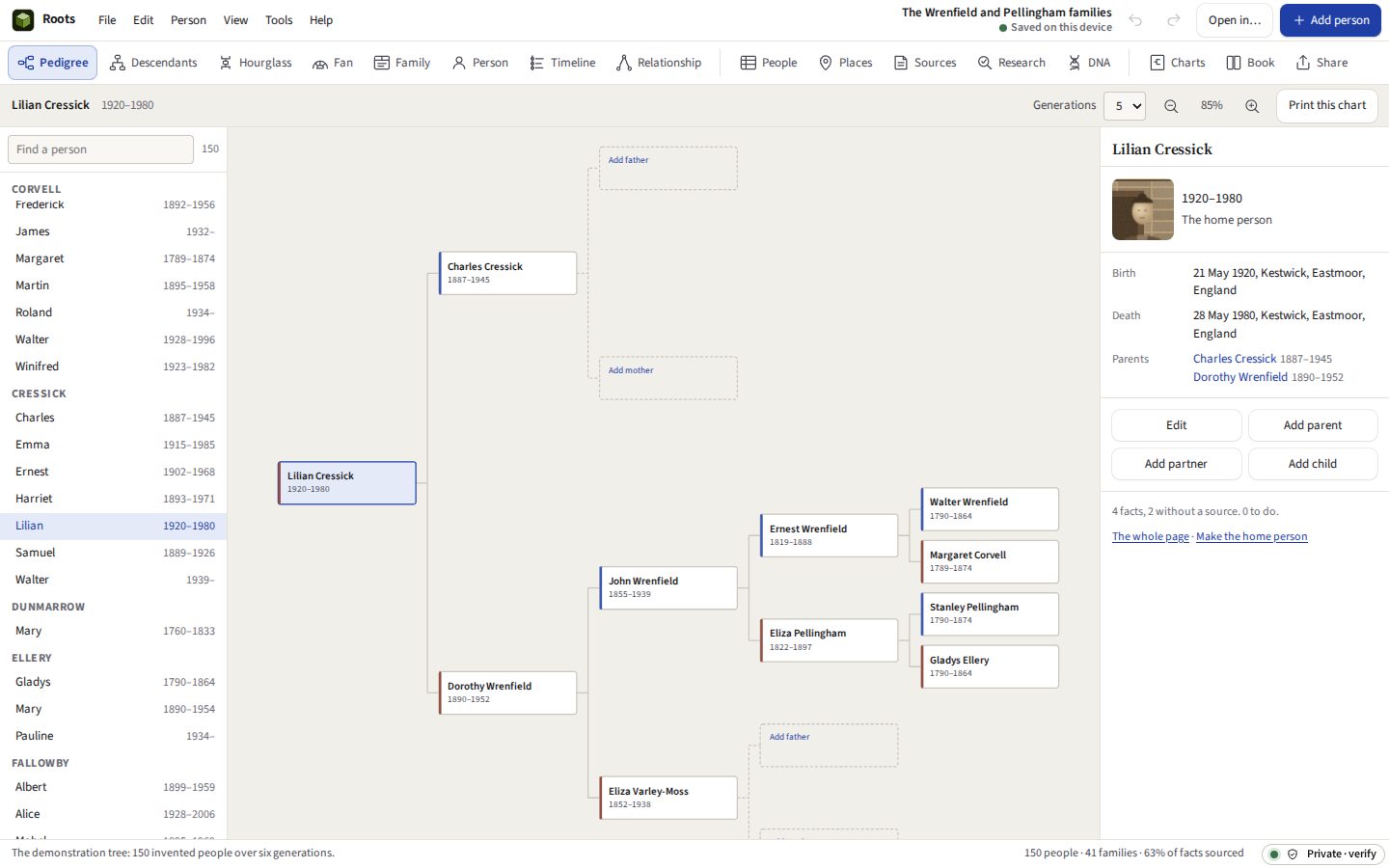
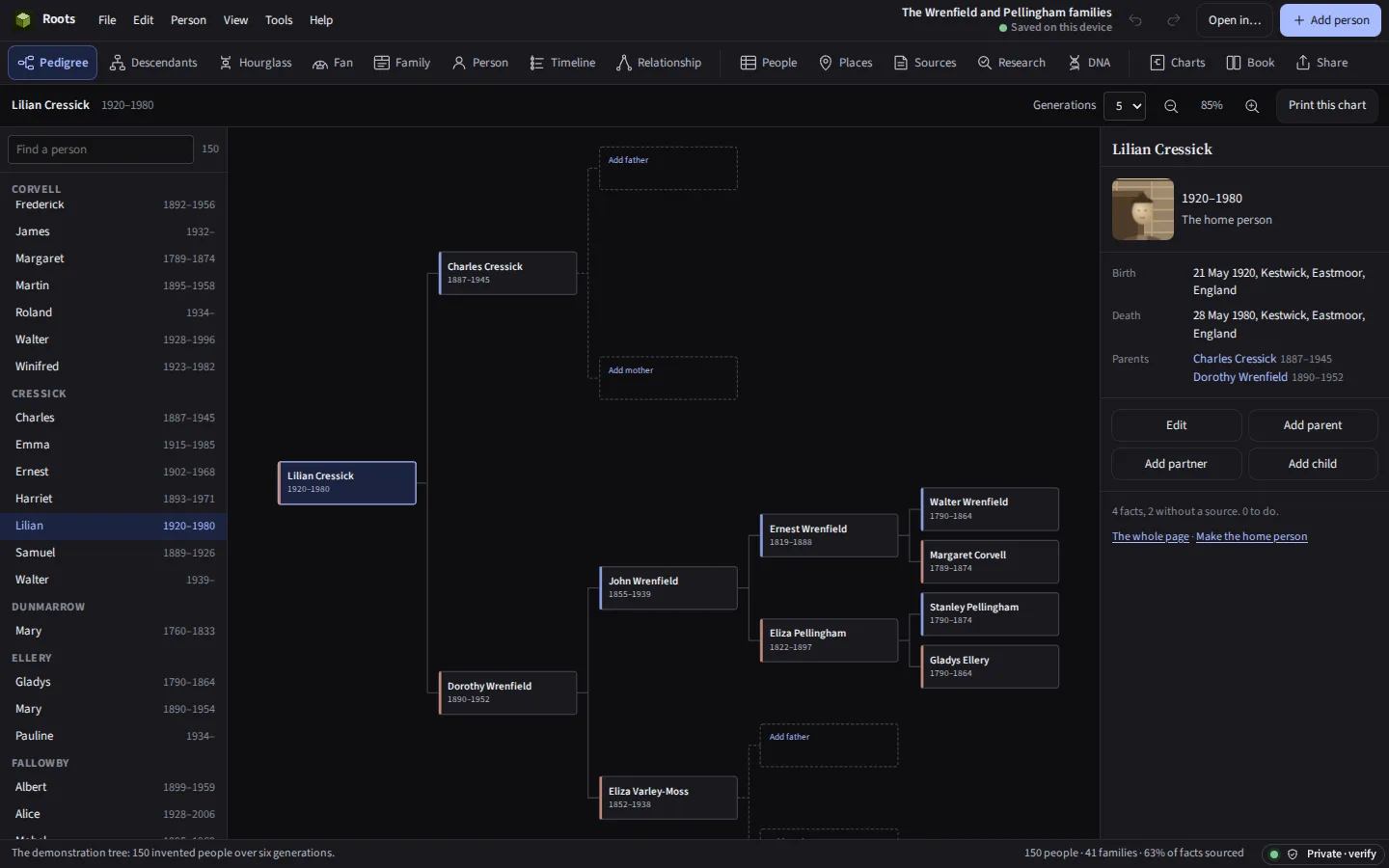
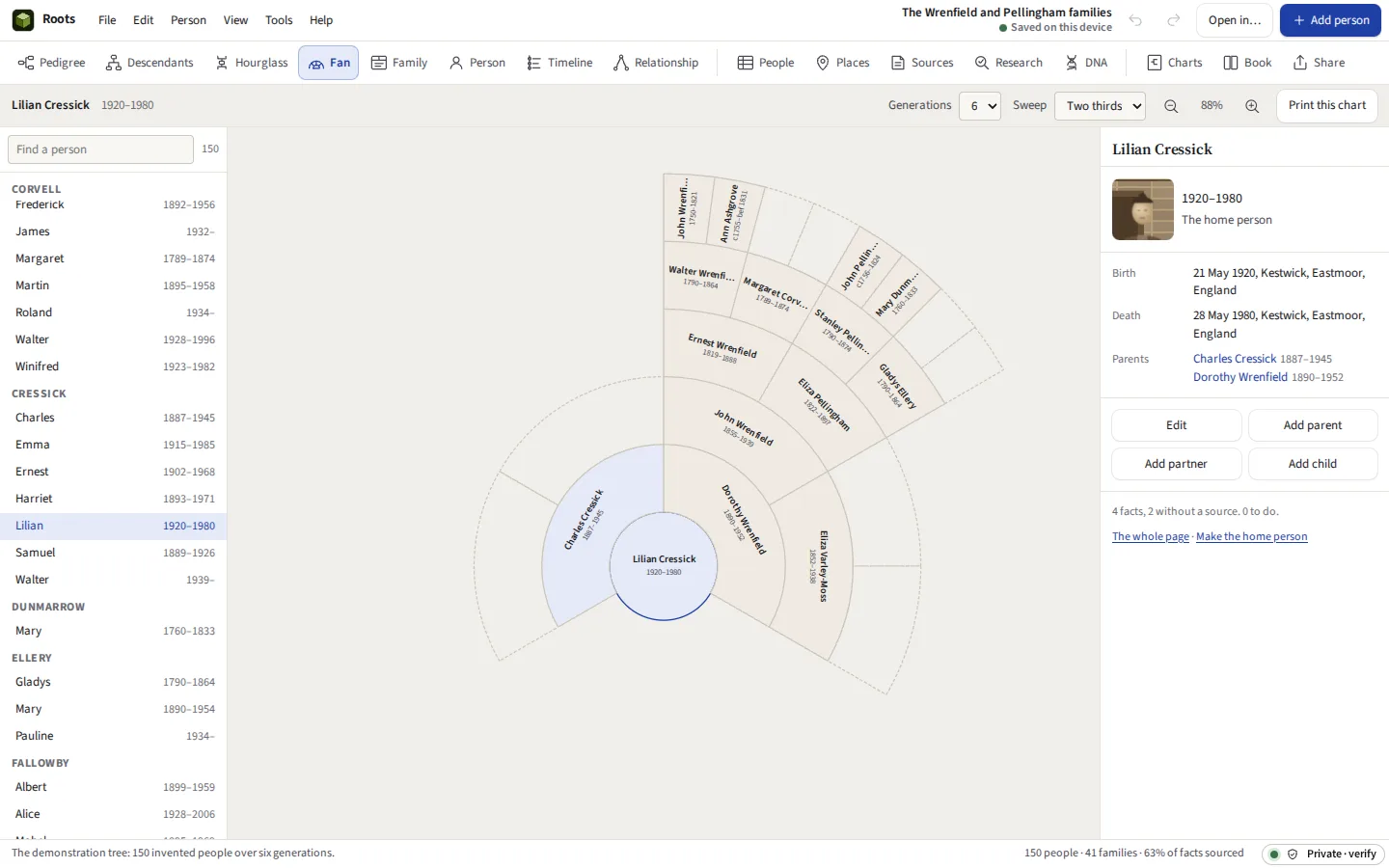
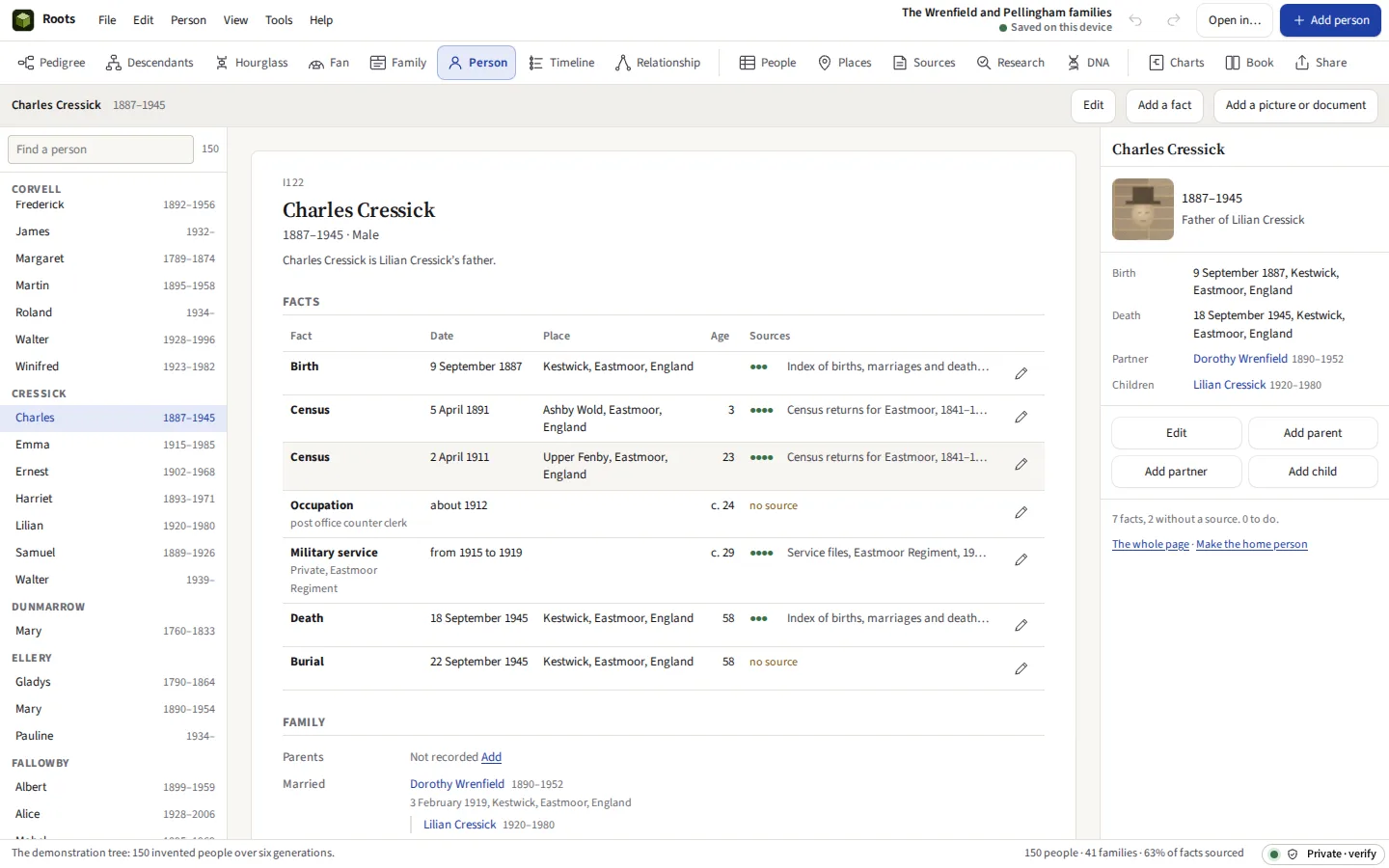
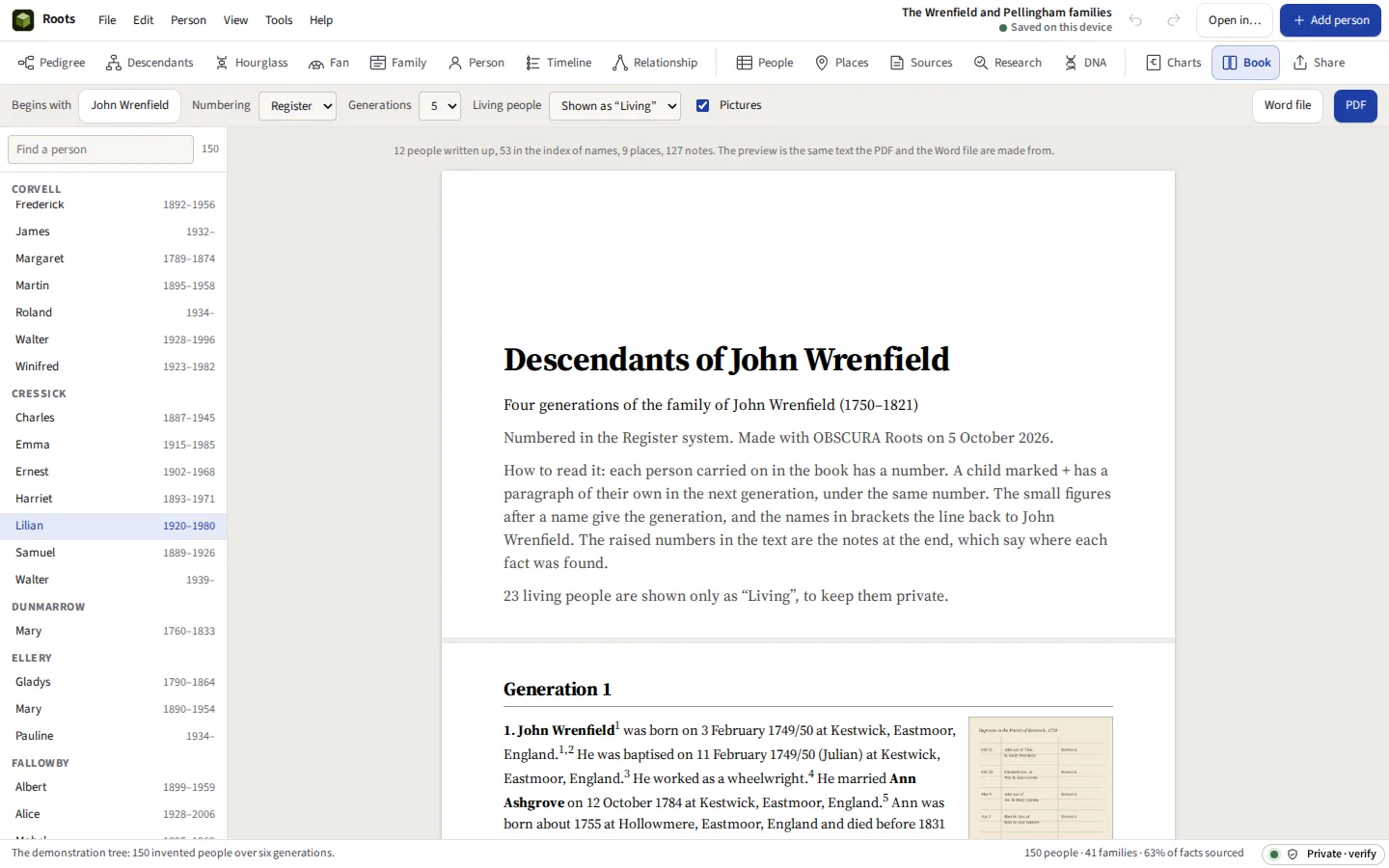
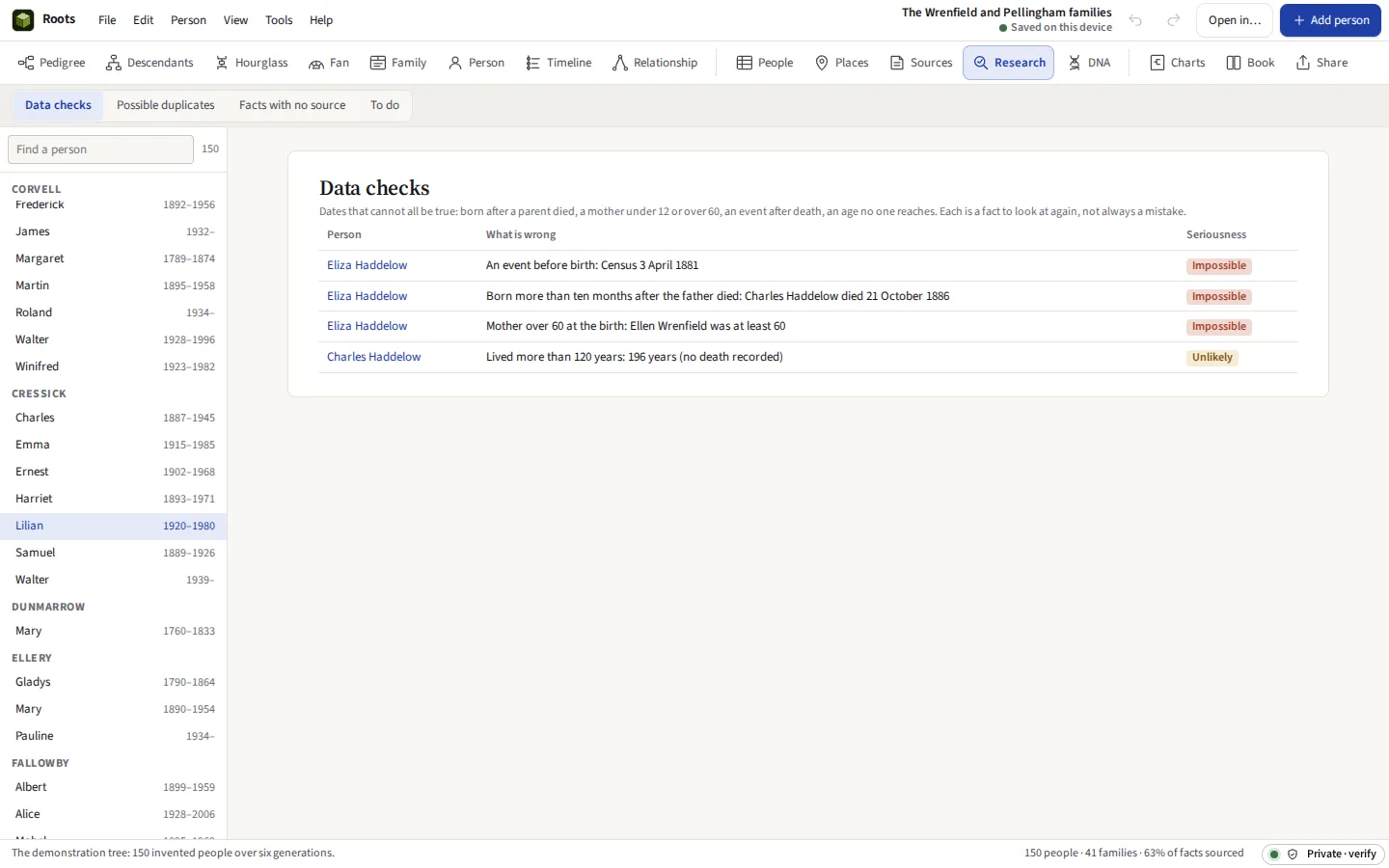
Taken from Roots itself, with its demonstration tree: an invented family of 150 people over six generations, in an invented county, with invented sources.




Everything it does
Build and research your family tree, print charts and books, and read GEDCOM from any program. The tree is kept on this device. Sources cited fact by fact, checks for impossible dates, duplicates merged with Undo, DNA match lists, and a website of the tree that keeps the living private.
Before you start: No search of online records: find them at FamilySearch or Ancestry, and enter what they say here. What else it does not do
Compared with RootsMagic and Ancestry.
What it does
The tree
People with as many names as they were known by, and their facts: birth, baptism, marriage, census, residence, occupation, emigration, military service, death and burial, and any event you name. Families with partners and children, each child marked as born to, adopted, fostered or a stepchild of each parent. Couples of the same sex, second and third marriages, and a parent not known, are all ordinary. One event can have others at it, each in a role: the witnesses and godparents at a baptism, the household at a census. A census page is entered once, as it reads, and each person on it gets their fact.
Dates as genealogists write them
“abt 1850”, “bef 1901”, “between 1850 and 1855”, a dual year such as 1712/13, and a Julian date marked as one, each read as typed and shown back so you can see how it was understood. They sort in order and give ages, with “about” carried through.
GEDCOM
A file read and written again keeps every line: tags Roots does not show are held on the record they came with and written back where they were. Old files in ANSEL, Windows-1252 or UTF-16 are read in their own characters. Checked on every run against fifty-odd real exports, including Family Tree Maker’s and Gramps’s own test files.
Sources and proof
Sources with their repositories and call numbers, cited from any fact with the page and the quality of the evidence, and pictures of the records attached. The Genealogical Proof Standard asks for a citation for every fact, so Roots lists the facts that have none and counts how much of the tree is sourced. Fourteen source templates, from the census and the parish register to wills, passenger lists and websites, write each citation as Evidence Explained sets it: a first note, a short note after, and a list of sources.
Charts
Ancestors, descendants, hourglass and fan, drawn as vector PDFs with real text, so a poster’s names stay sharp at any size. One sheet from A3 to A0 or ARCH E, a 36-inch roll cut to length, or tiles on A4, Letter or A3 with a 10 mm overlap and trim marks for a home printer.
Books
The descendants of one person, generation by generation, in the Register or NGSQ numbering the journals use: each life told from its facts, children listed beneath, photographs beside, every source as an endnote, and indexes of names and places; or the ancestors of one person in Ahnentafel order, or a family group sheet. Saved as a PDF, or as a Word file to edit further in Word or Docs.
Research
Checks across the whole tree for a child born after a parent died, a mother under 12 or over 60, an event after a death, an age nobody reaches, and a person who is their own ancestor. Possible duplicates found by name, including spellings that sound alike, and merged field by field with Undo. Places written several ways found and made one, and shown on a map Roots draws itself. A research log and a to-do list across the tree. Tags of your own, each with a colour, on people, families and sources, shown on the charts; filters that combine rules (born between, lived in, a tag, a fact with no source, a descendant of) kept by name and used to share just those people. Every line by which two people are related, not only the nearest: double cousins, cousins who married, and in-laws.
Sharing safely
Before a tree is shared, living people are hidden or shown only as “Living”, with the list of who that is and why. Share as GEDCOM for FamilySearch and other sites, as one branch for a cousin, or as a website of plain pages that opens from a folder with no connection.
DNA
Match lists from MyHeritage, 23andMe, FamilyTreeDNA and GEDmatch read by their column names. Each match’s shared centimorgans set against the Shared cM Project 4.0 ranges (Blaine T. Bettinger, CC BY 4.0), and, once linked to somebody in the tree, checked against how the tree says you are related. Matches typed in by hand, with their shared matches, gathered into clusters on a Collins-Leeds matrix. Segment files from FamilyTreeDNA, MyHeritage, GEDmatch and 23andMe drawn on the chromosomes, with the overlapping groups and whether their shared matches support them. What Are The Odds?, the method of Leah Larkin and Jonny Perl, weighs where somebody of unknown place fits against the cM their relatives share.
Plug-ins
Reports, charts and importers written by others, each run in a sealed worker that can reach no network, no storage and no other tree, and given only a copy of the tree with the living kept private.
Why on your own computer
A family tree holds the names, birthdays and birthplaces of living people, their mothers’ maiden names, and often notes about illness that runs in the family. Those are the answers to security questions and the raw material of identity fraud. DNA and genealogy companies have had customer data stolen, and some of it was offered for sale. A tree in Roots is kept in your browser’s private storage on this device; the site that serves Roots never receives it, and there is no account for it to be attached to.
No subscription holds it either. The tree is a standard GEDCOM file whenever you want one, readable by every genealogy program, and the whole project, pictures included, saves as a single file you keep.
Moving a tree to Roots
| From | How to get the GEDCOM out |
|---|---|
| Ancestry | Trees, Tree Settings, Export tree, then download the file. Pictures are not included in Ancestry’s export. |
| MyHeritage | Family tree, Manage trees, Export to GEDCOM. The file is emailed as a link. |
| Family Tree Maker | File, Export, GEDCOM 5.5.1. |
| RootsMagic | File, Export, GEDCOM. |
| Gramps | Family Trees, Export, then GEDCOM or Gramps XML (both are read). |
| FamilySearch | FamilySearch Family Tree has no GEDCOM export of its own; a program it works with, such as RootsMagic, can download your part of it as GEDCOM. |
What it cannot do
Said now, so that nobody pays to find out.
- No search of online records. Census returns, parish registers and passenger lists at FamilySearch, Ancestry, FindMyPast and the national archives are on their servers, and searching them means going to them. Find a record there and enter what it says here, citing the record. FamilySearch’s records are free to search with a free account.
- No hints and no shared trees. The online sites suggest records and other people’s trees because they hold everyone’s data in one place. Roots holds only yours.
- No street maps. Places are shown on an outline of the world’s countries that Roots draws itself, from positions in the file or put there by hand. It has no roads or town names: a map service that drew them would be sent every place in the tree.
- No raw DNA. Match lists and segment files are read; the raw genotype files the companies let you download are not, and no ethnicity estimate is made.
- Triangulation goes as far as shared matches show. Roots has the segments each match shares with the tester, not the segments two matches share with each other, so a group is called triangulated when the companies list its members as each other’s shared matches. MyHeritage and GEDmatch can confirm the segment itself.
- The odds are an approximation. What Are The Odds? here treats each relationship’s spread in the Shared cM Project as a normal curve fitted to its published range. The scores rank the hypotheses you give it; they are not proof, and a place not listed is not weighed.
- One person at a time. A tree is on one device. To work on it elsewhere, save it as a file and open it there; two copies edited apart are not merged.
- Browser storage can be cleared. Clearing this site’s data in the browser deletes the trees kept in it. Save a copy as a file now and then.