Opening Erase…

OBSCURA Erase
Use your data rights, and hold them to the deadline.
This browser’s Pro key was not accepted: the subscription behind it has ended. Renew or subscribe below.
EverythingUS$5 a month, 7 days free Sign in
US$5 a month or US$48 a year, with every other application. 7 days free. Stripe takes a card, and nothing is charged if you cancel before they end.
- Letters in seven languages
- UK, EU, US, Canada, Australia, Brazil
- The deadline, holidays counted
- 143 brokers and companies
- Replies read from email files
- Kept encrypted
Erase at work
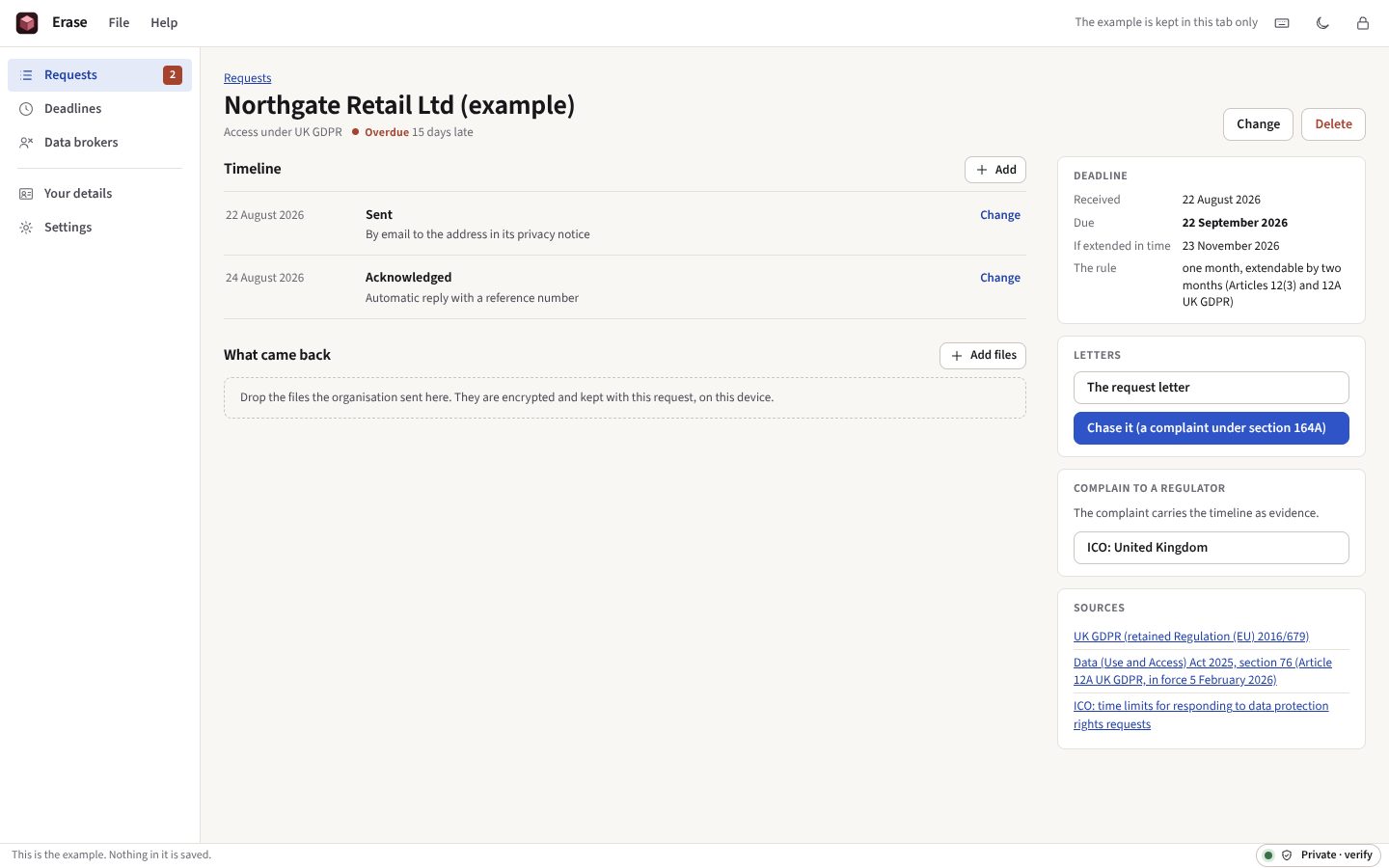
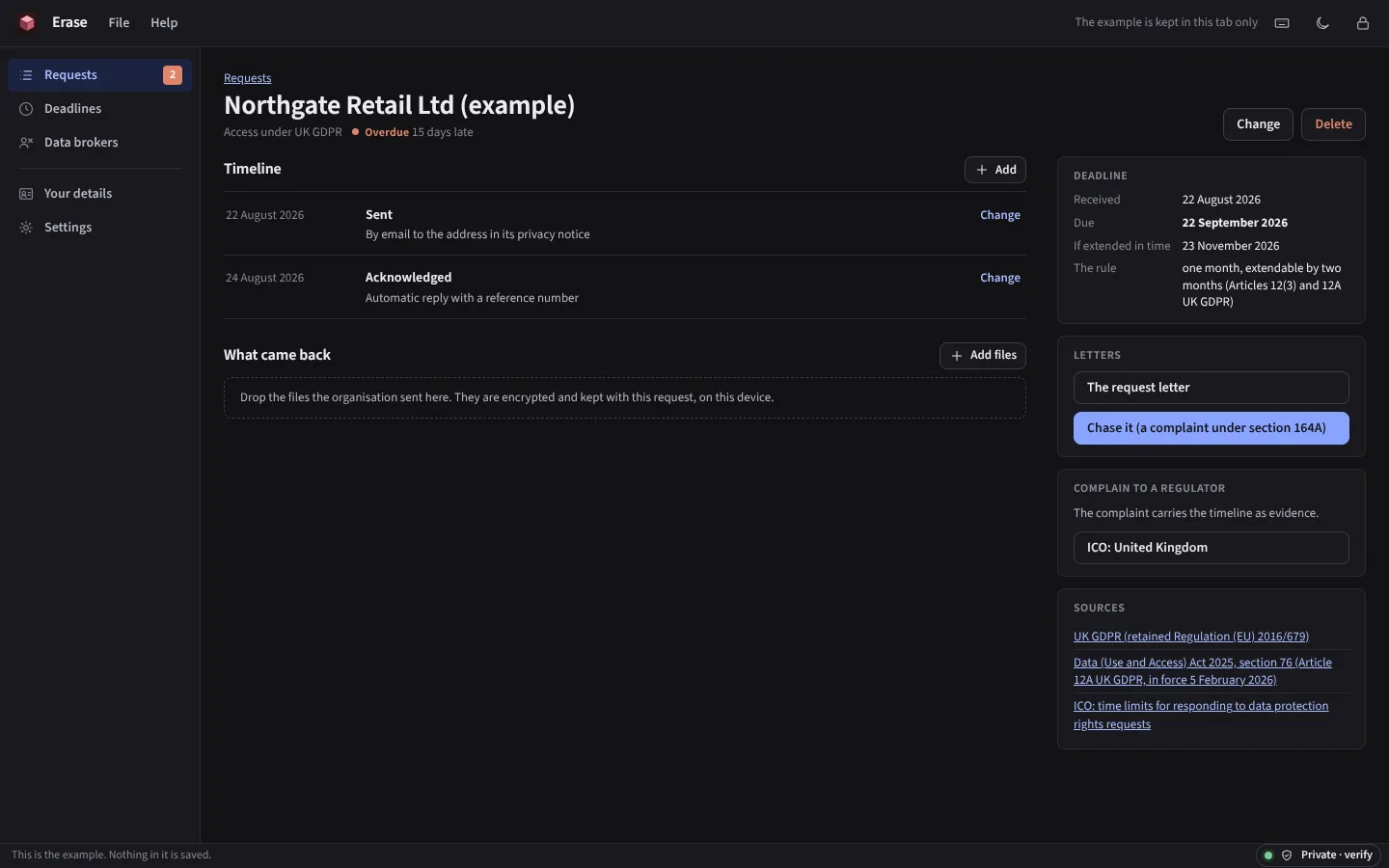
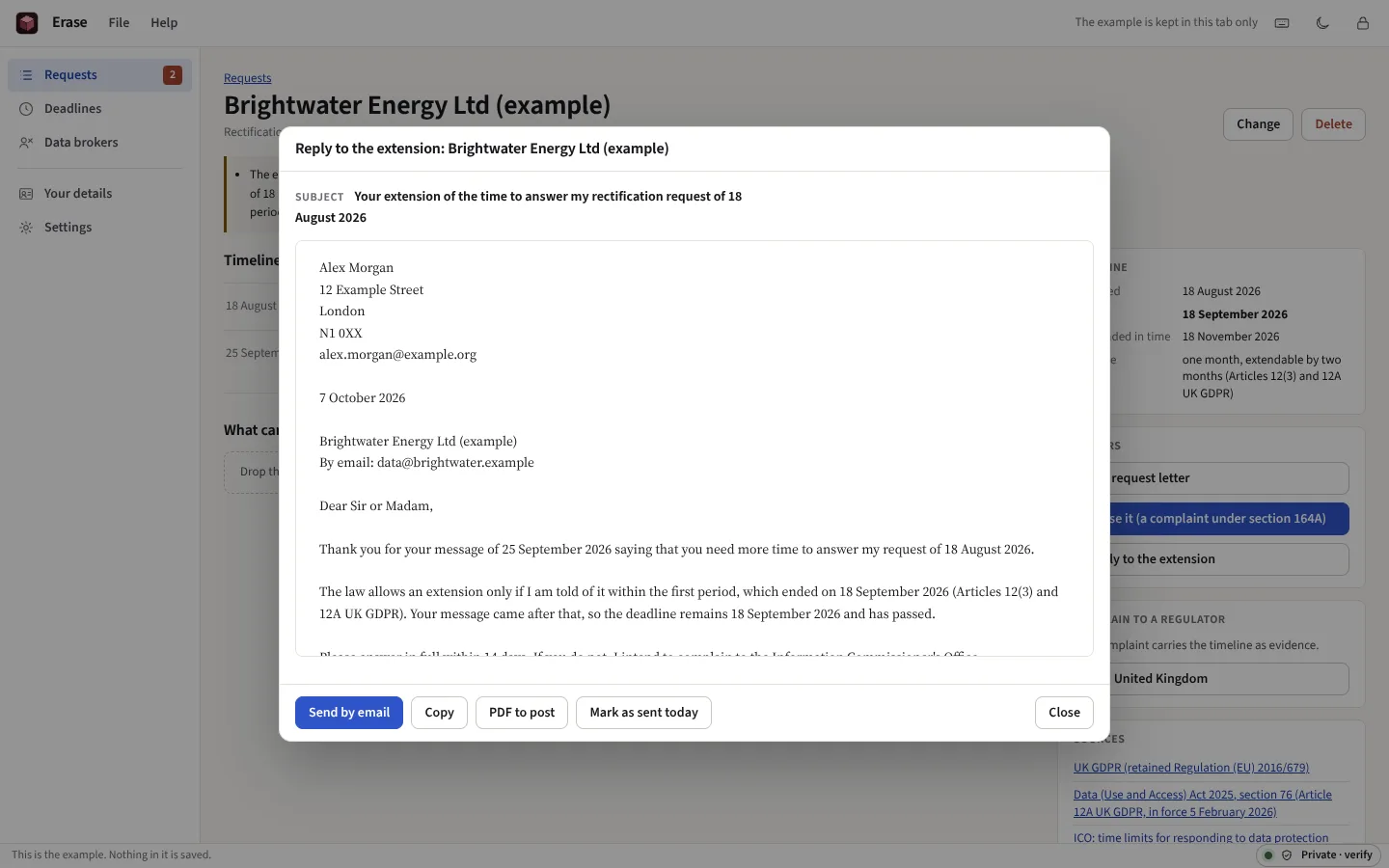
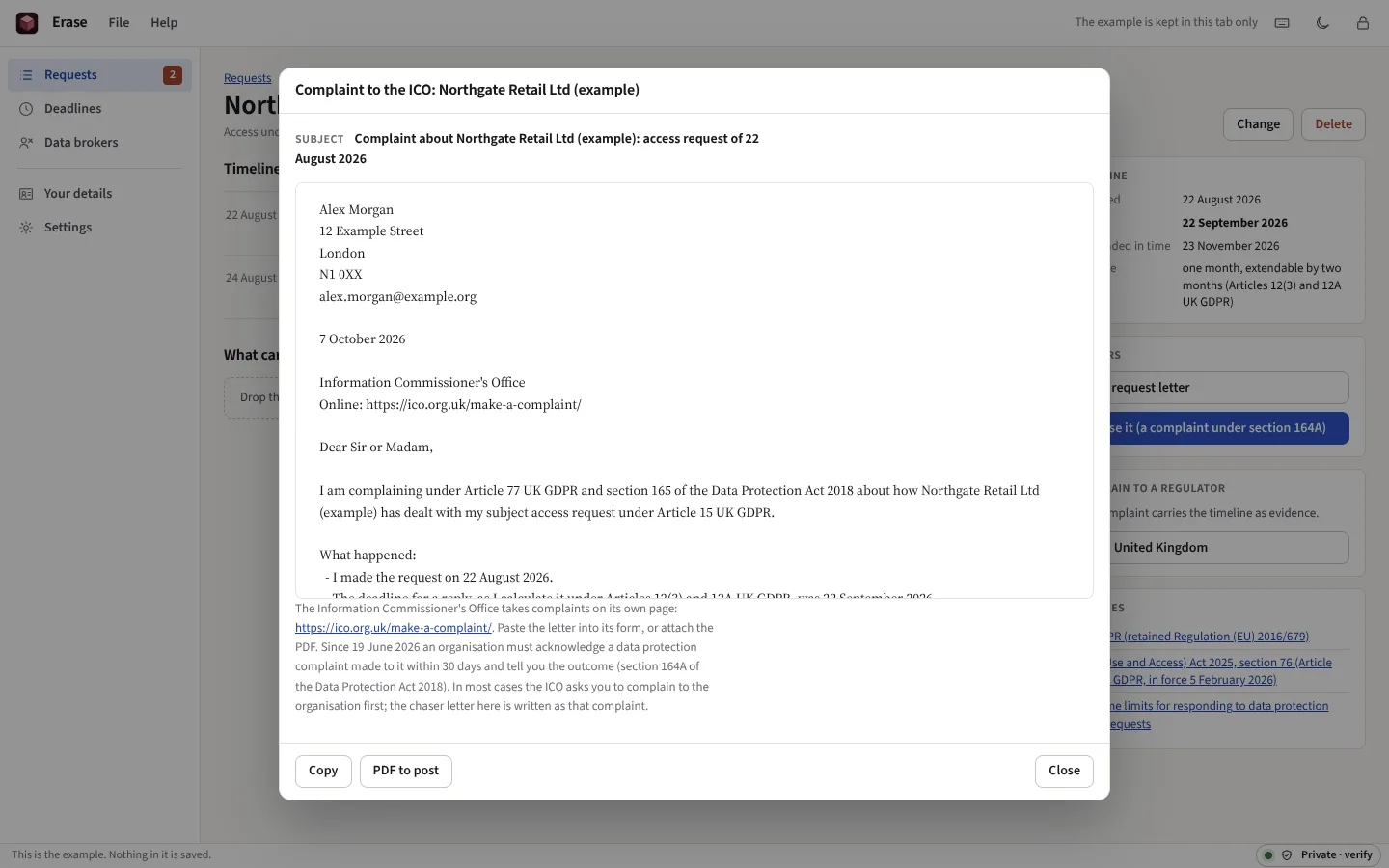
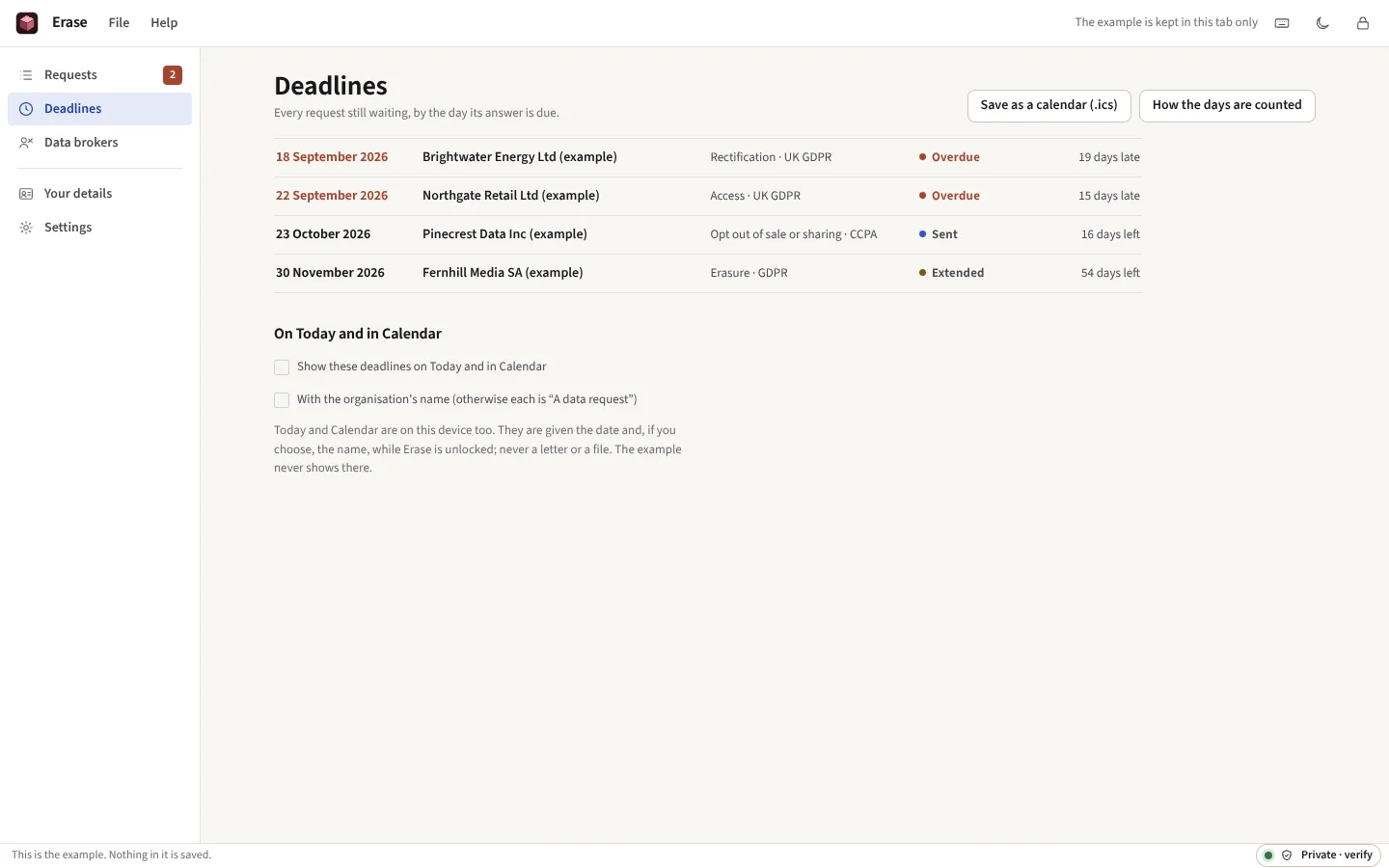
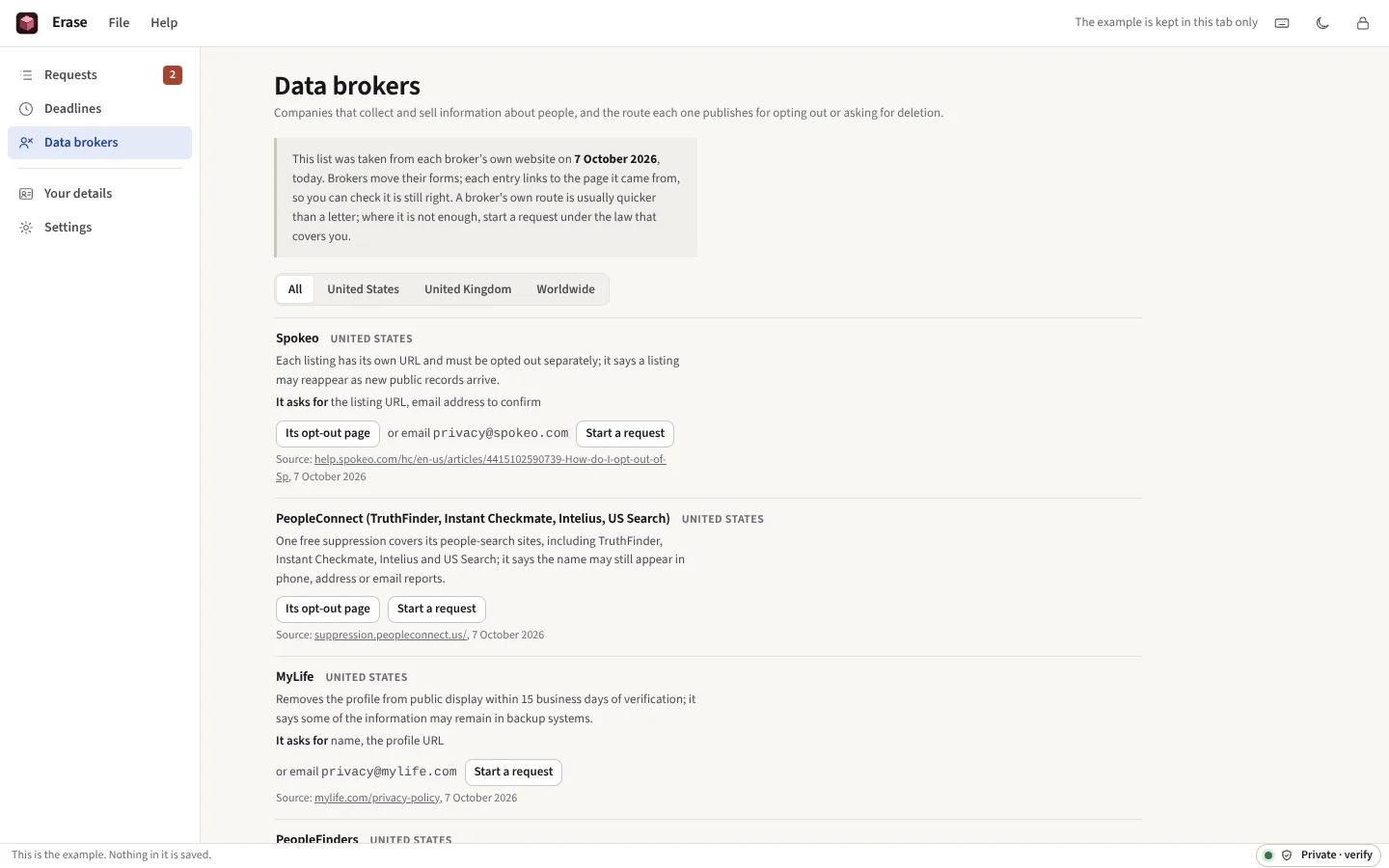
Taken from Erase itself, with its example open: requests to invented organisations from an invented person, dated from the day the example is opened.




Everything it does
Ask an organisation for your data, have it corrected or erased, or stop its sale, one at a time or forty brokers at once. The letters go from your own email. One month under the GDPR, 45 days under the CCPA, 30 under PIPEDA, counted as the law counts them; a chaser, an appeal and a complaint to the regulator when the date passes; a check when a broker lists you again; and what comes back kept encrypted on this device.
Before you start: It is not legal advice, and it sends nothing: each letter goes from your own email or by post. What else it does not do
What it does
Requests
Choose the organisation, the law and the right, and the letter is written as you go: the right named by its article or section, what the law entitles you to listed, the time limit stated, and a paragraph that lets the organisation find your data without asking for more than it needs. Save it, send it, and mark it sent.
Deadlines
Each request shows when the answer is due and why: the rule, its source, and the date it gives. A month ends on the same date the next month, or the last day of a shorter one, and moves to the next working day when it ends on a weekend or a public holiday of the place you choose. Under the UK GDPR the clock waits for identity information, and for an access request stops while you clarify it.
Follow-ups
When the date passes, a chaser; in the UK it is written as the complaint to the organisation that the Data Protection Act now provides for. When an organisation claims more time, a reply that notes it, or says it came too late. When nothing works, a complaint to the regulator, carrying the dates of everything that happened.
Reminders
Overdue and nearly due requests are shown whenever Erase is open. If you ask, the dates also appear on Today and in Calendar on this device, with or without the organisation’s name, and the deadlines can be saved as an .ics file for any calendar.
What came back
Drop the files an organisation sends into its request. Each is encrypted before it is stored, and the timeline notes what arrived and when.
Campaigns
Search the directory of 143 data brokers and companies, each with its own route and the page it came from, tick as many as you like, and write to all of them at once: a request each, under the law that covers you, started from what you want (stop the marketing, purge everything, or find out what is held) or from the right itself. A queue opens each letter in your own email, or the broker’s own form with your details copied for it. The campaign shows where every one stands, chases the overdue ones from the same queue, and gives all its letters as one PDF and its status as a spreadsheet.
Replies, read
Paste a company’s reply, drop its email (.eml or Outlook .msg), or match a later export of your mailbox, and Erase reads each by fixed rules on this device: did it, did part of it, wants proof of identity, refused, claims more time, or says it holds nothing. It shows the phrases it went by, keeps the email as it came, and offers the next step under your law with its letter.
In your language
Under the GDPR, a request and its chaser in French, German, Spanish, Italian, Dutch or Portuguese, citing the same articles. They are fixed templates, not yet checked by a native speaker, and the letter says so before you send it.
People-search sites
One site after another, each opened on its own search page in a new tab, for you to record whether you are listed. The ones that list you end with a button to write to each.
Screenshots as evidence
A picture of the listing before you ask and one after it has gone, each hashed with SHA-256 and dated the moment it comes in, shown side by side and put into the case file with its hash.
What comes next
Each request shows the steps its law gives after it, with the date of each: the chaser, the appeal a state gives, the complaint to the regulator, and the court where the law names one. Each follow-up is on Deadlines, in the calendar file and, if you allow it, a notification.
The data map
Where your data is: every organisation you have written to, the ones you tick from a checklist of accounts, loyalty cards and apps, and the senders in an exported mailbox, read on this device. What you asked each for and where it stands, saved as a spreadsheet or a report.
When they come back
A broker that removed you can buy your data again. Re-listing keeps a schedule of brokers to look at, every 30 to 180 days, opens each one’s own page, and records what you found; if you are listed again, it writes a letter that repeats the request and asks where the data came from.
Proof of identity
When an organisation asks who you are, Erase says what the law lets it ask for and how to send the least. When it asks for more, a reply cites the rule.
The case file
One PDF of the matter for a regulator or an adviser: the facts, the rule, every dated event, each letter, then what came back, replies, PDFs and pictures included. A complaint pack puts the complaint to the regulator you choose in front of it.
Plug-ins
A pack, installed from a file, adds organisations to the directory and letters to a request. Its code, if it has any, runs sealed off with no network.
Nobody acts for you
A service that sends requests on your behalf has to keep your names, addresses and often your identity documents to do it, and writes to each company as your agent. Erase keeps them on this device; every letter is yours, from your own email, and cites the law it relies on, for every right and not only deletion; and the whole history, replies included, is yours to export.
Moving devices
Export everything as one .oerase file, encrypted under a passphrase you choose for it: the requests, your details, the files, and each request’s letters as PDFs. Import it on the other device; requests already there are kept and brought up to date.
One letter, free
To write a single subject access request without keeping track of it, use the free ACCESS tool. Erase is for when you want the deadline counted, the replies kept, and the chaser or complaint written for you.
Where your requests are kept
On this device, in the browser’s own storage, encrypted. The key is made from your passphrase with Argon2id and never stored; without the passphrase what Erase keeps cannot be read, by anyone, including us. Letters are sent from your own email or on paper: no server of ours sees who you wrote to, what you asked for or what came back.
What it cannot do
Said now, so that nobody pays to find out.
- It is not legal advice. Erase writes letters from the text of the law and counts the days it gives. It does not know the facts of your case, and cannot say whether an organisation must do what a letter asks.
- It sends nothing. There is no service that writes to companies for you. You send each letter from your own email or by post.
- Not every law. The GDPR, the UK GDPR, PIPEDA, the Australian Privacy Act, Brazil’s LGPD, the CCPA and the laws of Virginia, Colorado, Connecticut, Oregon, Texas, Utah, Montana, Iowa, Tennessee, Delaware, New Hampshire, Nebraska, Minnesota, Indiana, Kentucky, New Jersey, Maryland and Rhode Island. Florida’s and the rest are not covered. Australia’s Act sets no number of days, so the 30 shown are its regulator’s guidance; Brazil’s sets 15 for access and none for the other rights.
- It does not search for you. Services that scan people-search sites do it from their servers, holding your details. Erase holds nothing off your device, so you look, on the date it reminds you, and it writes the letters. It reads a mailbox only from a file you export and open in it.
- Replies are read by rules, not understood. The reading is a match against the phrases companies use. It shows what it matched, and you can always choose otherwise.
- National public holidays only. A deadline moves past the national holidays of the place you choose (the UK nations, Ireland, France, Germany, Spain, Italy, the Netherlands, Portugal, California and the US federal days); a regional holiday, or one proclaimed for a single year, is not known.
- The directory ages. It was checked on the dates it shows, from each organisation’s own pages, and organisations change their forms. Each entry links to its source. Some brokers could not be read at all and are not listed; California’s and Vermont’s registries are linked to look any broker up.
- A forgotten passphrase cannot be recovered. Export a file now and then, and keep its passphrase somewhere safe.